

 Français
 The right accounting software for sole traders to run your business
Find the ideal accounting software for sole traders to automate your invoices, filings and management. A complete guide to making the right choice.
Accounting software for sole traders is far more than a simple piece of software. Think of it as your very first administrative assistant, the one who handles the thankless tasks so you can focus on what you do best: your craft. Its job is simple — automate your management, guarantee your invoices and filings are impeccable, and give you back precious time.
Why manual management holds your micro-business back
When you start out as a micro-entrepreneur, you feel like you can manage everything with a notebook and a few spreadsheets. It’s a bit like heading out to sea with just a compass. At first, it works. But navigation quickly becomes complicated.
Invoices pile up, the URSSAF filing becomes a stressful appointment every month or quarter, and keeping an eye on those infamous VAT thresholds turns into a genuine source of anxiety. Managing your accounts on Excel is a bit like flying blind through fog: you just hope you don’t hit anything.
The risks of an “old-school” approach
The main danger of this handmade approach is human error. A calculation formula that breaks in your Excel file, an invoice forgotten in a corner, one digit too many (or too few) in a filing… These small mistakes can end up costing you dearly, between late-payment penalties and the risk of a tax audit. The time you spend hunting down and fixing these slips is time you’re not investing in finding clients or growing your offering.
In France, the number of micro-entrepreneurs ranges between 2.5 and 2.7 million. For many, every euro counts. Optimising your time therefore means optimising your income. Dedicated software takes on all these repetitive tasks and frees your mind to focus on what actually generates revenue. For a clearer picture, this analysis of sole trader earnings offers a good overview of the economic context.
Accounting software isn’t a gadget. It’s your co-pilot, the one that turns a heavy administrative burden into a genuine tool for steering your business.
Comparing accounting management for sole traders
This table highlights the concrete differences between a manual approach and using dedicated software.
| Aspect of management | Manual management (Excel, paper) | With dedicated accounting software |
|---|---|---|
| Creating invoices | Manual entry, risk of missing legal mentions. | Compliant templates, automatic numbering, up-to-date legal mentions. |
| Payment tracking | Manual reconciliation, chasing by hand. Time-consuming. | Real-time invoice status (sent, viewed, paid), automatic reminders. |
| URSSAF filing | Manual calculation of revenue and contributions. | Automatic calculation of revenue to declare, filing assistance, sometimes e-filing. |
| VAT management | Manual and stressful monitoring of thresholds. | Automatic alerts as thresholds approach, VAT due calculated for you. |
| Overall view | Hard to get a full picture of cash flow. | Visual dashboard with key indicators (revenue, unpaid invoices, cash flow). |
| Risk of error | High (data-entry errors, calculation mistakes, oversights). | Very low. Calculations and processes are automated and reliable. |
In short, switching to dedicated software isn’t just a matter of comfort. It’s a strategic choice to secure and professionalise the management of your micro-business from day one.
The shift to automation: what you really gain
Adopting accounting software for sole traders means trading your old compass for a smart dashboard. The tool doesn’t just store figures; it interprets them to give you a clear view of your situation.
Concretely, here are the immediate benefits:
- Security and compliance with no effort: No more guesswork. The software generates quotes and invoices that comply with the law to the letter, with every mandatory mention included. It warns you well before you approach VAT thresholds.
- A clear, real-time view: Thanks to bank synchronisation and simple charts, you always know where you stand. How much cash do you have? Which invoices are outstanding? What’s your revenue for the month?
- Considerable time savings: Creating documents, calculating contributions, chasing payments… All these recurring tasks are automated. You get precious hours back every month.
In short, a tool like this gives you the keys to run your business with precision. You’re no longer flying blind — you’re making decisions based on reliable data to drive your micro-business’s growth.
The essential features for stress-free management
Good accounting software for sole traders is above all a smart financial co-pilot, not a bloated machine. Certain features aren’t mere gadgets; they’re the ones that truly change your day-to-day, saving you precious time and giving you invaluable peace of mind. Let’s look at what really makes the difference.
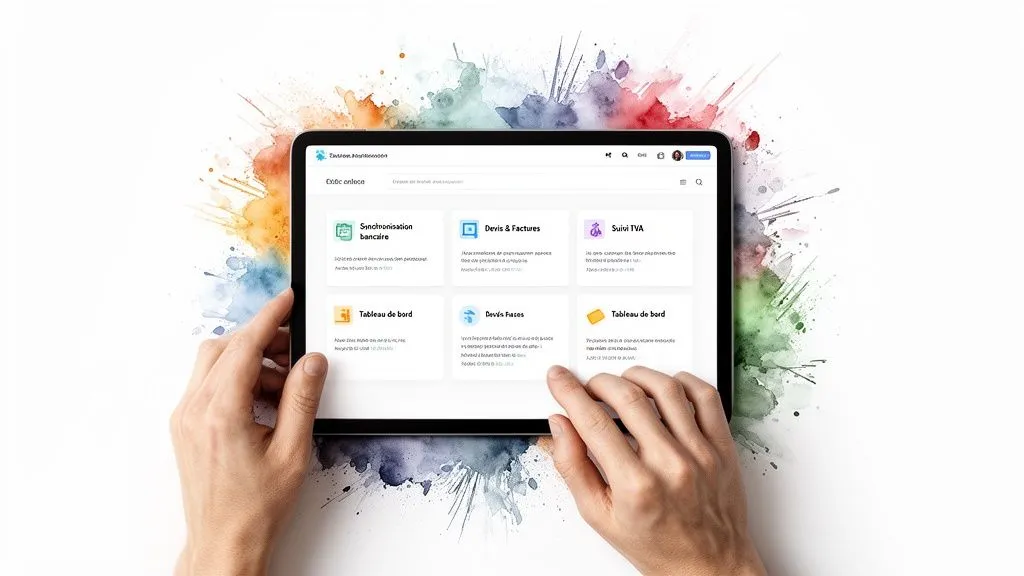
Creating compliant quotes and invoices
This is the basics, the starting point of any business. A capable tool doesn’t just help you create attractive documents. It makes sure they’re fully compliant with the law.
Concretely, this means that all the mandatory mentions are present, that invoice numbering follows a flawless (and automatic!) logic, and that VAT rates are correct where applicable. This automation avoids errors that can prove costly. No more stress about having to double-check everything under a magnifying glass before sending a document.
To dig deeper into this topic, our guide to the best invoicing software for sole traders explores all these aspects in detail.
Bank synchronisation: a major time-saver
Bank synchronisation is the feature that will make you forget your spreadsheets for good. Imagine: your business bank account communicates directly and securely with your software. Every transaction is pulled in and categorised automatically.
When a client pays you, the software links it to the outstanding invoice and marks it as “paid”. You no longer have to manually check off each line of your statement. The result? A real-time view of your cash flow, with no effort and no risk of data-entry errors.
Bank synchronisation turns a weekly administrative chore into an automatic, instant process. It’s the equivalent of several hours of work saved every month.
Tracking thresholds and managing VAT
For a sole trader, VAT is a sensitive topic. Unknowingly exceeding revenue thresholds exposes you to serious complications. Good software acts here as a genuine safety net.
It monitors your revenue continuously and alerts you well before you reach the VAT exemption scheme’s ceilings. This early warning is crucial to calmly prepare the shift to VAT-inclusive invoicing.
- Preventive alerts: You receive notifications when you approach 80% or 90% of the threshold, giving you time to prepare.
- Automatic calculation: Once liable, the tool calculates VAT for you on every invoice and generates the reports that simplify your filings.
- Clear visibility: You always know where you stand relative to the ceilings. No nasty surprises at year-end.
This automated tracking lets you focus on your growth, without fearing the tax consequences of well-deserved success.
A visual dashboard to steer your business
The most strategic feature is arguably the dashboard. It’s the control centre of your micro-business. It sums up all the important financial data as clear charts and indicators, letting you make real decisions.
A good dashboard shows you at a glance:
- Your revenue: Its trend over the month, quarter or year.
- Your unpaid invoices: Spot overdue invoices immediately so you can chase them without delay.
- Your best clients: Identify who really drives your business.
- Your projected cash flow: Anticipate incoming and outgoing money to better steer your finances.
This is no longer just bookkeeping — it’s business piloting. You no longer just endure the numbers, you use them to guide your strategy and accelerate your growth.
How to choose the right software for your trade
To choose your accounting software for sole traders well, think of it as a vehicle. A landscaper needs a rugged van, not a small city car. In the same way, a freelance developer, a craftsperson or an e-commerce seller don’t face the same administrative challenges at all. The perfect tool for one will be a source of frustration for another.
Your choice should therefore start with you, with the reality of your day-to-day. There’s no point paying for an arsenal of features if you’ll only use two of them. Let’s look together at the essential criteria for finding the tool that adapts to you, not the other way around.
Ease of use, an absolute priority
Your time is your most precious resource. Management software is supposed to save you time, not waste it. Ease of use, meaning how simple the tool is to operate, is therefore the very first thing to check.
Imagine having to search for a basic feature for ten minutes every time you create an invoice… That lost time, multiplied over a year, adds up to hours you could have spent on client work. Good software should be intuitive, with a clear dashboard where everything is within reach. Most solutions offer a free trial; that’s the ideal moment to test the tool under real conditions.
Integrations, the bridge to your other tools
Your accounting software shouldn’t be a desert island. To be truly effective, it needs to talk to the other tools you use every day. That’s the key to centralising information and automating as many tasks as possible.
This is where integrations come in. They’re genuine bridges connecting your software to your working environment. Here are the most important ones for a sole trader:
- Bank synchronisation: The most fundamental link. It enables effortless cash-flow tracking and makes your figures more reliable.
- E-commerce platforms: If you sell online, an integration with Shopify, WooCommerce or Stripe is a must-have for automatically importing your sales.
- Project management tools: For freelancers, connecting your software to a tool like Trello or Asana can greatly ease time tracking and invoicing. You can also check out our guide to invoicing tools for freelancers for concrete examples.
Customer support, your safety net
Even with the simplest tool in the world, you’ll one day have a question, a small snag. And at that point, what happens? The quality of customer support is a criterion people tend to overlook — until the day they desperately need it.
Good support should be responsive, competent and easy to reach. Favour providers who offer several contact channels (chat, email, phone) and who are based in France. This is often a sign of a better understanding of the specifics of your status.
Effective customer support doesn’t just solve a technical problem. It gives you the peace of mind of knowing you’re never alone facing your administrative obligations.
The pricing structure, a model that grows with you
Price is obviously an important factor, especially when starting out. Adoption of these tools is massive: nearly 75% of French small and medium-sized businesses now use accounting management software. For sole traders, equipping yourself with a solution like Indy, Freebe or Abby isn’t a luxury — it’s a strategic decision to make the most of every minute. To go further, you can check out this comparison of software for sole traders.
Avoid solutions with hidden fees or commitments that lock you in long-term. The ideal model for a self-employed person is a monthly subscription, with no commitment, that grows with you. Many tools, like Bizyness, offer a free plan to get started, then paid plans that unlock advanced features (bank sync, VAT management) right when you actually need them.
This evolving model ensures you only pay for what’s useful to you, while giving you the certainty that your tool will keep pace as your revenue takes off.
Which software for which type of sole trader?
To help you see things more clearly, this table summarises the most relevant features depending on your line of work.
| Sole trader profile | Essential features | Examples of suitable tools |
|---|---|---|
| Freelancer (developer, designer) | Time tracking, complex quotes, online payment, automatic reminders. | Freebe, Bizyness, Abby |
| E-commerce seller (Shopify, Etsy) | E-commerce integration, bank synchronisation, VAT management, revenue breakdown. | Bizyness, Indy, Dougs |
| Tradesperson (plumber, electrician) | Mobile app for on-site quotes, service catalogue, deposit management. | Tolteck, Bizyness, Obat |
| Consultant / Coach | Recurring invoicing, online payment, profitability tracking per project. | Freebe, Bizyness, Tiime |
By analysing these different points through the lens of your own trade, you’ll be well equipped to make an informed choice. The ultimate goal is to find the accounting software for sole traders that becomes a genuine growth partner, not just another line of expense.
The concrete benefits you’ll see from the first month
Investing in accounting software for sole traders isn’t just about ticking a compliance box. It’s above all a choice that will change your day-to-day life as a freelancer. The impact is almost immediate, and within the first few weeks you’ll feel the difference. Paperwork is no longer a burden, but a tool working for you.
These benefits aren’t vague promises. They’re measured in hours saved, less stress, and a better view of your business’s health. Let’s see concretely how this tool quickly becomes indispensable.
Quantifiable time savings so you can focus on your trade
The first, most visible effect is the time you’ll get back. Do the maths: all those hours spent cobbling together invoices in a spreadsheet, manually checking off your bank statements, calculating your revenue before every filing… Good software puts nearly all these tasks on autopilot.
Imagine freeing up between 5 and 10 hours every month. That’s huge. You can finally devote that time to what really matters: finding new clients, developing your offering, or simply taking a breather. It’s a return on investment you’ll notice immediately.
A drastic reduction in mental load
You know that little voice that keeps stressing you out? “Did I fill in my URSSAF filing correctly?”, “Does my invoice contain all the mandatory mentions?”, “Careful, I’m getting close to the VAT thresholds!” That constant anxiety, that mental load, ends up weighing heavily.
Your management software is your safety net. It makes sure every document is spotless and every calculation is correct. The peace of mind of knowing your management is solid is priceless. You can finally focus on your core business, with a clear head.
Automating your accounting doesn’t just save you time. It frees you from a mental burden and lets you approach your business with more serenity and confidence.
Better-controlled, optimised cash flow
Cash flow is the lifeblood of any business, especially when you’re self-employed. Specialised software gives you the keys to steer it closely, notably through one simple but formidable feature: automatic reminders for unpaid invoices.
This feature can literally transform your end of month. No more playing bailiff with late-paying clients. The system handles it for you, politely but firmly.
- Real-time visibility: Your dashboard shows you at a glance who owes you money, and since when.
- Scheduled reminders: Reminder emails go out automatically according to a schedule you’ve set. Nothing gets forgotten.
- Direct impact on cash flow: By reducing payment delays, you directly improve your working capital. Your cash flow becomes healthier and more predictable.
A decision-support tool for smart growth
Very quickly, your accounting software becomes far more than a simple administrative tool. It’s a genuine goldmine of strategic information. Reports and dashboards show you trends you would never have spotted by hand.
In just a few clicks, you can identify:
- Your most profitable clients: Where should you focus your efforts?
- Your flagship services or products: What’s working best and deserves further development?
- The seasonality of your business: When should you anticipate peaks and prepare for quieter periods?
This clear vision, based on concrete figures, lets you make the right decisions to grow your micro-business on solid foundations. As the number of new micro-business registrations reaches record highs, equipping yourself with good tools is no longer a luxury. To better understand this trend, take a look at recent figures on business creation.
Setting up your new tool without the headache
The idea of changing your habits makes you a little anxious? That’s completely normal. But let’s be clear: adopting new accounting software for sole traders has nothing to do with the complicated installations of the past. Imagine assembling a modern piece of furniture: the instructions are crystal clear, the parts slot together effortlessly, and the end result changes your life.
Think of what follows as your roadmap for a smooth transition. We’re going to break the process down into simple, logical steps. The goal? To prove to you that a few hours of setup can save you hundreds of hours of work down the line.
The first steps: initial setup
It all starts with creating your account, a formality that only takes a few minutes. You’ll then need to enter basic information about your micro-business: your name, address, SIRET number, and your VAT scheme (whether you’re under the VAT exemption threshold or the standard regime).
This is also the time to polish your brand image. Take a moment to upload your logo and set up your company details. These elements will then be added automatically to every quote and invoice. No more forgetting — every document you send will be professional and compliant.
Importing your existing data
You’re not starting from a blank page. Good software is designed to adapt to your business. The next step is to import your data to centralise everything. This is where the magic starts to happen and where you get your first taste of the tool’s benefits.
The two most important imports are:
- Your client base: Most tools let you upload a simple file (often in CSV format, which you can export from Excel or Google Sheets) with your clients’ details. In a few clicks, your address book is loaded in.
- Your catalogue of products or services: If you often sell the same items or services, import them along with their description and price. This will considerably speed up the creation of your future quotes and invoices.
The pro tip for migration: Before importing your files, do a bit of spring cleaning. Check that every piece of information is in the right column (last name, first name, email, etc.) and that there are no odd or merged cells. A clean file guarantees a perfect import on the first try.
Securely connecting your bank account
This is the step that turns your software into a true financial co-pilot. Don’t worry: connecting to your professional bank account is a fully secure process, using the same encryption technology as your own banking app.
Once the connection is established, the software will automatically retrieve your bank transactions. It will then intelligently match them to the invoices you’ve issued. A client has paid you? The tool detects it and marks the invoice as “paid” without you having to lift a finger. It’s a phenomenal time-saver and the best way to make your cash-flow tracking more reliable. If you’re also looking to automate other administrative tasks, that’s really where to start.
This three-step process shows just how software can transform your day-to-day management. The result is simple: more time, less stress, and better control over your money.
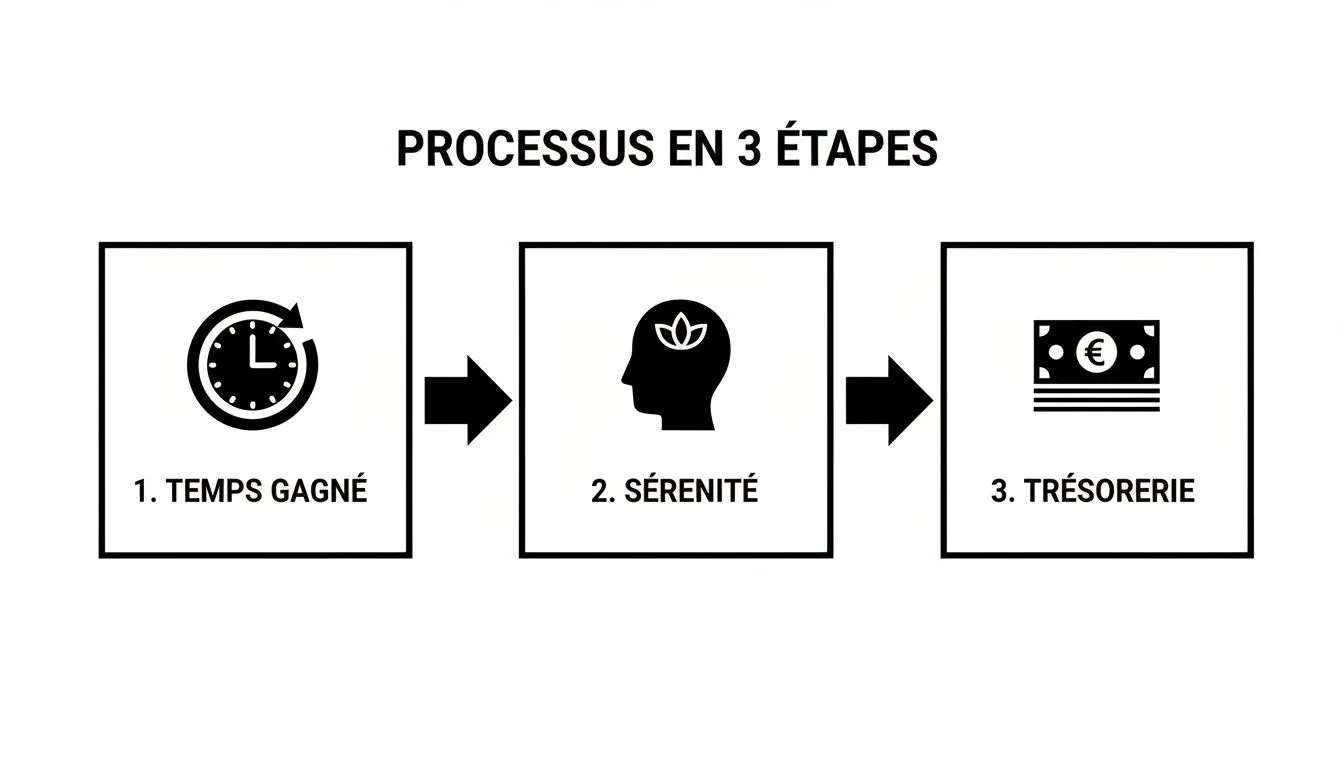
By following these steps, you set up an efficient system where technology works for you. You’re now free from administrative constraints, ready to focus on what really matters: growing your business.
Your frequently asked questions on sole trader accounting
Accounting, when you’re a sole trader, always raises a whole host of questions. That’s perfectly normal! You want to do things right and stay compliant, but without spending your days on it. This FAQ is here to give you clear, concrete answers, so you can get started with the right accounting software for sole traders with full confidence.
Is accounting software really mandatory for me?
On paper, the answer is no. As a sole trader, the law simply requires you to keep a record of receipts. If you sell goods or accommodation services, you must also keep a purchase register. Full stop.
But be careful — relying on a simple Excel spreadsheet is playing with fire. Tax authorities are very clear: your accounting data must be tamper-proof, secure and archived. An Excel file ticks none of these boxes. In the event of an audit, you’re exposed.
In reality, certified software is close to a necessity if you want to work with peace of mind. It’s less a legal obligation than life insurance for your business: it guarantees your compliance, saves you from calculation errors that can prove costly, and lets you run your business without stress.
Can I start with free software?
Yes, and it’s even a great idea to get going without spending a cent. Many tools, Bizyness included, offer a free version that perfectly covers the basics: creating flawless quotes and invoices, and tracking your clients.
Think of it as a real-world trial, with no commitment. You get familiar with the interface, test whether the ease of use suits you, and see if the tool fits the way you work.
As your business grows and your needs evolve (VAT management, bank synchronisation, project tracking…), you can move to a more complete paid plan without losing anything. The most important thing is choosing a tool that grows with you, so you don’t have to start from scratch.
Concretely, how will the software simplify my URSSAF filings?
This is probably where you’ll see the most immediate benefit. No more last-minute panic before every deadline and manual calculations prone to error. Good accounting software puts all of that on autopilot.
The principle is dead simple:
- It centralises your receipts: The software knows exactly which invoices were collected during the period (whether you file monthly or quarterly).
- It does the calculation for you: Based on payment collection dates, it calculates the exact revenue amount to declare.
- It gives you the figure: You get a clear report with the precise amount to enter on the URSSAF website.
What used to be an anxiety-inducing chore becomes a two-minute formality. You’re certain you’re declaring the right amount, paying the correct contributions, and avoiding any risk of penalty.
My business is mixed (e-commerce and services) — how do I handle that?
Yes, that’s perfectly manageable, and it’s even a crucial point to check before choosing your tool. Modern accounting software for sole traders should be able to bring together all your revenue sources to give you a single, clear view of your business.
For a mixed business, make sure the software offers:
- E-commerce integrations: A connection to platforms like Shopify, WooCommerce or Stripe is a must-have for automatically pulling in your shop’s sales.
- Flexible manual invoicing: For your service work, you need a tool that lets you create custom quotes and invoices in just a few clicks.
The goal is to have a single dashboard that consolidates all your revenue, without having to switch between your online shop and a spreadsheet. It’s much simpler for your filings, and it gives you a much more precise view of the performance of each side of your business. For those getting into real estate, it’s also crucial to understand short-term rental regulations and taxation, aspects your software will help you track closely.
Does mandatory e-invoicing in 2027 concern me?
Yes, without a doubt. The e-invoicing reform will apply to all businesses subject to VAT, including micro-businesses under the VAT exemption scheme. The rollout is happening gradually, but it’s best to plan ahead.
From 1 September 2026, you’ll be required to be able to receive invoices in electronic format from your suppliers. Then, from 1 September 2027, it will be your turn: you’ll need to issue invoices to your business clients via a certified platform.
By adopting invoicing software like Bizyness now, you prepare for this transition smoothly. You get ahead of the curve, get used to the right tools, and make sure you’re fully compliant when the time comes, without having to scramble to change everything at the last minute.
Ready to say goodbye to paperwork and run your micro-business with total clarity? Bizyness was designed for you. Get started for free and discover how to automate your invoicing, secure your filings and, above all, save precious time.