

 Français
Auto-Entrepreneur Invoice Template Excel: Top 6 Free and Paid Options for 2025
Discover our selection of the 6 best auto-entrepreneur invoice templates for Excel in 2025. Find the ideal template to manage your micro-business efficiently.

Flawless invoices: the best Excel templates
Creating compliant, professional invoices is crucial for every sole trader. Simplify your bookkeeping with an auto-entrepreneur invoice template for Excel. Discover our selection of the 6 best free and paid tools for 2025. Save time and keep precise track of your revenue! Compare their features and choose the ideal Excel template for your business, whether you’re a freelancer, an e-commerce seller, or a service provider.
1. Auto-entrepreneur invoice template by Tiime
Looking for an auto-entrepreneur Excel invoice template that’s simple, free, and compliant with French law? Tiime meets this need with an Excel template specifically designed for sole traders. This template stands out for its ease of use and its adaptation to the different tax regimes of micro-entrepreneurs, whether VAT-exempt or under the simplified real regime. It earns its place on this list thanks to being free and legally compliant, making it an excellent option for beginner entrepreneurs or those handling a low volume of invoices.
This template lets you create professional invoices in just a few clicks. It includes all the mandatory legal notices, sparing you errors and potential issues with the tax authorities. No need to check every element yourself — Tiime takes care of it for you. Automatic invoice numbering also simplifies your administrative management and ensures flawless traceability.
Key features:
- Legal notices compliant with French law: A crucial point to avoid any disputes.
- Automatic VAT calculation (for VAT-liable sole traders): Simplifies management for those not under the VAT exemption scheme.
- Easy customization of contact details and logo: Lets you create invoices that reflect your brand.
- Automatic invoice numbering: Ensures clear organization and optimal traceability.
- Compatible with all schemes (exemption, simplified real regime): Adapts to your tax situation.
Pros:
- Completely free: Ideal for small budgets.
- Regularly updated to reflect legal changes: Ensures constant compliance.
- Simple, intuitive interface: Easy to pick up, even without Excel expertise.
- Customer support available: You can contact Tiime for help when needed.
Cons:
- Limited features compared to paid solutions: If you need advanced features like inventory or customer management, you’ll need to consider a more complete solution.
- No integration with accounting tools: Accounting data entry must be done manually.
- Requires Excel to work: You need Microsoft Excel installed on your computer.
Implementation tips:
- Download the Excel invoice template from Tiime’s website.
- Open the file with Microsoft Excel.
- Customize the fields with your information (contact details, logo, etc.).
- Start creating your invoices!
Who is it for?
This template is particularly well suited to sole traders and freelancers in e-commerce, small businesses, independents selling online and offline, beginner entrepreneurs looking to lighten their administrative load, and service providers. If you’re looking for a free, simple solution to manage your invoices, Tiime’s template is an excellent option. However, if your business needs more advanced features, it would be worth exploring more complete paid solutions.
Link to Tiime’s website
2. Facture.net - Excel template for sole traders
Facture.net stands out by offering a complete, customizable auto-entrepreneur Excel invoice template, ideal for freelancers, small businesses, and sole traders looking for a more robust solution than a basic template. Its modern interface and advanced features make it a powerful tool for managing invoicing, even at a high volume. This template earns its place on this list thanks to its balance between features and accessibility via Excel, a widely used piece of software.
This auto-entrepreneur Excel invoice template from Facture.net includes a built-in customer database, which greatly simplifies creating new invoices and avoids re-entering information. In addition, the dashboard dedicated to tracking unpaid invoices lets you keep an eye on your cash flow and follow up with late-paying clients. Automatic calculation of totals and taxes (VAT) saves considerable time and minimizes the risk of errors.
Key features:
- Built-in customer database: Manage your customers directly within the tool and quickly access their information when creating invoices.
- Dashboard to track unpaid invoices: Easily see invoices awaiting payment and follow up with your clients efficiently.
- Automatic calculation of totals and taxes: Save time and avoid calculation errors through automation.
- Advanced customization (colors, fonts, layout): Adapt the template to your brand for professional-looking invoices.
- Built-in PDF export: Generate invoices in PDF format in a few clicks for easy sending by email.
- Quote-to-invoice conversion system: Turn your quotes into invoices in a single click, simplifying the sales process.
Pros:
- Professional, modern design: Present a polished image to your clients with elegant invoices.
- Numerous customization options: Adapt the template to your specific needs.
- Includes a quote-to-invoice conversion system: Streamline your sales process.
- Detailed documentation provided: Makes it easier to get up to speed with the template thanks to comprehensive resources.
Cons:
- Some advanced features require the premium version: Access to all features may come at an additional cost. It’s important to check whether the free version meets your needs.
- Steeper learning curve than simpler templates: The richness of features may require some time to adapt.
- Can be slow on less powerful computers: Advanced features can strain your computer’s resources.
Implementation tips:
- Take the time to properly configure the template initially, particularly by customizing your company information and importing your customer database.
- Explore the various customization options to match your brand guidelines.
- Consult the documentation provided to master all the features.
Comparison with other tools: If you’re looking for a fully online solution, alternatives such as online invoicing software may be more suitable. However, Facture.net offers a good compromise for those who prefer the flexibility and control of Excel while benefiting from advanced features.
Price: Facture.net offers free templates as well as premium versions with additional features. Check their website for more pricing information.
Link: https://facture.net/modeles-de-facture/auto-entrepreneur
In conclusion, Facture.net’s auto-entrepreneur Excel invoice template is a strong solution for entrepreneurs looking to manage their invoicing professionally and efficiently. Despite a slightly steeper learning curve than more basic templates, its advanced features and customization options make it a valuable tool.
3. Auto-entrepreneur invoice template by URSSAF
For simple, compliant management, URSSAF offers an Excel invoice template for sole traders. This free template is an ideal solution for beginner sole traders or those looking for a quick, efficient way to create their invoices. It guarantees compliance with French legal and administrative obligations, a crucial point to avoid any issues with the tax authorities. This template is particularly well suited to freelancers in e-commerce, small businesses looking to automate their management, independents selling online and offline, and even experienced entrepreneurs looking to lighten their administrative tasks.
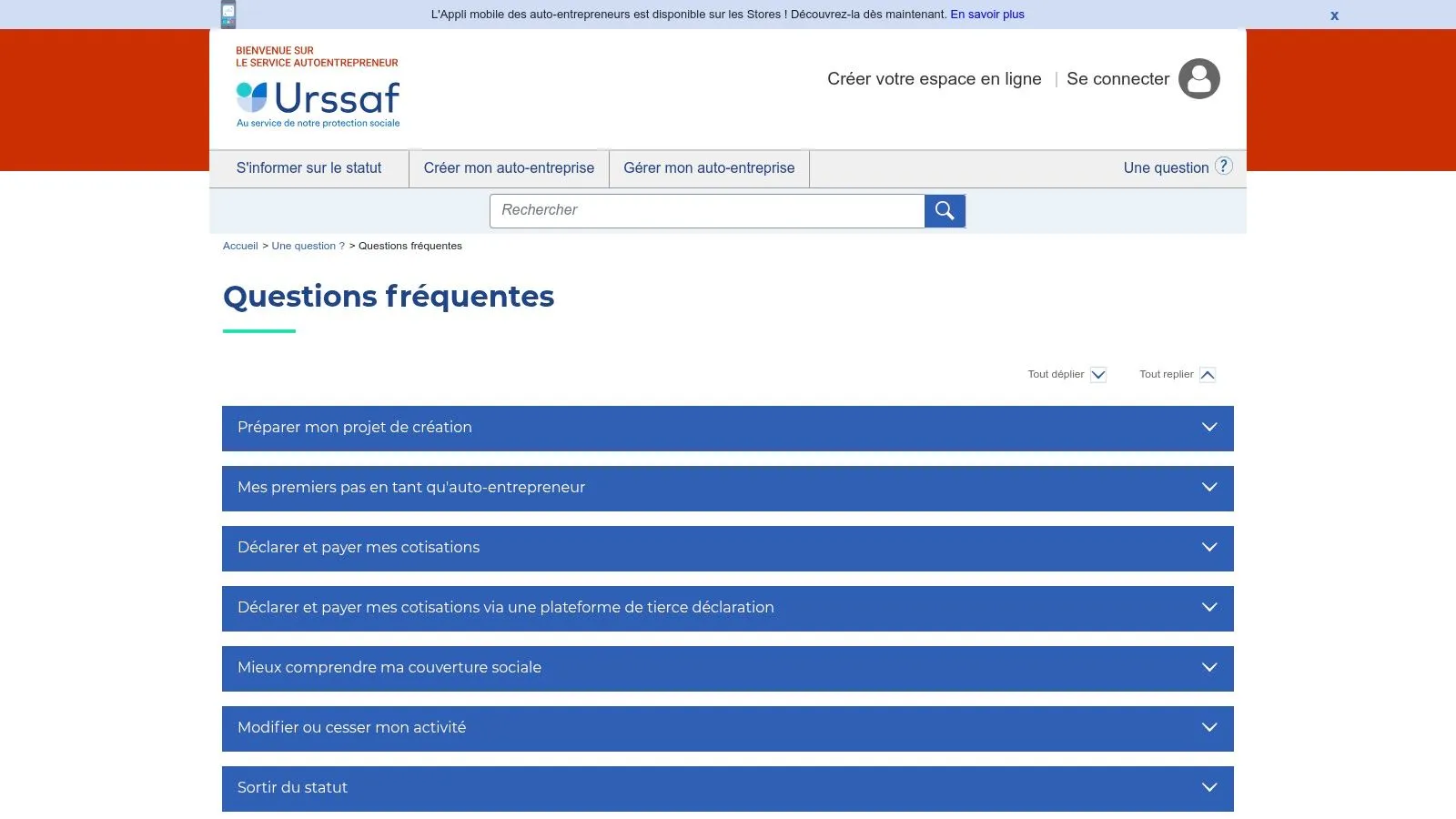
One of the main advantages of this auto-entrepreneur Excel invoice template is its ease of use. Pre-built calculation formulas automatically compute the total invoice amount, including VAT where applicable. All mandatory fields, such as the SIRET number, are clearly indicated, minimizing the risk of error. URSSAF offers versions with and without VAT, adapting to the different tax regimes of sole traders. This standardized format is recognized by the administration, simplifying exchanges and filings.
This Excel template stands out for its compliance with URSSAF’s legal requirements. Staying compliant is essential for any sole trader, and this free template offers that guarantee. It is also regularly updated by URSSAF, ensuring it stays relevant as legislation evolves — a major advantage over other tools that can become outdated. For creators and sellers of digital products, service providers, or multi-platform sellers, this template offers a solid foundation for clear, accurate invoicing.
Despite its many advantages, this template has a few limitations. Its design is basic and offers few customization options. Features are limited to the essential elements of invoicing. It also doesn’t offer an invoice history, which can make long-term invoice tracking more complex. For growing businesses that need precise financial reports, or those handling multi-currency and multi-language transactions, more complete solutions may be necessary.
That said, for sole traders looking for a simple, free auto-entrepreneur Excel invoice template compliant with URSSAF standards, this template is an excellent option. It’s available for free on URSSAF’s website: https://www.autoentrepreneur.urssaf.fr/portail/accueil/une-question/questions-frequentes.html. It’s intuitive to use and requires no particular technical skills. Simply download the Excel file, fill it in with the necessary information, and send it to your client. A valuable time saver so you can focus on your business.
4. Invoice Generator by Shine: An advanced Excel template for connected sole traders
Shine, the neobank designed for freelancers and sole traders, offers much more than a simple bank account. Among its tools is a particularly complete auto-entrepreneur Excel invoice template called “Invoice Generator.” This generator stands out for its built-in financial management features, making it an interesting solution for those looking to centralize their administration. It integrates seamlessly with the Shine ecosystem, further simplifying management for the bank’s customers.
This auto-entrepreneur Excel invoice template from Shine goes beyond simple invoice creation. It allows precise tracking of payments and late payments, giving you a clear view of your cash flow. Built-in financial dashboards help you analyze your performance, while multi-currency management proves valuable for entrepreneurs working internationally. The automatic reminder feature for unpaid invoices limits oversights and optimizes collection. Finally, saving customer information makes it easier to create new invoices and track your client base.
Key features:
- Tracking of payments and late payments
- Built-in financial dashboards
- Multi-currency management
- Automatic reminders for unpaid invoices
- Saved customer information
Pros:
- Modern, intuitive interface, making it easy to get started.
- Smooth integration with your Shine bank account, for centralized management.
- Advanced reporting features, allowing precise analysis of your business.
- Responsive customer support when needed.
Cons:
- Some features, particularly the more advanced ones, require a Shine account.
- The free version is limited in the number of invoices. It’s important to check these limitations against your activity volume.
- An internet connection is required to access certain features and sync data.
Implementation tips:
If you’re already a Shine customer, integrating the invoice generator will happen naturally. For others, it’s advisable to explore the free version’s features before considering opening an account. Don’t hesitate to contact Shine support with any questions about limitations or specific features.
Comparison with other tools:
Compared to a simple, freely downloadable Excel template, Invoice Generator by Shine offers more advanced features, particularly in terms of payment tracking and reporting. However, competing solutions, sometimes free, may offer similar features without requiring you to open a specific bank account. Shine’s main advantage lies in its integration with its banking ecosystem.
Conclusion:
The auto-entrepreneur Excel invoice template offered by Shine is a strong solution for connected entrepreneurs looking to centralize their financial management. Particularly well suited to the neobank’s customers, it offers advanced features that simplify invoicing and payment tracking. Despite the limitations of the free version and the need for an internet connection, Invoice Generator stands out as a valuable tool for sole traders seeking efficiency.
Visit Shine’s website for more information.
5. Facture-Micro-Entrepreneur.fr Template
The site Facture-Micro-Entrepreneur.fr offers an auto-entrepreneur Excel invoice template specifically designed to meet the needs of micro-entrepreneurs. What sets it apart from other solutions is its focus on the issues specific to this status, particularly revenue tracking and staying within income thresholds. If you’re a sole trader looking for a simple, free solution to manage your invoicing in Excel, this template deserves your attention.
Key features for sole traders:
This Excel template offers several advanced features to simplify managing your business:
- Automatic tracking of annual revenue: No more manual calculation of your turnover — the template does it for you, letting you track your progress in real time and anticipate your filings. A valuable asset for running your business with peace of mind.
- Threshold overrun alert: An alert system warns you when you’re approaching the authorized revenue threshold for your activity, sparing you unpleasant surprises and letting you adjust your business strategy if needed.
- Built-in invoice history: Keep all your invoices in one place, making it easier to search and track your transactions. A considerable time saver for your administrative organization.
- Automatic generation of activity charts: Visualize the evolution of your revenue with clear, precise charts. An excellent way to analyze your performance and identify periods of high activity.
- Export for URSSAF filings: Simplify your administrative procedures with the ability to export your data to prepare your URSSAF filings.
Pros and cons:
Pros:
- Specifically designed for micro-entrepreneur issues: This template takes into account the specifics of the micro-business regime, a major advantage for sole traders.
- Helps prepare tax filings: Revenue tracking and data export greatly ease the preparation of your filings.
- Legal notices adapted by activity type (sale/service): The template includes the mandatory legal notices based on your activity, ensuring compliant invoicing.
- Free updates: Benefit from the template’s latest updates and improvements at no cost.
Cons:
- Less modern interface than some competitors: If you’re looking for a very visual, intuitive interface, this template may feel a bit austere.
- Uses macros that may pose security concerns: Make sure to download the file from a trusted source. It’s important to be cautious with macros and verify the file’s origin.
- Requires Excel 2010 minimum for all features: Check that your version of Excel is compatible.
Who is it for?
This template is ideal for sole traders and freelancers in e-commerce, small businesses, independents selling online and offline, beginner or experienced entrepreneurs, and more broadly, anyone looking for a simple, free solution to manage their invoicing in Excel.
Download:
The template is available for free download on the site: https://facture-micro-entrepreneur.fr/modele-facture-excel-gratuit/
In conclusion, Facture-Micro-Entrepreneur.fr’s auto-entrepreneur Excel invoice template is a practical, free solution for sole traders looking to manage their invoicing efficiently. Despite a less modern interface than some software, its features dedicated to micro-businesses and its threshold overrun alert system make it a valuable tool for running your business with peace of mind.
6. Invoicing Template by Invoicely
If your sole-trader business brings you into contact with international clients, invoicing can quickly become complex. That’s where Invoicely comes in. This software offers an auto-entrepreneur Excel invoice template, but with an international dimension that sets it apart from the others. It earns its place on this list thanks to its ability to simplify multi-currency, multilingual invoicing, a major advantage for micro-entrepreneurs operating in a globalized context.
Invoicely offers a comprehensive approach to creating and managing your invoices. Forget tedious currency conversion calculations — the software handles it automatically. It also offers templates adapted for international invoicing, respecting the standards and specifics of different countries. Whether you invoice in euros, dollars, or another currency, Invoicely simplifies the process.
Key features:
- Multilingual support: Invoice in French, English, Spanish, and many other languages, making it easier to communicate with your international clients.
- Multi-currency management: Automatic currency conversion simplifies invoicing and ensures optimal accuracy.
- Templates adapted for international invoicing: Compliance with international standards for worry-free transactions.
- Support for international taxes: Simplify management of VAT and other taxes applicable internationally.
- Recurring invoicing options: Automate invoicing for your regular services to save time.
Pros:
- Perfect for sole traders with international clients: Greatly simplifies managing currencies and languages.
- Professional, modern design: Present flawless invoices to your clients.
- Great flexibility in settings: Adapt the software to your specific needs.
- Cloud version available as a complement: Access your data and invoices from anywhere.
Cons:
- Full version is paid (monthly subscription): While free options may exist, the full version with all features requires a subscription. It’s important to compare offers and choose the one that best fits your needs and budget.
- Increased complexity for beginner users: The abundance of features can make it slightly harder for beginners to get started. Take the time to explore the interface and available tutorials.
- Some features require an internet connection: Access to the cloud version and certain features depends on your internet connection.
Implementation tips:
- Explore the various invoice templates offered and choose the one that best fits your business.
- Configure the language and currency settings based on your needs.
- Get familiar with the recurring invoicing features if you offer subscriptions or regular services.
Comparison with other tools: Unlike classic Excel templates, Invoicely offers automated currency management and adaptation to international standards, which makes it particularly relevant for sole traders working with exports. If your business is mainly domestic and you’re looking for a simple, free solution, a standard Excel template may suffice. However, if internationalization is at the heart of your strategy, Invoicely stands out as a powerful, well-suited tool.
Visit Invoicely’s website for more information and to download the template. Don’t hesitate to compare the different offers and choose the one that best fits your sole-trader business.
Comparison of 6 Auto-Entrepreneur Invoice Templates
| Template | Key Features | User Experience & Quality ★ | Value Proposition 💰 | Target Audience 👥 | Unique Strengths ✨ |
|---|---|---|---|---|---|
| Auto-entrepreneur invoice template by Tiime | Legal notices, VAT calculation, numbering | Simple, intuitive interface ★★★★☆ | Free 💰, legal updates | Beginner sole traders | Official template, legal updates ✨ |
| Facture.net - Excel template for sole traders | Customer management, unpaid tracking, PDF export | Professional design, highly customizable ★★★★ | Free version + premium 💰 | Sole traders wanting more options | Quote-to-invoice conversion system ✨ |
| Auto-entrepreneur invoice template by URSSAF | URSSAF-compliant, built-in calculations, standard | Plain, easy to use ★★★☆☆ | Free 💰, official, compliant | Sole traders seeking compliance | Recognized by the administration 🏆 |
| Invoice Generator by Shine | Payment tracking, multi-currency, reminders | Modern, banking integration ★★★★☆ | Limited free offer 💰 | Independents using Shine | Integration with Shine account ✨ |
| Facture-Micro-Entrepreneur.fr Template | Revenue tracking, threshold alerts, history | Functional but less modern ★★★☆☆ | Free 💰, micro-entrepreneur specific | Micro-entrepreneurs structuring their business | Helps with tax filings ✨ |
| Invoicing Template by Invoicely | Multilingual, multi-currency, recurring invoicing | Professional design, flexible ★★★★☆ | Paid subscription 💰 | International sole traders | International approach, cloud ✨ |
Choose the template that suits you and invoice like a pro!
Choosing the right auto-entrepreneur Excel invoice template may seem like a minor task, but it’s an essential step for managing your business efficiently. We’ve reviewed several options, from simple templates offered by URSSAF and Facture.net to more integrated solutions like Invoice Generator by Shine and Tiime. Keep in mind that the best tool depends on your specific needs: invoicing volume, desired features, and your comfort level with Excel.
For sole traders just starting out, a free auto-entrepreneur Excel invoice template like the one offered by Facture-Micro-Entrepreneur.fr or URSSAF may be enough. However, as your business grows, more robust solutions like Invoicely or the ones mentioned above may prove more suitable. Keep in mind important factors like multi-currency management, payment tracking, and report generation. Also, if you’re starting your sole-trader business with a partner, it’s wise to formalize your collaboration from the outset. A founder’s agreement template will help you clearly define roles, responsibilities, and the split of equity, avoiding potential conflicts down the road. This contract template, available on IndieMerger, provides a solid legal framework for your project.
Looking for an alternative to Excel templates and want a more automated, scalable solution? Simplify your management and save valuable time with Bizyness. This online platform offers complete features for invoicing, VAT management, and transaction tracking, all tailored to the needs of sole traders. Take it to the next level and focus on what matters: growing your business.
