

 Français
Free Word Quote Template: Top 6 Templates for 2025
Find the best free Word quote template for 2025. Download our easy-to-use professional templates for SMEs, tradespeople, and freelancers.
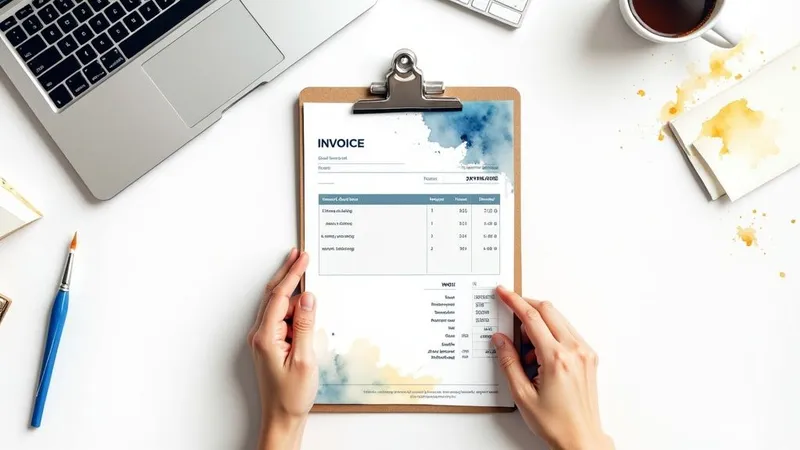
Find the Perfect Word Quote Template for Your Business
Need a free Word quote template? Save time and simplify your billing. This article presents 6 Word templates, from the simplest to the most complete, suited to different sectors such as construction, design, or IT services. Whether you’re a sole trader, freelancer, or small business owner, find the ideal free Word quote template that complies with French legislation to streamline your business management.
1. Standard Word Quote Template
The Standard Word Quote Template is a simple, accessible solution for creating professional quotes directly in Microsoft Word. This classic template offers a complete structure compliant with French standards, ideal for entrepreneurs, tradespeople, and freelancers. It simplifies quote creation by providing a pre-filled framework with the essential sections: company and client contact details, a detailed description of services, total amount calculation, and payment terms.

This template earns its place on this list because it’s an excellent option for anyone looking for a fast, free, and easy-to-use solution. Its interface, familiar to Microsoft Office users, allows for immediate use without requiring any particular technical skills. The ability to customize the header, footer, and quote content provides valuable flexibility to adapt the document to your company’s image.
Key features:
- Structure compliant with French legislation: Includes the mandatory legal notices required for a valid commercial quote.
- Detailed table for services: Lets you list services with their quantities, unit prices, and automatic total calculations.
- Customizable header and footer: Add your logo, contact details, and other important information.
- A4 format optimized for printing: A standard format for easy, professional printing.
- Compatible with Word 2010 and later versions: Accessible on most computers equipped with Microsoft Office.
Pros:
- Familiar interface for Microsoft Office users.
- Highly customizable without technical skills.
- Can be saved as a reusable template, a significant time saver.
- Easy to convert to PDF for a professional, secure send-off.
Cons:
- Limited calculation features compared to dedicated invoicing software. Calculation errors can occur during complex edits.
- Formatting can shift during major edits, requiring manual adjustments.
- Requires Microsoft Word, paid software after the trial period.
Usage examples:
- Widely used by construction tradespeople for detailed quotes on their services.
- Adapted by communications freelancers to present their services and rates.
- Useful for sole traders and small businesses for simple quote management.
Practical tips:
- Save a copy of the original template before any customization, to keep a blank version.
- Use Word styles to maintain visual consistency and simplify global edits.
- Add your logo in high resolution for a professional, polished look.
- Create standard text sections for terms and conditions, delivery times, etc. This saves time and ensures consistency across your documents.
Although simple, this template is a valuable tool for entrepreneurs and freelancers looking for a fast, effective solution to create professional quotes. It’s particularly well suited to small structures and businesses that don’t need complex invoicing features.
2. Premium Quote-Invoice Template
This “Premium Quote-Invoice Template” stands out for its two-in-one approach, combining a quote template and an invoice template in a single Word document. This greatly simplifies the transition from commercial proposal to final invoice, eliminating the need to recreate a separate document. It proves particularly useful for small businesses, freelancers, and sole traders looking for a complete, efficient solution for their commercial document management. Its modern, professional design strengthens brand image with clients.

This template, a real time-saver thanks to its dual function, ensures visual consistency between your quotes and invoices. It includes Excel formulas to automate calculations, fields to detail commercial terms, and spaces for signatures, whether electronic or handwritten. Its flexible format adapts to various sectors, from graphic design agencies to consultants billing for complex assignments. For example, a design agency can use it to itemize its services, while a consultant can adapt it to bill a multi-stage assignment.
Pros:
- Considerable time savings thanks to the built-in quote-invoice function.
- Professional visual consistency between quotes and invoices.
- Modern, customizable design, surpassing standard templates.
- Adaptable to different sectors thanks to its flexible structure.
Cons:
- Initial setup can be more complex than more basic templates.
- Some Excel formulas may need manual adjustment.
- Larger document that may require multiple pages for detailed quotes.
Usage tips:
- Graphic customization: Adapt the color palette to your brand identity for a consistent brand image.
- Data automation: Set up mail-merge fields to automate the insertion of client information and save time.
- Creating multiple versions: Create different versions of the template for specific service categories.
- Document protection: Use Word’s “Protect Document” feature to lock the formulas and prevent accidental edits.
This template earns its place on this list because it offers a complete, high-performing solution for managing quotes and invoices, streamlining the administrative process. Recommended by the Union des Auto-Entrepreneurs and promoted on entrepreneur blogs such as Webmarketing & co’m, this template stands out as a valuable tool for professionals seeking both efficiency and professionalism. It’s relevant for any business or freelancer looking for a high-performing, modern free Word quote template. It’s particularly aimed at sole traders, freelancers, small businesses, and any professional wanting to simplify their administrative management and project a professional image.
3. Construction and Building Works Quote Template
This free Word quote template is specifically designed for construction and renovation professionals. It offers a clear, detailed structure for listing the work, materials, and labor needed to complete a project. Using it simplifies the creation of quotes compliant with French construction industry standards and regulations, an essential asset for inspiring confidence and professionalism with your clients. This template is particularly relevant for entrepreneurs, tradespeople, and sole traders in the sector looking for a free, effective tool to manage their invoicing. It makes it easier to get client approval and facilitates home improvement loan applications with banks thanks to its professional presentation and compliance with standards.
This “free Word quote template” stands out for its pre-formatted sections for different trades (plumbing, electrical, masonry, etc.), its detailed tables for materials and labor, as well as the inclusion of legal notices specific to the construction sector. Fields for warranties and professional insurance, as well as appendices for plans and technical specifications, round out this comprehensive template.
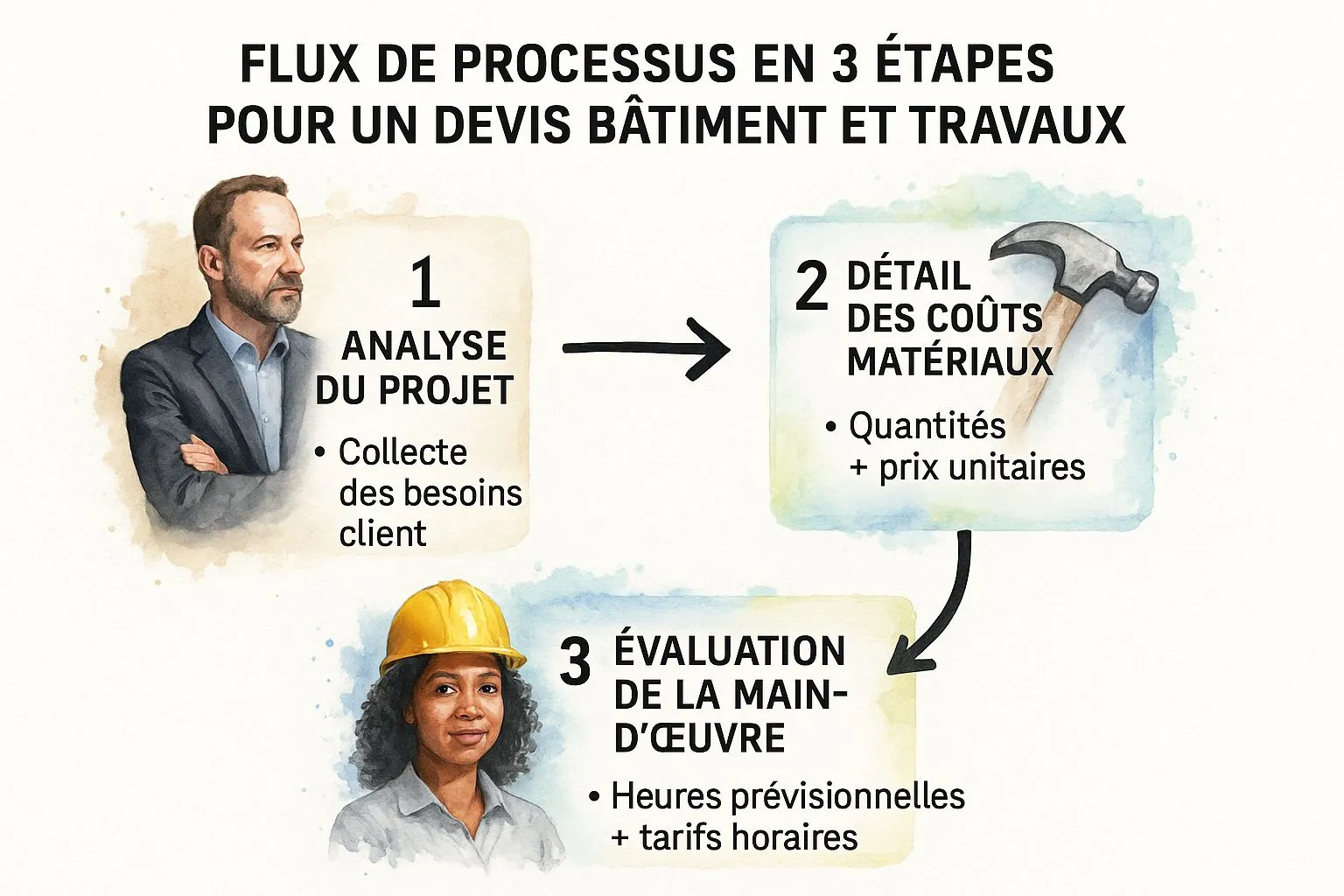
The infographic below illustrates the process of creating a quote using this template, highlighting the key steps for optimal use.
The infographic clearly demonstrates the logical progression of the quote, from describing the work to the client’s signature, via the quantification of materials and labor. This structured process guarantees full transparency and makes the quote easier for the client to understand.
Usage examples: General construction companies use it for complete renovations, while plumbers adapt it for turnkey bathroom installations.
Usage tips:
- Include photos or sketches of the planned work for better visualization.
- Precisely detail the materials used to avoid misunderstandings.
- Provide clearly identified options to give the client choices.
- Explicitly mention any work excluded from the quote to avoid confusion.
Pros:
- Structure adapted to the specific requirements of construction sites.
- Facilitates obtaining deposits with clearly defined phases.
- Professional presentation that inspires client confidence.
- Compliant with bank requirements for home improvement loans.
Cons:
- Can seem overly complex for small jobs.
- Requires technical knowledge to fill out correctly.
- Rigid structure that sometimes requires adaptations.
Popularized by: Recommended by CAPEB (the French Confederation of Craft and Small Construction Businesses), distributed during professional training courses for tradespeople.
This “free Word quote template” earns its place on this list because it offers a complete, free solution for creating professional quotes in the construction sector. Its rigorous structure and adaptation to French standards make it a valuable tool for professionals looking to save time and streamline their administrative management. Even though some adaptation may be necessary, the advantages of this template far outweigh its drawbacks, particularly for medium and large-scale projects.
4. Creative and Design Quote Template
This free Word quote template is aimed specifically at creatives, designers, photographers, communications agencies, and other artistic professionals. It lets you break away from standard quotes and assert your visual identity from the very first interaction with the client. Instead of a plain document, this template offers a modern, dynamic presentation, incorporating visual elements to showcase the professional’s expertise and style. It’s a powerful tool for convincing and converting prospects into clients.

This highly customizable Word template offers a flexible structure suited to creative services. It provides dedicated areas for incorporating visual elements such as portfolio excerpts, moodboards, or work samples. Available in landscape or portrait format, it features modern fonts and graphic elements. Furthermore, while visually appealing, it doesn’t neglect the mandatory legal notices required for a quote.
Key features:
- Highly customizable contemporary design
- Areas to incorporate a portfolio, moodboards, or work samples
- Flexible structure suited to creative services
- Landscape or portrait layout options
- Modern fonts and graphic elements
Pros:
- Reflects creative expertise from the quote stage: The polished, personalized visual aspect conveys a message of professionalism and creativity.
- Visual differentiation from standard quotes: Stand out from the crowd and make an impression with an original quote.
- Ability to include explanatory visuals: Make it easier for the client to understand the project through relevant visuals.
- Positive psychological impact on the client’s decision: An attractive, clear quote positively influences the client’s perception and increases the chances of conversion.
Cons:
- May seem less serious to some traditional clients: The creative approach may not suit every type of clientele.
- Higher ink consumption when printing: The use of visual elements can lead to higher ink consumption.
- Sometimes difficult to edit without design skills: Advanced customization may require graphic design knowledge.
Usage examples:
- Communications agencies offering visual identity services
- Photographers for wedding or event packages
Usage tips:
- Maintain a balance between creativity and information readability.
- Keep enough white space for the signature.
- Use a maximum of 2-3 different fonts to stay professional.
- Prepare a simplified version for more conservative clients.
Popularized by:
- Mentioned in Stratégies magazine for creative freelancers.
- Promoted by several design influencers on social media.
This free Word quote template earns its place on this list because it addresses a specific need among creative professionals. It allows them to present their services attractively and professionally, while optimizing their chances of conversion. It’s particularly relevant for sole traders, freelancers, and small businesses in the creative sector looking to stand out and showcase their expertise from the very first contact with the client.
5. IT and Tech Services Quote Template
This free Word quote template is specifically designed for IT and technology service providers. Whether you’re a freelance web developer, a cybersecurity consultant, a digital marketing agency, or an MSP (Managed Service Provider), this template will let you create clear, precise, and professional quotes for your clients. It’s particularly useful for detailing complex technical services, such as IT maintenance, software development, cloud hosting, or network infrastructure deployment, while remaining understandable for non-technical clients. It’s an excellent tool for anyone looking for a “free Word quote template” suited to their sector.
How it works and its features:
This Word template stands out for its modular structure, making it easier to present services, even the most complex ones. It allows you to include:
- Detailed service descriptions: With commitment levels (bronze, silver, gold, for example) and precise technical specifications.
- Dedicated SLA (Service Level Agreement) sections: Crucial for defining service commitments and guaranteeing client satisfaction.
- Tables for licenses and subscriptions: Allowing you to detail costs and commitment periods.
- A format suited to maintenance services: Providing clauses for interventions, response times, etc.
- Optional inclusion of technical diagrams: To visually illustrate a system’s architecture or a project’s progress.
- Adaptation to recurring and one-off services: Allowing you to manage both annual maintenance contracts and specific development assignments.
Usage examples:
- MSPs (Managed Service Providers) use this template to present their annual IT maintenance contracts.
- Web developers adapt it to detail the various stages of a website creation project.
- Cybersecurity consultants use it to propose security audits and data protection solutions.
Pros and Cons:
Pros:
- Clarifies technical services for non-specialist clients: Thanks to a clear structure and accessible language.
- Facilitates comparison with other market offers: By presenting information in a standardized way.
- Structure suited to subscription or recurring services: Simplifies the management of long-term contracts.
- Professional presentation reinforcing technical credibility: Inspires confidence and seriousness.
Cons:
- May seem too technical for some clients: Despite efforts to simplify, some concepts may remain complex.
- Requires frequent updates (technological developments): As the IT sector is constantly evolving, it’s important to keep the template up to date.
- Structure sometimes too rigid for custom services: For very specific projects, greater flexibility may be needed.
Usage tips:
- Include a glossary of technical terms: To help non-expert clients understand.
- Clearly separate initial services from recurring services: To avoid any confusion about pricing.
- Precisely detail deliverables and milestones: For better project management and increased transparency.
- Provide clearly priced scalability options: To anticipate the client’s future needs.
Popularized by: Recommended by Syntec Numérique and distributed in several training courses for digital entrepreneurs, this “free Word quote template” is a reference in the sector.
This template earns its place on this list because it specifically addresses the needs of IT and tech service providers. Its modular structure, its ability to detail complex services, and its client-oriented approach make it a valuable tool for saving time and professionalizing your quotes. Although no download link is provided here, a quick search using the keywords “free Word quote template IT services” should help you find relevant resources.
6. Simplified Sole Trader Quote Template
This free Word quote template, specifically designed for sole traders and micro-entrepreneurs, stands out for its simplicity and compliance. If you’re looking for a fast, effective solution for creating quotes without getting lost in complex features, this template deserves your attention. It’s ideal for beginners or those with basic invoicing needs. This free Word quote template lets you save time and focus on what matters: your business.
How it works:
The template offers a lightweight structure pre-filled with the mandatory legal notices for sole traders, particularly regarding VAT exemption. Its simple one-page format makes it easy to use for routine services. It also includes automated basic calculations, sparing you manual errors. Finally, its compatibility with Word and LibreOffice ensures maximum accessibility, even without paid software.
Usage examples:
This free Word quote template is widely favored by beginner sole traders, across all sectors. It’s particularly popular with providers offering hourly services, such as consultants, coaches, or trainers. Picture this: a fitness coach who quickly sends a clear, concise quote to a new client after a first trial session. Or a freelance graphic designer billing hours worked on a logo design.
Pros:
- Extremely simple to fill out, even for invoicing beginners.
- Compliant with the legal obligations of sole traders, giving you peace of mind.
- Quick to customize and send to your clients.
- Compatible with free office suites such as LibreOffice.
Cons:
- Limited customization options, which may restrict how you can showcase your visual identity.
- Not well suited to complex or detailed services requiring more elaborate quotes.
- Basic visual look that may lack professionalism for certain businesses.
Usage tips:
- Customize the header: Include your logo and full contact details for a more professional result.
- Add a personal touch: Describe your services clearly and precisely, highlighting your added value.
- Create pre-saved versions: Save time by keeping templates for your recurring services.
- Convert to PDF before sending: Make sure your quote’s formatting is preserved and reinforce its professional look.
Popularity and recommendations:
This type of free Word quote template is often recommended by URSSAF in its guides for sole traders. It’s also frequently shared and recommended in Facebook groups dedicated to sole traders, a testament to its popularity and usefulness within that community.
Why is this template on this list?
Its ease of use, legal compliance, and accessibility make it an essential tool for beginner sole traders or those with basic needs. It lets you create quotes quickly and efficiently, without requiring particular accounting skills. Although limited in terms of customization, it’s an ideal solution for starting your business with peace of mind. If you’re an e-commerce freelancer, a small business, an independent seller online or offline, a beginner or experienced entrepreneur, this template could work for you. Even if you manage multi-currency quotes, sell digital products, provide services, or are looking for a solution to lighten your administrative workload, the simplicity of this template may appeal to you.
Comparison of 6 Word Quote Templates
| Template | Implementation complexity 🔄 | Resources required 💡 | Expected results 📊 | Ideal use case 💡 | Key advantages ⭐ |
|---|---|---|---|---|---|
| Standard Word Quote Template | Low to moderate - simple for Word users | Microsoft Word (paid), basic PC | Professional quote compliant with French standards | Tradespeople, freelancers, entrepreneurs | Easy, customizable, printable format |
| Premium Quote-Invoice Template | High - complex dual quote-invoice function | Word with Excel functions, skills | Smooth quote-invoice management, modern look | SMEs, freelancers, design agencies | Time savings, visual consistency, flexible |
| Construction and Building Works Quote Template | Medium to high - specialized sections | Word, technical knowledge | Detailed quote, construction-compliant, builds trust | Construction professionals, renovation | Adapted structure, clear phases, construction-compliant |
| Creative and Design Quote Template | Medium - customizable design | Word, design skills desirable | Visually attractive quote, psychological impact | Creatives, designers, artistic trades | Visual differentiation, visual integration |
| IT Services Quote Template | Medium - modular technical sections | Word, regular updates desirable | Clear quote for technical/non-technical clients | IT providers, developers | Technical clarification, subscription-friendly |
| Sole Trader Quote Template | Very low - minimalist and simple | Word or LibreOffice (free) | Simple quote, compliant with micro-entrepreneur obligations | Beginner sole traders | Simplicity, compliance, quick to fill out |
Optimize Your Quotes and Your Management with Bizyness
In short, finding the right free Word quote template can be useful for a quick start. Whether you’re in construction, design, IT, or a sole trader, the templates presented here provide a foundation for creating your documents. However, effectively managing your invoicing and accounting takes more than a simple template. Mastering these aspects is crucial for your company’s financial health, letting you track your revenue, your expenses, and anticipate your needs. Rigorous tracking and optimized management give you a clear view of your business and directly contribute to your success.
Moving from a free Word quote template to an automated solution represents a considerable gain in time and efficiency. Imagine: no more manually entering information, calculating VAT, or chasing clients for payment. Bizyness takes care of all of that for you.
Want to move up a gear and free up time to focus on what matters? Discover Bizyness, the all-in-one solution to simplify your management, from creating professional quotes to automated invoicing, including connecting your bank accounts. Try Bizyness today and optimize your administrative management: Bizyness
