

 Français
General Ledger Example: 7 Effective Templates
Discover this general ledger example and 7 practical templates to streamline your bookkeeping. Click here!

Master your bookkeeping with these examples
From the small retailer to the large online business, keeping an accurate and rigorous general ledger is essential to sound financial management. It acts as the backbone of your business, recording every financial transaction and providing an essential overview for steering your activity and making informed decisions. From traditional manual methods to modern accounting software like Excel, the evolution of tools has profoundly transformed how businesses manage their finances. The effectiveness of an accounting approach lies in its ability to provide reliable, accessible, and relevant information for analyzing performance, anticipating risks, and optimizing profitability.
In a constantly changing economic environment, where cost control and resource optimization are paramount, a well-structured general ledger is more essential than ever.
Whether you’re a sole trader selling online, an independent consultant, or a growing SME, bookkeeping can sometimes seem complex and time-consuming. It’s therefore crucial to choose the tools suited to your needs and level of expertise.
Examples of general ledgers
This article presents various general ledger examples, covering different platforms and features, to help you simplify your processes and save time.
-
Excel file: A simple and accessible solution, ideal for small businesses or sole traders.
-
Online collaborative software: Enables real-time access to data and facilitates teamwork.
-
Templates pre-integrated with the French chart of accounts: Compliance and simplicity for French businesses.
-
Multi-currency options: Essential for international businesses.
Choosing the right template
You’ll discover effective templates, from the classic Excel file to online collaborative platforms. Some offer templates pre-integrated with the French chart of accounts, while others provide multi-currency options for international businesses. After reading this article, you’ll be able to identify the ideal template to master your bookkeeping and contribute to your business’s success.
1. Classic General Ledger Excel Template
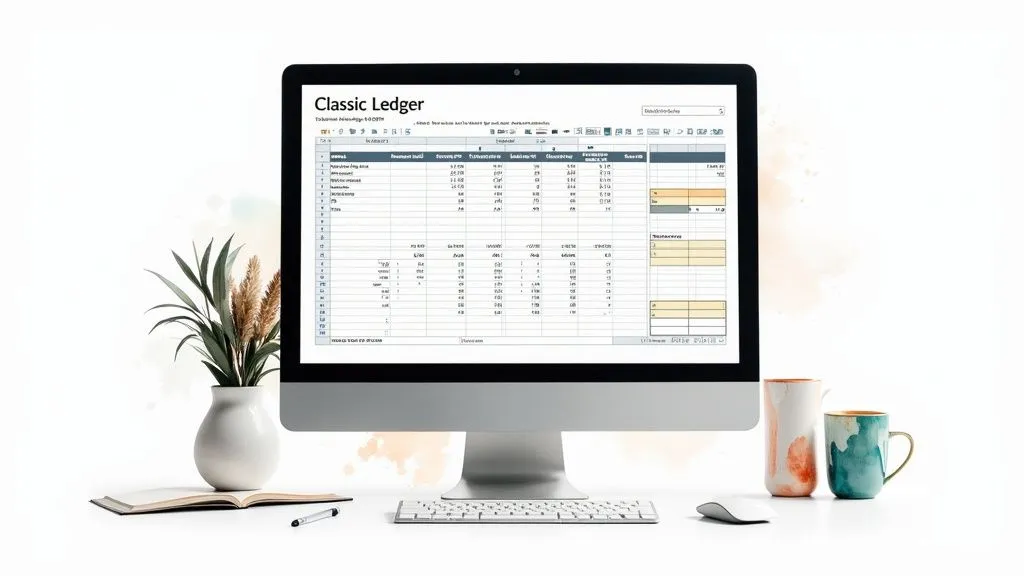
The general ledger is an essential element of any bookkeeping system. It centralizes all debit and credit movements for each of the company’s accounts. For small businesses, sole traders, freelancers, or businesses in the startup phase, a template under Excel can be an accessible and effective solution. That’s why the “Classic General Ledger Excel Template” earns its place in this selection. It offers a simple, low-cost alternative to accounting software, particularly for businesses with a moderate transaction volume.
This customizable Excel template reproduces the classic structure of a general ledger. It includes columns for the date, accounting entry number, transaction description, debit and credit amounts, and the account balance. Balance calculations are automated through formulas, which simplifies bookkeeping and reduces the risk of errors. The ability to filter data by account or period makes it easier to analyze and track activity.
Key features:
- Customizable Excel format
- Column structure (date, reference, description, debit, credit, balance)
- Automatic balance calculation
- Filters by account or period
- Optimized for printing official documents
Advantages:
- Easy customization: Adapt the template to your needs.
- Accessibility: A practical solution for small businesses without accounting software.
- Full control: You control the structure and format of your data.
- Simplified tracking: Easily find the history of your transactions.
- Compatibility: Works with most versions of Excel.
Drawbacks:
- Risk of manual errors: Manual entry can be a source of errors.
- Limitations: Not well suited to businesses with a large volume of transactions.
- Lack of integration: No automatic integration with other accounting documents.
- Accounting knowledge required: A minimal understanding of accounting principles is required.
- Lower security: Compared to dedicated software with automatic backups.
Usage examples:
- French micro and small businesses
- Associations
- Startups
Usage tips:
- Create one tab per account in the chart of accounts.
- Use data validation to limit entry errors.
- Set up a color code to identify transaction types.
- Save the file regularly with a version system.
- Calculate interim totals to make bank reconciliations easier.
Using an Excel template for the general ledger is an effective transitional solution for small businesses. However, as your business grows and transaction volume increases, it’s advisable to consider accounting software for more automated, secure, and efficient management.
2. Multi-Account General Ledger Template
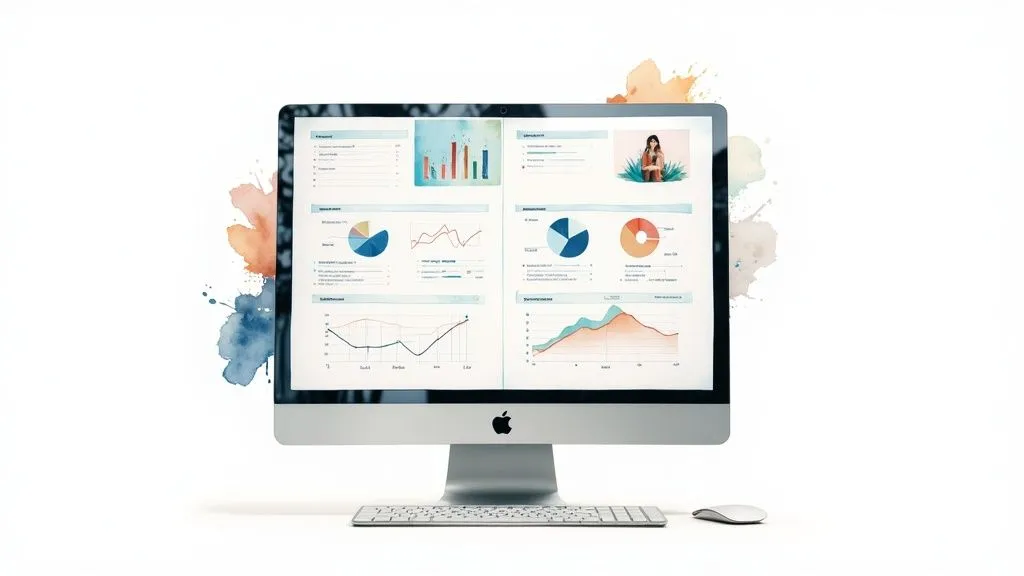
Consolidating accounting data for SMEs managing multiple accounts can be a real headache, often complex and time-consuming. A multi-account general ledger template is an effective solution for centralizing and analyzing all this information. This template lets you manage several accounts simultaneously within a single document, simplifying navigation and report building. Its usefulness for gaining a consolidated view and saving valuable time fully justifies its presence on this list, a major asset for entrepreneurs and small businesses.
To learn more about spreadsheets, you can visit the Microsoft Excel website.
Key features
Here are the main features offered by a multi-account general ledger template:
- Tab-based navigation: Easily switch from one account to another (sales, purchases, bank, etc.) just as you would with tabs in your web browser.
- Summary dashboard: Quickly view the balances of all your accounts for effective tracking of your overall financial health.
- Color codes: Visually differentiate transaction types (expenses, revenue, investments) for more intuitive analysis.
- Search and filter functions: Quickly find specific transactions using filters by date, amount, transaction type, etc.
- Automatic charts: Generate analysis charts to visualize trends and identify areas for improvement.
Advantages (Pros)
Using a multi-account general ledger template offers numerous advantages:
- Global view: Get an overview of your business’s financial situation.
- Time savings: Centralize all your accounting information and avoid duplicate entries.
- Flexibility: Adapt the template’s structure to your business’s specific organization.
- Simplified reporting: Easily create financial reports for regular tracking of your activity.
- Scalability: The template adapts as your business grows and adds new accounts.
Drawbacks (Cons)
Despite its strengths, a few drawbacks should be considered:
- File size: A file containing a large volume of data can become heavy and impact performance.
- Risk of corruption: Improper handling can corrupt the data. Regular backups are therefore essential.
- Complexity for beginners: A certain level of spreadsheet proficiency is needed to fully use all the features.
- Formula maintenance: Formula adjustments may be needed if there are significant changes to the template’s structure.
- Limits for complex analyses: For very in-depth financial analysis, dedicated accounting software is often better suited.
Usage examples
Here are a few examples of how a multi-account general ledger template is used:
- Accounting firms managing the accounts of several micro-businesses.
- Service businesses with different cost centers.
- Franchisees looking to harmonize their financial reporting.
Practical tips
For optimal use, here are a few practical tips:
- Create a clickable index to quickly navigate between account tabs.
- Protect cells containing formulas to prevent accidental changes.
- Use macros to automate repetitive tasks, such as importing data.
- Lock closed periods to prevent any further changes.
- Regularly perform a consistency check between the different accounts.
Popularized by
The use of multi-account general ledger templates has been popularized by independent chartered accountants and online communities of accountants and managers seeking solutions to optimize bookkeeping for SMEs. The sharing of best practices and customizable templates has contributed to their growing adoption.
3. General Ledger in LibreOffice/OpenOffice Format
For sole traders, freelancers, and small businesses watching their budget, a general ledger in LibreOffice/OpenOffice format is an interesting open-source alternative. Unlike proprietary software and classic Excel templates, this solution enables full bookkeeping that complies with French standards, with no license cost. Its simplicity and accessibility make it an ideal tool for beginning entrepreneurs or those looking to keep a tight rein on expenses.
This template offers a standard general ledger structure. It includes the usual columns for dates, descriptions, debits, credits, and balances. The functions and formulas built into Calc (LibreOffice/OpenOffice’s spreadsheet application) automate calculations and minimize manual errors. Exporting to other formats, such as PDF (for legal archiving) and Excel (for collaborating with accountants), is also possible.
Features and Advantages
Here’s an overview of the key features and advantages of this general ledger:
- Compatibility with Calc (LibreOffice/OpenOffice)
- Standard general ledger structure
- Functions and formulas optimized for Calc
- Export possible to PDF and Excel
- Built-in documentation in French
Advantages (Pros):
- Free and license-free: A considerable asset for small businesses.
- Easy sharing: Its open-source nature simplifies sharing and collaboration.
- Compliance with French standards: Ensures the legality of your bookkeeping.
- Lightweight file: Enables smooth data management (within reasonable limits).
- Active community: Benefit from support and regular improvements.
Drawbacks (Cons):
- Fewer advanced features than Excel: Certain specific functions may be missing.
- Sometimes less intuitive interface: An adjustment period may be needed.
- Formatting limitations: Less flexibility than with Excel.
- Less abundant help resources: Support, while active, is less extensive.
- Performance issues with large data volumes: Not suited to very large businesses.
Usage Examples and Tips
Usage examples:
- Associations and NGOs
- Accounting training institutions
- Public administrations using free software
Practical tips:
- Use cell styles for consistent presentation.
- Explore Calc’s functions to optimize calculations.
- Save regularly as PDF for your archives.
- Check community forums for help.
- Use the Report Builder extension to create more complex reports.
The popularity of this general ledger stems from the free software community, associations such as AFUL, and accounting trainers. This template is a viable and accessible solution, particularly suited to sole traders, freelancers, and small businesses. It enables efficient bookkeeping without a significant financial investment.
4. General Ledger Template with Pre-Integrated French Chart of Accounts
For French sole traders, freelancers, and small businesses, keeping rigorous bookkeeping compliant with the French General Chart of Accounts (Plan Comptable Général, PCG) is a legal obligation. A general ledger template pre-integrated with the French PCG is an effective solution for simplifying this sometimes-complex task. Offering a ready-to-use structure, this template includes all the standardized accounts and their labels, allowing for an immediate start.
This template makes day-to-day bookkeeping easier. It integrates a complete, up-to-date French PCG, a predefined structure for each account class (1 to 7), and dynamic links between the auxiliary journals and the general ledger. Automatic checks on the consistency of postings are also included, simplifying the production of the trial balance.
Advantages of a pre-integrated template
Using a pre-integrated template offers significant advantages:
- Guaranteed compliance: Integration of the PCG ensures compliance with French accounting standards, essential for tax filings and exchanges with your accountant.
- Time savings: Initial setup is minimal. You can focus on recording accounting transactions.
- Reduced errors: The pre-built structure and automatic checks limit the risk of posting errors.
Potential drawbacks
Despite its many strengths, a few drawbacks should be considered:
- Potential rigidity: The predefined structure may feel restrictive for some businesses with very specific needs.
- Unused accounts: The template includes all PCG accounts. Some accounts may be unnecessary for your business, which can complicate navigation.
- Complexity for non-experts: French accounting nomenclature and the sheer number of accounts can be difficult for accounting novices to grasp.
Usage examples
This type of template can be useful in several situations:
- An e-commerce entrepreneur uses it to quickly get their bookkeeping up and running.
- An accountant recommends it to clients to facilitate tracking and collaboration.
- Training organizations use it as teaching material.
Practical tips
To make the most of this template:
- Hide unused accounts instead of deleting them to preserve the integrity of the PCG.
- Customize sub-accounts to adapt the structure to your business.
- Use validation functions to ensure account number consistency.
Promoted by the French national body of chartered accountants (Conseil Supérieur de l’Ordre des Experts-Comptables), trainers, and specialized publishers, this type of template is an effective solution for simplifying bookkeeping and ensuring compliance with French standards. It’s particularly well suited to entrepreneurs, freelancers, and small businesses.
5. General Ledger in Google Sheets Format
The general ledger is essential to any business. Its digital adaptation on Google Sheets offers a modern, collaborative alternative to traditional spreadsheets. Accessible via the cloud, this format is particularly well suited to the needs of today’s entrepreneurs, especially those working online or with a decentralized team. Its place on this list is justified by its ease of use, accessibility, and collaborative features that simplify bookkeeping.
This template reproduces the structure of a classic general ledger while leveraging the benefits of Google Workspace. It lets you centralize financial transactions, track debits and credits, and get an overview of your business’s financial health.
Key Features
-
Real-time collaborative editing: Multiple users can work on the document simultaneously, facilitating collaboration between team members or with an accountant.
-
Cross-platform accessibility: Viewable and editable from any internet-connected device (computer, tablet, smartphone).
-
Revision history and restoration: Change tracking lets you retrace the document’s evolution and restore a previous version if needed.
-
Integration with other Google tools: Possible connection with Google Forms to automate data entry and with Google Data Studio to create dashboards and visual reports.
-
Secure sharing: Different permission levels (read-only, edit) allow you to control access to sensitive data.
Advantages (Pros)
-
Automatic, continuous backup: No more risk of data loss thanks to real-time backup.
-
Easy sharing and collaboration: Simplified exchanges with collaborators and your accountant.
-
Cross-platform accessibility: Work from anywhere, on any device.
-
Free basic features: Google Sheets is free to use for its basic features.
-
Automatic updates: Benefit from the latest improvements without any action needed.
Drawbacks (Cons)
-
Dependence on an internet connection: Full access requires a stable internet connection.
-
Data confidentiality: Questions may arise about the security of data in the cloud.
-
Limited advanced features: Some advanced Excel features may be missing.
-
Dependence on Google’s servers: The service depends on the availability of Google’s servers.
-
Performance with large data volumes: Performance may be affected with very large files.
Usage examples
-
Startups with geographically dispersed teams.
-
Nomadic entrepreneurs managing their business remotely.
-
Small businesses requiring collaborative bookkeeping.
Practical tips
-
Use comments to document complex transactions and justify entries.
-
Set up notifications to be alerted to important changes.
-
Create custom filtered views for each user.
-
Use the Google Sheets API to automate tasks and connect the general ledger to other services.
-
Use Google Data Studio to generate visual financial reports and dynamic dashboards.
The general ledger on Google Sheets is a modern, accessible solution for sole traders, freelancers, and small businesses looking to simplify their bookkeeping and improve collaboration. Its growing adoption reflects its effectiveness and its fit with the needs of today’s entrepreneurs.
6. General Ledger Template Compatible with the French Accounting Entries File (FEC)
The Fichier des Écritures Comptables (FEC), or accounting entries file, is an essential part of the French tax system. To simplify its preparation and ensure compliance during tax audits, using an FEC-compatible general ledger template is strongly recommended. This template, designed to meet the requirements of the Direction Générale des Finances Publiques (DGFiP), France’s tax authority, ensures a smooth transition to digitizing your accounting data.
This template is a valuable tool for businesses of all sizes concerned about tax compliance. It structures accounting data according to the required standards, making management easier and reducing audit-related risks.
Why does this template matter?
The French tax authority requires an FEC to be produced during an audit. A non-compliant file can lead to penalties and reassessments. This template lets you avoid these issues by ensuring the required structure and format. It simplifies bookkeeping and significantly reduces audit-related risks.
Key features:
-
Structure compliant with the FEC’s 18 mandatory fields: The template includes the 18 mandatory fields, guaranteeing the validity of your file.
-
Export function in text format with compliant delimiters: Export is simple and follows the DGFiP’s technical specifications.
-
Automatic data compliance validation: Built-in validation mechanisms flag inconsistencies, limiting errors.
-
Encoding compatible with the administration’s technical requirements: The template ensures encoding compatibility with DGFiP systems.
-
Built-in documentation on FEC standards: A practical guide walks you through using the template and informs you about regulations.
Advantages and drawbacks:
Advantages:
- Compliance with French tax legislation
- Easier preparation for tax audits
- Reduced risk of FEC rejection
- Rigorous structure limiting errors
- Peace of mind regarding digitization requirements
Drawbacks:
- Rigidity imposed by the legal framework
- Technical complexity for some users
- Need for regular updates
- Less customization flexibility
- Initial learning curve that can be tedious
Concrete examples:
- Businesses that have undergone a tax audit have successfully adopted this template.
- Professional accounting associations recommend using FEC-compliant templates.
- Many SMEs concerned about compliance have integrated this template.
Practical tips:
- Regularly check your file’s compliance with the DGFiP’s TestComptaDemat tool.
- Maintain precise documentation of encoding rules.
- Train users on FEC requirements.
- Keep backups of FEC exports.
- Check the impots.gouv.fr website for updates.
Popularized by:
The DGFiP, tax compliance experts, and specialized audit firms have contributed to popularizing this type of template.
This FEC-compatible general ledger template is a worthwhile investment for any business looking to simplify its management, ensure compliance, and prepare for audits. It represents a gain in time and security, particularly for sole traders, freelancers, SMEs, and e-commerce entrepreneurs.
7. Multi-Dimensional Analytical General Ledger
The multi-dimensional analytical general ledger represents a notable advance over the traditional general ledger. It offers a powerful analytical dimension, allowing accounting entries to be broken down along various axes of analysis such as projects, departments, activities, product lines, distribution channels, and more. This model enables much more precise financial analysis, going beyond simple accounting compliance and offering managers valuable tools for decision-making.
This type of general ledger is essential for growing businesses, particularly those in our target audience: multi-platform sellers, multi-activity businesses, service providers analyzing profitability by client, and more. It allows for a precise understanding of resource use and helps identify performance drivers.
Key features
- Dual-entry structure (accounting and analytical): Each accounting entry is recorded in the general ledger and broken down according to the defined analytical axes.
- Ability to define up to 5 analysis axes: This flexibility adapts the analysis to each business’s specific needs.
- Pre-configured dynamic cross-tab reports: Data exploration and analysis are made easier according to different criteria.
- Automated analytical dashboards: They provide a synthetic, real-time view of financial performance.
- Breakdown of expenses and revenue by allocation keys: This makes cost and revenue allocation more precise.
Advantages
- Precise view of profitability by business segment: Identify high-performing activities and those needing adjustments.
- Support for strategic decision-making: Make informed decisions regarding investments, pricing, and resource allocation thanks to detailed financial data.
- Analytical flexibility: Configure the system to answer your business’s key questions.
- Easier management control: Track budgets, identify variances, and implement corrective actions.
- Simplified preparation of forecast budgets: Anticipate needs and optimize resource allocation by department.
Drawbacks
- Complexity of accounting entry: Entering analytical information requires more time and rigor.
- Prior definition of analytical axes: Upfront thought is essential to choose relevant axes.
- User training: Users must be trained in using the system and interpreting the data.
- Risk of information overload: An abundance of data can be counterproductive without relevant analysis.
- Demanding maintenance: Managing axes and reports requires regular oversight.
Concrete examples
- An e-commerce business selling across multiple platforms (Amazon, eBay, own website) can track the profitability of each distribution channel.
- An independent consultant can analyze their profitability by client or type of service.
- A communications agency can track the financial performance of each marketing campaign.
Practical tips
- Limit the number of analytical axes: Focus on strategic dimensions to avoid information overload.
- Train users on the analytical dimension: Ensure optimal use of the system and correct interpretation of data.
- Review the relevance of analysis axes: Adapt the system as the business and its needs evolve.
- Set up consistency checks: Ensure the reliability of data between general and analytical accounting.
- Develop summary reports: Provide relevant information at each level of the hierarchy.
Used by management controllers and financial directors, the multi-dimensional analytical general ledger is a powerful tool for steering financial performance and making informed strategic decisions. It’s particularly relevant for growing businesses and entrepreneurs looking to optimize their resources and maximize profitability.
General Ledger: 7 Format Comparison
| Model | Implementation complexity 🔄 | Resource requirements ⚡ | Expected results 📊 | Ideal use cases 💡 | Key advantages ⭐ |
|---|---|---|---|---|---|
| Classic General Ledger Excel Template | Moderate complexity, requires vigilance on manual entry | Low requirements, accessible via Excel | Chronological record-keeping, automatic balance calculations | Small businesses, associations, temporary solution | Customizable, full control over structure, traceability |
| Multi-Account General Ledger Template | Increased complexity for beginners and regular formula maintenance | Potentially heavy file, requires good performance | Consolidated view and integrated reporting | Accounting firms, multi-account businesses, franchisees | Centralization, flexibility, time savings |
| General Ledger in LibreOffice/OpenOffice Format | Simple to implement for Calc users despite a less intuitive interface | Lightweight and free, with community support | Compliance with accounting practices, PDF export possible | Associations, educational institutions, administrations | Free, easily shareable, compliant with standards |
| General Ledger Template with Pre-Integrated French Chart of Accounts | Quick to implement but sometimes rigid for specific needs | Preconfigured file but relatively large | Full compliance with French standards, easier trial balance | Entrepreneurs, accountants, accounting training | Legal compliance, time savings, error reduction |
| General Ledger in Google Sheets Format | Complexity related to collaboration and dependence on internet connection | Cloud-based, continuous automatic backup | Real-time updates and complete history | Startups, decentralized teams, mobile users | Accessibility, easy sharing, seamless updates |
| General Ledger Template Compatible with the Accounting Entries File (FEC) | Technically complex and rigid due to the legal framework | Suited to specific tax and technical requirements | FEC-compliant export, automatic entry validation | Businesses that have undergone tax audits, compliance-focused SMEs | Legal compliance, tax peace of mind, rigorous structure |
| Multi-Dimensional Analytical General Ledger | Very complex, requiring training and clear definition of analysis axes | Requires detailed entry and ongoing maintenance for analysis | Detailed multi-dimensional analysis and automated reports | Multi-activity businesses, management control, sectors like construction | Segmented view, decision support, stronger internal control |
Choose the general ledger suited to your needs
Choosing the right general ledger is essential for sound, effective financial management. Whether it’s a simple Excel file or a more complex model, what matters is finding the tool that fits your business. A multi-account template, a LibreOffice format, a template with a pre-integrated chart of accounts, Google Sheets, or a multi-dimensional analytical general ledger: there are many options. The key is to adapt the tool to your reality.
By mastering the basics of accounting (debit, credit, balance, etc.) and choosing a tool suited to your activity volume and skills, you’ll greatly simplify your management. Consistency and rigor in recording your transactions are the keys to reliable bookkeeping.
Learning and adapting are essential. Start with a simple model and, as your business grows and your needs evolve, explore more advanced solutions. Stay up to date with new regulations, particularly regarding e-invoicing, and with trends in the digitization of accounting processes.
Adapting your general ledger as you grow
These changes can influence your choice of general ledger and help you optimize your management. 5 key points to remember when choosing and using your general ledger:
- Adapting to your needs: Choose a model that matches your business’s size, activity, and skills.
- Mastering the fundamentals: Understand basic accounting principles for optimal use.
- Consistency and rigor: Record your transactions regularly and accurately.
- Adaptation and learning: Explore more powerful solutions as your business grows.
- Staying informed: Follow regulatory changes and new trends in accounting.
Looking for a simple, effective tool to manage your bookkeeping? Bizyness is a solution designed for sole traders, freelancers, and small businesses in France. Automate your invoices, VAT, and transactions, save time, and simplify your management, whether you sell online or not. Modular pricing, an intuitive interface, and responsive customer support await you. Focus on what matters most: growing your business. Discover Bizyness and simplify your bookkeeping: https://www.bizyness.fr
