

 Français
Simple Invoice Template: A Guide for Entrepreneurs
Discover our simple invoice template to bill efficiently. Download it for free and boost your business today!
The real benefits of a simple invoice template
A simple invoice template is far more than just a document. It is an essential tool for your business’s financial health. It streamlines administrative work, strengthens your brand image, and optimizes cash flow.
Save time and reduce errors
Using an invoice template pre-filled with your details and your client’s lets you bill in just a few clicks. Imagine never having to create each invoice from scratch again! Automated calculations minimize the risk of errors, ensuring accurate, professional invoices. This time savings translates into a significant productivity boost.
A stronger brand image
A clear, well-structured, visually appealing invoice reflects the seriousness and professionalism of your business. This attention to detail strengthens your credibility with clients and builds trust, helping foster loyalty. A simple, professional invoice template is therefore a real asset for your image.
Improved cash flow
Sending invoices quickly thanks to a simplified template generally leads to faster payments, which improves your cash flow. This better management gives you greater financial flexibility and lets you invest in your business’s growth. In France, platforms such as Zervant offer free Excel and Word templates with automatic calculation of totals and VAT. Learn more about simple invoice templates.
Simplified bookkeeping
A simple invoice template, thanks to its standardized format, makes it easier to track payments, generate reports, and prepare tax returns. This simplified organization saves you time and gives you a clear overview of your finances. For optimal management of your invoicing system, consider setting up robust website maintenance plans.
Peace of mind with tax obligations
An invoice template that complies with legal requirements helps you avoid mistakes that could lead to penalties. By using a well-designed template, you ensure you meet your tax obligations, gaining peace of mind and allowing you to focus fully on your core business.
Master the mandatory legal notices without the stress
Using a simple invoice template is an asset for any business. However, simplicity should never come at the expense of compliance. Complying with mandatory legal notices on invoices is crucial in France. Ignoring these rules can result in penalties, disputes, and damage to your credibility. This guide will help you understand and apply these requirements with ease.
The essential notices for every invoice
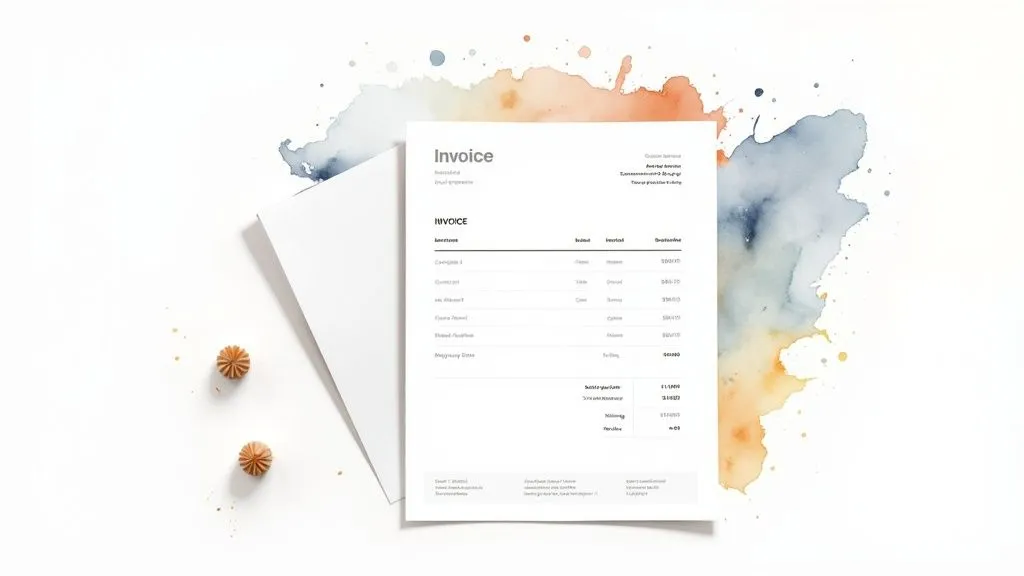
Certain information is required on every invoice, regardless of your field of activity. These details identify your business, your client, and the transaction.
- Issuer identity: Name or company name, address, SIREN number, legal form, and intra-community VAT number.
- Client identity: Name or company name and full address of the client.
- Invoice number: A unique, sequential number, essential for tracking and bookkeeping.
- Issue date: The date the invoice was created.
- Date of service or sale: The date the service was provided or the product delivered.
- Description of products or services: A precise description of each billed item, including quantities and unit price.
- Total price excl. and incl. VAT: The total amount before tax and the total including all taxes, specifying the applicable VAT rate.
Sector-specific notices
Beyond the basic notices, certain professions or types of sales require additional information. For example, the statutory warranty of conformity is mandatory for the sale of goods. Article L441-9 of the French Commercial Code sets out the mandatory notices, including the names and addresses of the parties, the transaction date, and the details of the products or services. Other notices, such as payment terms, late payment penalties, or professional insurance information, may also be required. Check the economie.gouv.fr website for more information.
To make it easier to understand the mandatory notices based on legal status, here is a summary table:
Mandatory notices by legal status
This table summarizes all the mandatory notices to include on an invoice depending on the business’s legal status
| Business type | Basic notices | Specific notices | Penalties for omission |
|---|---|---|---|
| Sole trader (auto-entrepreneur) | SIREN number, name and address, date and invoice number, description of the service, price excl. and incl. VAT | VAT exemption if applicable | Fine of up to €75,000 |
| SARL | SIREN number, name and address, RCS, share capital, date and invoice number, description of the service, price excl. and incl. VAT, VAT rate | None, except in specific cases (e.g. sale of goods) | Fine of up to €75,000 |
| SAS | SIREN number, name and address, RCS, share capital, date and invoice number, description of the service, price excl. and incl. VAT, VAT rate | None, except in specific cases (e.g. sale of goods) | Fine of up to €75,000 |
| SA | SIREN number, name and address, RCS, share capital, date and invoice number, description of the service, price excl. and incl. VAT, VAT rate | None, except in specific cases (e.g. sale of goods) | Fine of up to €75,000 |
This table highlights the notices common to all business types and underscores the importance of the SIREN number and basic information. It also serves as a reminder of the potential penalties for omission.
Why compliance matters for your business
Complying with legal notices is a mark of professionalism that reassures your clients and strengthens your brand image. A compliant invoice also protects you in the event of a dispute or tax audit.
Simplify your invoicing with dedicated software
Using invoicing software such as Bizyness simplifies the management of legal notices. These tools automatically include the mandatory notices, ensuring your invoices stay compliant. They also let you customize your templates to include notices specific to your activity.
Tips for flawless invoicing
- Stay informed of legislative changes: Regulations can change, so it’s important to stay up to date.
- Use invoicing software: Automates notices and simplifies management.
- Archive your invoices: Essential in case of an audit.
- Consult an accountant: A professional can guide you if you’re unsure.
By mastering legal notices, you can get the most out of your simple invoice template, ensuring both security and peace of mind for your business.
Customizing your template to your legal status
Adapting your invoice template to your legal status is essential to ensure compliance and optimize your management. Each status — sole trader, SARL, SAS, or freelance professional — has its own specifics to consider. A customized template strengthens your credibility and simplifies your administrative processes.
Sole traders: simplicity above all
For sole traders (auto-entrepreneurs), simplicity is key. The invoice template should be clear and concise, including the essential information: SIREN number, name and address, date and invoice number, description of the service, and price incl. VAT. Mentioning VAT exemption, if applicable, is mandatory.
Software such as Bizyness automatically generates compliant invoices for sole traders, simplifying administrative management.
SARL, SAS: more formal requirements
Companies (SARL, SAS, etc.) have stricter obligations. In addition to the basic notices, they must include the company name with legal form (SARL, SAS, etc.), the amount of share capital, and the RCS registration number. A suitable template makes it easier to include this information and ensures invoice compliance.
For example, an SARL must state the amount of its share capital on its invoices. Professional insurance details, where mandatory, must also be included. This information is crucial for transparency and client protection. Explore this topic further.
Freelance professionals: adapting the template to your activity
Freelance professionals, such as consultants or lawyers, can adapt their invoice template to reflect the specifics of their activity. A consultant might break down hours billed per assignment, while a lawyer might list fees and case-related expenses. A customizable template offers this flexibility while still meeting the mandatory notices.
The importance of tax nuances
Each legal status has its own tax nuances. Building them into your invoice template simplifies bookkeeping and helps you anticipate tax audits. For instance, how VAT is mentioned differs depending on the tax regime.
Expert tips for optimal adaptation
Accountants recommend adapting your invoice template as your business evolves. Your invoicing needs may change as your business grows. A flexible, scalable template makes it easy to adapt to these changes.
Bizyness offers customizable templates that grow with your business. High-performing invoicing software, combined with advice from an accountant, ensures optimal invoice management, whatever your legal status. Don’t hesitate to consult a professional for personalized advice.
Creating your simple invoice template with Excel or Word
Microsoft Excel and Microsoft Word are two commonly used, easily accessible office tools for creating a simple invoice template. This practical guide will walk you through turning these programs into effective invoicing solutions tailored to your needs. You’ll learn how to structure a functional, visually professional template.
Creating a simple invoice template in Excel
Thanks to its powerful calculation functions, Excel is a particularly well-suited tool for creating invoices.
Structure the data: The first step is to organize the essential information into separate columns. Set up columns for the product or service description, quantity, unit price, VAT, and total.
This will improve readability and make data processing more efficient.
Add formulas: Excel lets you automate calculations using formulas. Use the formula =SUM(cell range) to calculate totals and =A2*B2 to calculate the total price per line. These formulas minimize the risk of errors and save you valuable time.
Format the table: For a professional, easy-to-read invoice, don’t hesitate to use Excel’s formatting options. Apply borders and colors, and choose a professional font.
Save as a template: Once your template is finalized, save it in .xltx format. You’ll then be able to reuse it easily for all your future invoices.
Creating a simple invoice template in Word
While Excel excels at calculations, Word offers greater flexibility for the visual customization of your invoices.
Insert a table: As with Excel, start by creating a table to structure your invoice information. This table will be the foundation of your template.
Customize the layout: Word gives you a wide range of options for customizing the look of your invoices. Add your logo, choose specific fonts, and adapt the colors to your brand guidelines.
Add pre-filled fields: For information that repeats on every invoice, such as your contact details or legal notices, insert pre-filled text fields. This will save you from having to re-enter them on every new invoice.
Save as a template: Save your document in .dotx format so you can reuse it and save time when creating your next invoices.
To help you choose the solution best suited to your needs, here is a comparison table:
Excel vs Word for invoices comparisonThis table compares the advantages and disadvantages of both programs for creating invoice templates
| Criterion | Excel | Word | Recommended for |
|---|---|---|---|
| Automatic calculations | Excellent | Limited | Businesses with complex calculation needs |
| Visual customization | Good | Excellent | Businesses wanting an invoice that reflects their brand |
| Ease of use | Good | Good | Depends on the user’s skill level |
| Data management | Excellent | Good | Businesses managing a large volume of invoices |
In short, Excel is ideal for invoices requiring complex automated calculations, while Word is preferable for extensive visual customization.
Tips for optimizing your template
Whichever software you choose, here are a few tips for optimizing your invoice template:
- Include the mandatory legal notices: Make sure your invoice complies with French law by including all required notices.
- Number your invoices sequentially: A clear, sequential numbering system makes tracking and bookkeeping easier.
- Adopt a clear, professional design: A well-presented invoice strengthens your business’s professional image.
- Test your template: Before using your template for official invoices, test it to make sure it meets all your needs.
By following these tips, you’ll create a simple, effective, and compliant invoice template, whether you use Excel or Word. For more advanced invoicing automation, dedicated software such as Bizyness can prove to be a valuable asset. It will let you simplify your management and focus on your core business.
Free online invoicing solutions: a comparative analysis
Choosing an invoicing solution is a key step for any business. Many free options exist, but which one should you choose? This comparative analysis, based on real-world testing, helps you understand the strengths and weaknesses of each solution so you can make the best choice for your needs.
Solutions for every stage of your growth
Whether you run a micro-business or an SME, your invoicing needs evolve along with your activity. A free solution, ideal at launch, can quickly show its limits as you grow. For example, a simple invoice template in Excel may be enough at first, but managing a large number of invoices quickly becomes complex.
Features that go beyond the simple template
Creating simple invoice templates, managing clients, and tracking payments are standard features of free solutions. But important nuances hide in the details. Some platforms offer more advanced features: report generation, automated reminders, integration with accounting software, and more.
Usability and support: essential criteria
An intuitive interface is essential for saving time and limiting errors. Responsive customer support is also an asset, especially for new entrepreneurs. Some free platforms offer limited support, while others provide tutorials, FAQs, or even personalized assistance.
What are the limits of free plans?
It’s important to be aware of potential limitations. Some platforms cap the number of invoices, gate advanced features behind paid plans, or lack flexibility for customization and integration with your other tools. This is where Bizyness stands out, with a comprehensive, scalable free offering, responsive support, and high-performing integrations.
Choosing a solution for steady growth
The key is to identify the solution that will grow with your business. Some platforms offer more comprehensive paid versions, while others allow for an easy migration to more robust solutions. Bizyness offers modular pricing to support your growth smoothly.
What entrepreneurs say
Entrepreneurs who have tested these platforms share their feedback. They highlight hidden advantages and limitations that only become apparent after several months of use. These testimonials help you choose the solution that fits your reality. For instance, the simplicity and speed of creating invoices with Bizyness are frequently praised, as is the effectiveness of its integrations with online stores. This feedback confirms that Bizyness is a powerful, intuitive tool, ideal for simplifying management for small businesses and sole traders.
Optimizing your invoicing cycle from end to end
Beyond a simple invoice template, the effectiveness of your invoicing relies on an optimized overall process. This section explores strategies for turning your invoicing into an asset for your growth.
Structure your invoice numbering
A clear numbering system is essential for effective tracking and compliance with tax obligations. Opt for chronological, sequential numbering, for example, year/month/invoice number (202401001).
This system makes it easier to locate invoices and simplifies your tax filings. It also allows you to quickly spot any anomaly or missing invoice.
Automate to save time
Automation is key to reducing your payment delays. Software such as Bizyness automates invoice creation and sending, reminders, and even synchronization with your bank accounts.
Some professionals have seen a 45% reduction in their payment delays thanks to these techniques. Imagine the time saved and the positive impact on your cash flow!
Set up optimal archiving
Organized archiving is essential for saving time on tax filings and protecting yourself in the event of a dispute. Digitize your invoices and file them by date and by client.
Secure cloud solutions are ideal for quick access and reliable storage. Good archiving saves you time spent searching for documents and provides proof in case of an audit.
Master payment reminders
Late payments can affect your cash flow. Prepare reminder letter templates that are polite but firm. A first friendly reminder can be followed by a more insistent one if necessary.
Don’t hesitate to contact your clients by phone for more direct, effective communication. Well-managed reminders contribute to better collections and a healthier client relationship.
Real-world optimization examples
- A craftsperson automated their invoices and reminders with Bizyness, reducing their payment delays from 30 days to 15 days.
- A consultant uses a clear numbering system and cloud archiving, simplifying her tax filings and saving 2 hours a month.
- An SME integrated its invoicing software with its online store, automating invoice creation and sending, and reducing errors by 10%.
These examples illustrate the positive impact of optimized invoicing. Bizyness gives you all the tools to implement these strategies and turn your invoicing into a true performance lever. Simplify your management and focus on your core business!
