

 Français
The guide to automatic bank reconciliation
Simplify your bookkeeping with automatic bank reconciliation. Save time, reduce errors and manage your cash flow with precision.

Automatic bank reconciliation is a process that matches your bank statement transactions with your accounting documents (like invoices and receipts) without you having to lift a finger. Think of it as a personal assistant that checks off every line for you. A monthly chore turns into an almost instant operation.
Understanding automatic bank reconciliation

To get a clear picture, let’s use a quick analogy. Imagine your bookkeeping is a shopping list you prepared, and your bank statement is the final receipt. Manual reconciliation is like checking off each item on the receipt one by one to make sure it matches your list. It’s tedious, meticulous work, and a small slip of attention can easily creep in.
Automatic bank reconciliation is a bit like the store handing you an app that instantly compares your list and your receipt, highlighting everything that matches perfectly. Magic, right?
No more headaches, just peace of mind
For most sole traders, the word “reconciliation” often rhymes with “headache.” It means making sure, line by line, that the balance of your internal accounts matches your bank’s balance exactly. The slightest discrepancy, even just a few cents, can cost you hours tracing back to find the error.
Automation changes the rules of the game. It puts an end to manual entry and eyeballed verification, the two main sources of human error.
The idea isn’t just to save time, but above all to gain reliability. Accurate, up-to-date cash flow is the foundation for making the right decisions for your business.
The goal of automatic bank reconciliation is simple: turn this control into a mere formality. By connecting your bank to a management tool like Bizyness, the system takes over. Here’s how it works in practice:
- It automatically retrieves the latest transactions from your bank account.
- It analyzes and compares each inflow and outflow with your recorded invoices and expenses.
- It matches incoming payments to the corresponding customer invoices.
This is no longer technical jargon reserved for accountants, but a genuine ally for your finances. It frees up precious time and a considerable mental load, letting you focus on what really matters: growing your business.
The limits of manual bank reconciliation
If you’ve ever spent an end-of-month evening glued to an Excel spreadsheet, meticulously checking each line of your bank statement against your own invoices, you know exactly what we’re talking about. Manual bank reconciliation is a real test of patience that can quickly become a headache, even for the most rigorous entrepreneur.
The core of the problem is that this method relies entirely on us, humans. And who says human says risk of error. A simple typo, an extra zero added by mistake, a small invoice forgotten… and the trouble begins. An unexplained discrepancy appears, and you find yourself on a treasure hunt to find the source of the problem. A simple administrative task turns into an investigation.
Errors and oversights: an expensive combination
Beyond the obvious frustration, these small errors can have real consequences. Forgetting to record a single transaction can completely distort your view of your cash flow. You think you have a certain amount set aside to invest or pay your expenses, when in reality, a major expense hasn’t been accounted for yet.
This is far from an isolated case. A recent study showed that 67% of financial managers in France struggle with traditional bank reconciliation. For small and medium businesses using older systems like EBICS, the process is often a series of file manipulations, which only increases the risk. To dig deeper into the topic, take a look at the results of this study on bank reconciliation.
Doing your reconciliation by hand is a bit like trying to assemble a 1,000-piece puzzle without the box to see the picture. It’s doable, of course, but the time it takes and the risk of getting it wrong are huge.
Time, such a precious resource
Ultimately, the biggest cost of manual reconciliation may not even be financial. It’s time. Every hour spent comparing lines on a screen is an hour you’re not spending finding new customers, improving your offering, or simply catching your breath.
Concretely, where does all that time go?
- Gathering the information: You have to download statements, open your accounting software, collect receipts…
- Visual comparison: Checking off each transaction, one by one, is slow, repetitive and frankly tedious.
- Hunting for errors: Tracking down a few-euro discrepancy can easily take you several hours.
- Managing timing gaps: Checks not yet cashed or transfers still being processed add extra complexity.
This whole process, often done in a rush at the end of the month, becomes a recurring source of stress. It’s the perfect example of a frustrating administrative task: you know it’s essential, but you can feel it holding you back. Fortunately, this is no longer a fatality.
The concrete benefits of automation for your business

Switching to automatic bank reconciliation isn’t just about ticking the “modernization” box. It’s a real strategic choice that will change the game for your business, with benefits you’ll feel right away.
The first advantage, and probably the most obvious, is the massive time savings. No more hours spent squinting at a spreadsheet! You can finally devote that precious time to what really matters: finding new customers, refining your services, or simply stepping back to think about your strategy. Imagine wrapping up your bookkeeping in a few clicks instead of spending several evenings on it.
Reliability and visibility, finally within reach
To err is human, as they say. And in accounting, a small error can quickly become costly. Automation almost entirely eliminates this risk. An interesting statistic shows that while 80% of reconciliations are straightforward (one invoice equals one transfer), the remaining 20% are often a real headache and the main source of entry errors. Good software, on the other hand, never tires and handles even the trickiest cases with absolute rigor.
Thanks to this reliability, you get a clear, up-to-date view of your cash flow, in real time.
Knowing precisely where your finances stand isn’t a luxury, it’s the foundation of everything. It’s what lets you make the right decisions, anticipate a rough patch, or seize an opportunity without hesitation.
To really visualize the impact, let’s compare the two methods.
Comparing manual and automatic reconciliation
This table illustrates the fundamental differences in terms of time, accuracy, visibility and cost between the two approaches.
| Criteria | Manual Reconciliation | Automatic Reconciliation |
|---|---|---|
| Time spent | Hours every month, or even days at quarter-end. | A few minutes, just to validate the suggestions. |
| Accuracy | High risk of errors (transposed digits, oversights). | Near-100% reliability, eliminating human error. |
| Visibility | Cash flow view often delayed by several days/weeks. | Real-time view, updated daily. |
| Stress | Repetitive, anxiety-inducing task, a source of mental load. | Smooth, fast process, bringing peace of mind. |
The verdict is clear. Automation isn’t just a matter of comfort, it professionalizes your management.
Much simpler administrative procedures
Beyond day-to-day management, automation is a lifesaver at key moments of the year.
- Checks and audits: No more panic! In the event of a tax audit, you can provide flawless financial documents in one click. The entire history is tracked, archived and ready to be consulted.
- VAT returns: When every flow is correctly classified as it happens, calculating and filing your VAT becomes simple and fast. The risk of making a mistake (and facing penalties) drops drastically.
- Working with your accountant: Your accountant will thank you. By sending them accounts that are already clean and organized, you let them focus on high-value advice instead of spending their time correcting your entries.
In short, automating your bank reconciliation is much more than a time saver. It’s a way to secure your finances, gain clarity to steer your business and, above all, significantly lighten your mental load.
How automatic reconciliation works, explained simply
So how does this reconciliation “magic” actually work? Far from being sorcery, the process relies on solid, well-established technology designed to save you precious time. Think of it as a hyper-efficient digital assistant working for you behind the scenes.
It all starts with a secure connection between your management software and your bank account. Thanks to standardized, highly protected technologies (compliant with the PSD2 directive), the tool can automatically import your transaction flow every day. No more manual file downloads!
At the heart of the system: the matching algorithm
Once the bank data is retrieved, the system’s intelligence takes over. Sophisticated algorithms scan every line of your bank statement and compare it with your accounting documents, meaning your sales invoices and expense receipts.
This is where the real power of automatic bank reconciliation comes into play. The tool looks for matches based on several key criteria:
- The exact amount: a €120 gross invoice is matched with an incoming transfer of €120.
- The transaction date: the algorithm looks for operations within a close time frame.
- The transaction description: it can identify keywords, such as a customer name or invoice number.
This initial analysis handles the vast majority of the simplest cases. A study shows that even though 80% of reconciliations are obvious (a payment for an invoice), it’s the remaining 20% that eats up the most time.
The image below illustrates this process in three clear steps, from data collection to handling special cases.
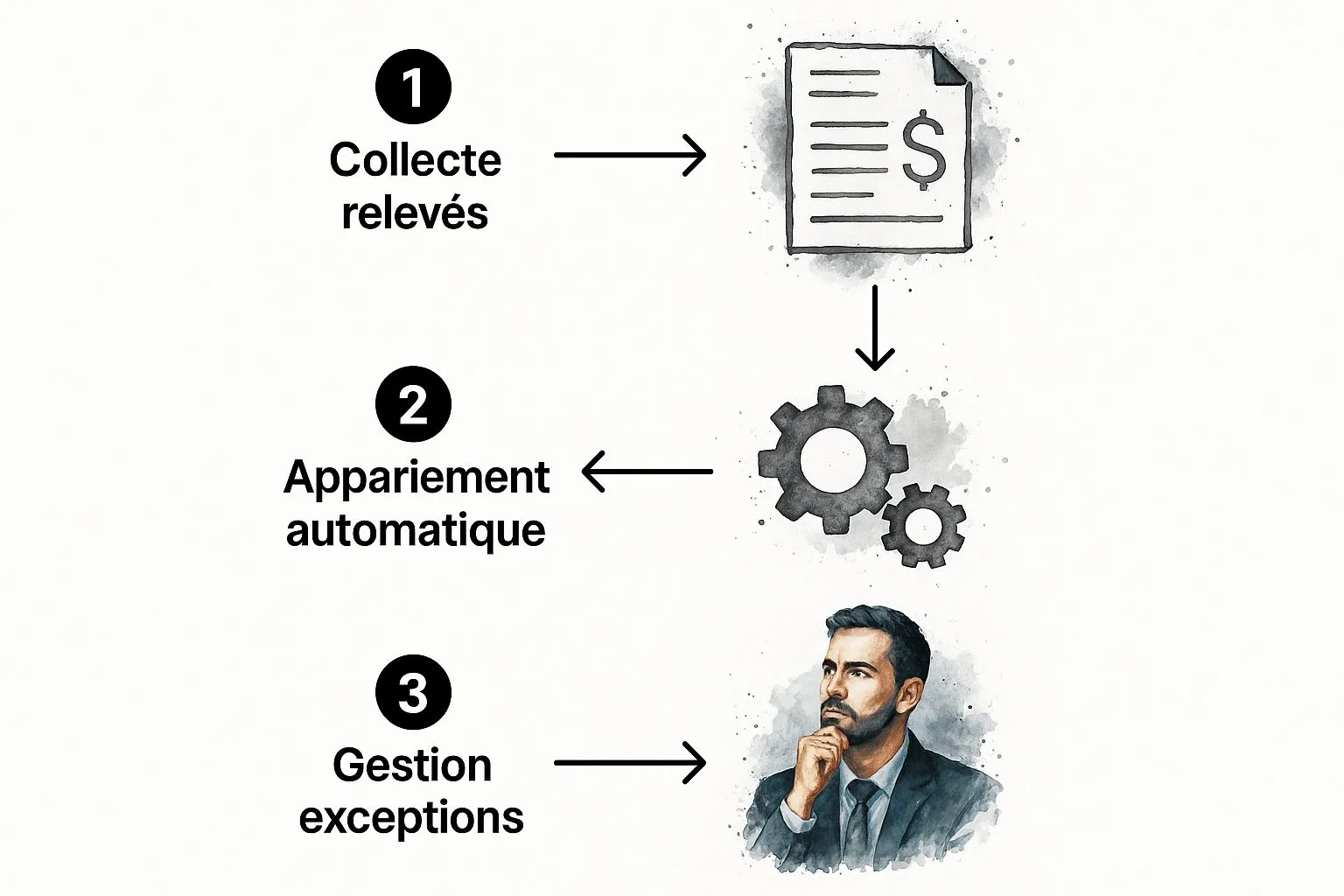
As you can see, the system automates the collection and matching of transactions, letting you focus solely on the few exceptions that require human validation.
Reconciliation rules: your personalized assistant
For more complex transactions, you can “teach” the software. This is what’s known as reconciliation rules.
It’s a bit like teaching your software to recognize that every payment labeled “URSSAF” should always be classified under your “Social contributions” expense account. You define the rule once, and it will apply it forever.
These rules are particularly handy for recurring payments or grouped transfers. The most advanced solutions can handle complex logic (like a single payment covering several invoices) and reach a reconciliation rate above 90% right from setup.
Even better, the tool also learns from your actions. When you manually validate a suggestion, it remembers your choice to be even more accurate next time. Your role changes radically: you’re no longer the one doing the work, but the supervisor. To learn more about putting this into practice, feel free to check out our detailed guide on how to do a bank reconciliation.
Enabling automatic reconciliation with Bizyness
Enough theory, let’s get practical. You’ll see, setting up automatic bank reconciliation with Bizyness is much simpler than it seems. From the very start, our mission has been clear: design an intuitive interface, built for entrepreneurs, not accountants.
It all starts with one key step: connecting your bank account to Bizyness. Rest assured, the operation is entirely secure. We work with licensed partners who strictly comply with PSD2 directive standards. In just a few clicks, you authorize a read-only synchronization. In practical terms, this means the software can only read your transactions to import them, and can never make any payment whatsoever.
Your first sync, step by step
Once the connection is established, the magic happens. The system gets to work immediately, importing your transaction history to compare it with the invoices and expenses already recorded in Bizyness.
The process has been designed to be as clear as possible:
- Connect your account: Simply choose your bank from the list provided and let yourself be guided through secure authentication.
- Let the import happen: Bizyness retrieves your latest transactions. After that, this sync happens automatically, every day, with nothing left for you to do.
- Enjoy smart suggestions: The software offers you logical reconciliation matches. For example, it will naturally match an incoming transfer of €150 with your invoice F2024-042 of the same amount.
- Validate in one click: Your mission, should you choose to accept it, is to confirm these suggestions. A single click is enough to validate that everything is correct.
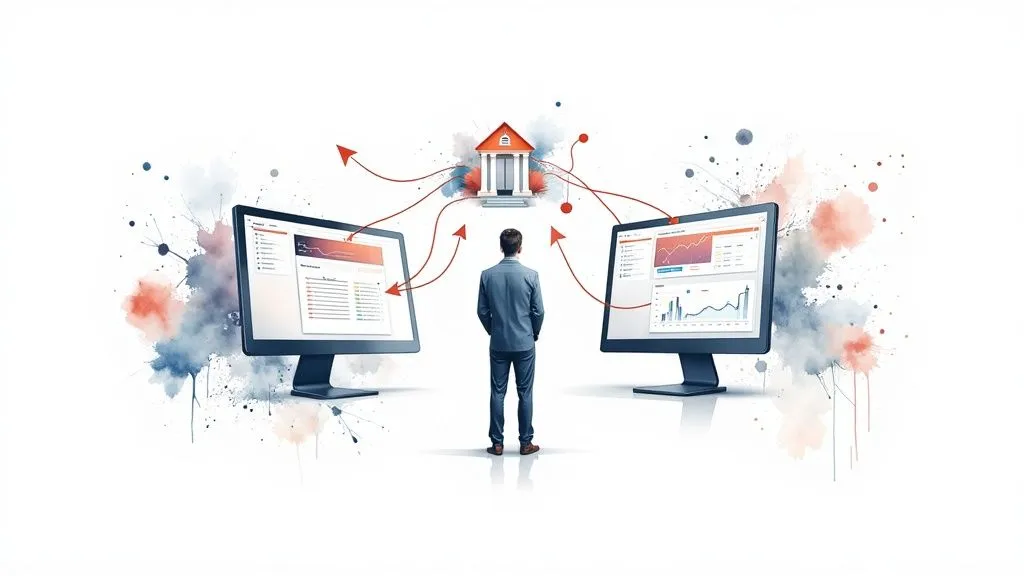
As you can see in the screenshot, the reconciliation interface is designed to be highly visual. It displays your bank transactions on one side and your accounting documents on the other.
This side-by-side layout makes verification incredibly simple. You approve the algorithm’s proposals at a glance and can focus on the few cases that require manual attention.
Create your own rules for tailor-made automation
One of Bizyness’s biggest strengths is its ability to learn. For all your recurring transactions, like a software subscription or your rent payment, you can create reconciliation rules.
It’s a bit like giving your personal assistant an instruction: “As soon as you see a direct debit from ‘My Web Host’, classify it automatically as ‘Website expenses’.” You only need to do it once. After that, the software takes care of it for you.
This personalization turns the tool into a true ally that adapts to the reality of your business. Managing your cash flow becomes smoother, which is especially true if you run an online store. In fact, if you use certain e-commerce platforms, discover how the integration with WiziShop can make your life even easier.
You’ll see, after a few weeks, you’ll genuinely wonder how you used to manage without it.
How to get the most out of your bank reconciliation
You’ve taken the first step by choosing an automatic bank reconciliation tool. That’s an excellent decision. Now let’s see how to turn this tool into a true co-pilot for your business. A few simple habits can really make a difference and save you precious time.
The first golden rule is consistency. Don’t wait until the end of the month to get started! Reconciling every week, or even more often if your business is busy, is infinitely easier to manage. By processing transactions as they happen, you still have them fresh in your mind. This makes identifying the few slightly unclear cases much more intuitive and quick.
Train the tool so it works for you
Think of your software as a smart assistant: it learns from what you show it. The more precise you are from the start, the more effective it will become. The key is to properly categorize your income and expenses as soon as you record them.
For example, when you create an invoice or log an expense, take two seconds to assign it the right category. This small upfront effort is what feeds the algorithm. Thanks to this, it will offer increasingly accurate matches, saving you considerable time in the long run. To dig deeper into this, feel free to check out our tips for optimizing your e-commerce accounting.
Your software is a bit like an apprentice. If you give it clear instructions (proper categorization from the start), it will quickly become a self-sufficient expert that handles your everyday bookkeeping without you having to think about it.
How to handle special cases without stress
Even with the best tool in the world, there will always be a few transactions that need your intervention. That’s normal. It could be a deposit, a transfer settling several invoices at once, or a small amount error from a customer. Don’t see it as a flaw in automation, but rather as your finishing touch, the expert’s touch.
The key is to deal with it promptly. Here’s how to approach the most common cases:
- Partial payments: Manually link this initial payment to the invoice. A good tool will then clearly show you the remaining balance due.
- Grouped transfers: Most modern software lets you match a single bank line to several invoices in just a few clicks. It’s a very handy feature.
- Amount errors: A quick call or email to your customer to clarify, and it’s sorted. You can then easily adjust the entry.
By adopting these habits, your reconciliation tool becomes much more than simple software: it becomes a true pillar for healthy bookkeeping and effortless management.
Frequently asked questions about bank reconciliation
Adopting a new tool is a bit like setting off on a new adventure: it always raises a few questions. That’s perfectly normal. Let’s demystify together the points that entrepreneurs ask about most, so you can see things more clearly.
The very first concern, and quite a legitimate one, is security. Is connecting my bank to a tool like Bizyness really risk-free? The answer is a resounding yes. The entire process is firmly governed by the European PSD2 directive, which imposes strict security standards. To put it simply, the connection happens through ultra-secure gateways (APIs) that grant only “read-only” access to your transactions. No one can make a payment or transfer, only view account lines in order to reconcile them.
What happens if a transaction isn’t recognized?
Even with the best software in the world, an operation may sometimes stump it. An unexpected partial payment, an odd description… No need to worry, this is anticipated. The tool won’t invent a match, it will simply flag the exception for you.
You’ll just need to link it manually to the right invoice or classify it yourself. A few clicks and it’s sorted. It’s still infinitely faster than checking off your entire statements by hand.
The idea behind automatic bank reconciliation isn’t necessarily to reach a perfect 100% score from day one. The goal is to effortlessly handle more than 95% of transactions, so you only need to focus on the few special cases.
Realistically, how much time will I save?
The time savings obviously depend on your transaction volume, but the feedback speaks for itself. Entrepreneurs switching from manual management to an automated solution see a 70% to 80% reduction in the time spent on this task. A chore that used to take several hours each month often shrinks down to just a few minutes a week.
And finally, two crucial questions for those thinking bigger:
- Can I connect several bank accounts? Of course. Modern solutions like Bizyness are specifically designed to centralize everything. You can sync multiple business accounts and get a complete overview of your cash flow from a single dashboard.
- Is it complicated to set up? Not at all. Everything has been designed to be as simple as possible. The bank connection happens in a few guided steps, with no technical knowledge required.
This centralized view and this simplicity are real assets for steering your business with confidence and efficiency.
Ready to say goodbye to a chore and hello to a simple formality? Discover how Bizyness can simplify your management and give you back control of your time. Get started for free, no commitment.
