

 Français
The best invoicing software for sole traders
Find the best invoicing software for sole traders. Our guide compares features and legal obligations to help you optimize your management.
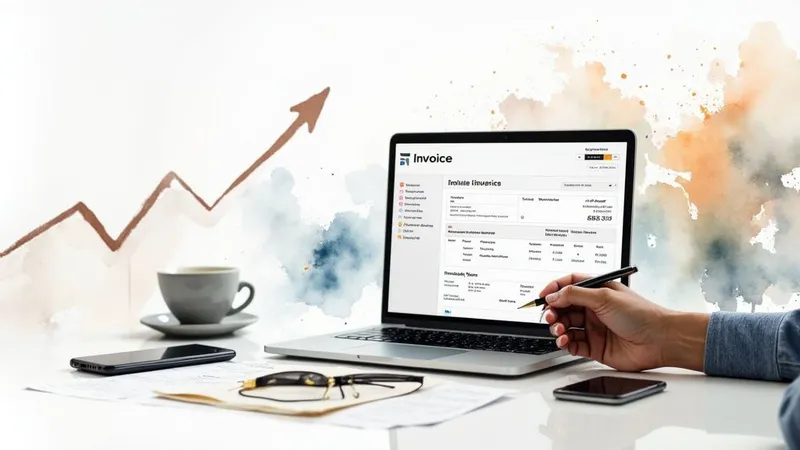
The days of juggling invoices in a spreadsheet are over. For a sole trader today, equipping yourself with invoicing software is no longer a luxury — it’s a genuine survival reflex to protect and grow your business. It’s what makes the difference between “patched-together” management and serious, efficient business steering.
Why invoicing software is essential
Letting go of your trusty Excel file is a bit like giving up a paper road map for a GPS. You move from approximate management to precise control over your cash flow. Think about it: every invoice made by hand is a chance to make a calculation mistake, forget a mandatory statement, or let a late payment slip through. Small risks that, added together, can really weaken your micro-business.
Imagine, for a moment, a system that turns your quotes into invoices in a single click. A tool that automatically sends reminders for unpaid invoices, without you having to think about it. Every document you send then becomes a showcase of your professionalism. That’s exactly what good software brings you.
To secure your business and polish your image
The first advantage, and not a minor one, is compliance. Using invoicing software dedicated to sole traders guarantees that all your invoices comply with French law to the letter. No more stressing over whether your SIREN number is present or whether you’ve added the famous “VAT not applicable” statement.
Think of this tool as your safety net. It locks down every transaction, saves you from costly mistakes and, above all, gives you incredible peace of mind, especially in the event of a tax audit.
Clients notice this rigor immediately. A well-presented invoice, free of errors and sent on time, speaks volumes about how serious you are. It builds trust and, quite often, encourages faster payment.
To get ahead of tomorrow’s obligations
The invoicing world is changing, and fast. Manual management isn’t just becoming less practical — it will soon be illegal with the gradual rollout of mandatory e-invoicing. Going digital is therefore no longer optional, but a necessity to stay compliant. To dig deeper, feel free to read our full guide on online invoicing.
The market has clearly felt the shift coming. France had more than 1.7 million sole traders in 2024, and this strong demand has given rise to a bumper crop of more than a hundred specialized software tools. It’s a small investment, but one that frees up precious time so you can focus on your core business. To go further, you can check out analyses of the software market for sole traders.
Identifying the key features for your business
Good invoicing software for sole traders isn’t just a tool for creating PDFs. Think of it instead as a genuine co-pilot for your business. Its role? Automating tedious, repetitive tasks to save you a huge amount of time day to day.
Not all features are equal, and some matter far more than others for a freelancer or independent professional. So you need to learn to spot the ones that will really tip the scales, whether for your productivity or your cash flow.
The automations that change everything
The real strength of invoicing software is its ability to work in your place. Take converting a quote into an invoice, for example. One click, and it’s done. No more endless copy-pasting and the errors that come with it. The process becomes simple, smooth, immediate.
Another must-have feature: automatic payment reminders. This is often a sensitive point for many independent professionals, who don’t always dare to chase what they’re owed. The software handles it for you, with pre-written, always courteous messages. The result: you preserve your client relationship while making sure you get paid.
Effective software doesn’t just generate invoices; it tracks them all the way through to payment. It relieves you of a huge mental load and, above all, it secures your cash flow.
This image shows clearly how well-chosen software becomes the true dashboard of your micro-business.
You can see how all the features, from creating quotes to tracking payments, fit together to simplify the entire sales cycle.
Tools to better structure your offering
Beyond straightforward invoicing, some software includes modules that help you get organized. A product or service catalog, for example, lets you standardize your offerings. You save your services once and for all, with their description and price, then pull them into quotes in a few seconds. It’s a guarantee of consistency and speed.
Likewise, a centralized client file is a considerable advantage. All the information and history for each client is gathered in one place. It gives you a 360-degree view for personalized, genuinely professional follow-up.
Finally, if you’re a service provider, time tracking is a feature that can change everything. It lets you bill every minute spent on a project with surgical precision, without having to log everything by hand.
Comparison of the essential features of invoicing software
To make things clearer, it’s worth distinguishing the absolutely essential features from those that are more “nice to have” or specific to certain trades. This table will help you prioritize what you really need.
| Feature | Benefit description | Priority level (Essential / Advanced) |
|---|---|---|
| Creating quotes and invoices | The basics: generating legally compliant documents in a few clicks. | Essential |
| Client file | Centralizing contact details and history for professional follow-up. | Essential |
| Automatic reminders | Securing your cash flow without having to “play the bad guy”. | Essential |
| Product/service catalog | Saving time and standardizing your offerings for greater clarity. | Essential |
| Converting a quote into an invoice | Avoiding double entry and errors in a single click. | Essential |
| Dashboard | Getting a clear view of your revenue and key indicators. | Essential |
| Time tracking | Billing your time with precision, ideal for service providers. | Advanced |
| Expense management | Tracking purchases and business expenses for a better view of profitability. | Advanced |
| Bank account link | Automatically reconciling payments and invoices (synchronization). | Advanced |
| Project management | Tracking the progress of jobs directly from the invoicing tool. | Advanced |
This comparison shows clearly that good software must first and foremost cover the fundamentals of invoicing and client tracking. Advanced features, while very useful, address more specific needs or a more mature stage of your business’s development.
User expectations don’t lie: the trend is clearly toward automation. A recent study found that more than 70% of sole traders use online invoicing software to work more efficiently.
Among them, nearly 60% choose tools capable of automating their tax filings, while 45% look for extensive customization options. To dig deeper, you can check out the full study on the expectations of independent professionals.
Get ready: mandatory e-invoicing is fast approaching
Electronic invoicing is no longer a vague concept reserved for large corporations. It’s a reality taking shape, and it will soon change how every sole trader runs their business. Better to understand what it involves now, so you can approach this shift with peace of mind.
Note that this isn’t just a simple PDF sent by email. The reform imposes a very specific data format, structured so it can be read automatically by IT systems. The goal is simple: create a 100% digital invoicing chain, from issuance through to receipt, eliminating all manual entry.
The new invoicing jargon, decoded
To find your way around, you need to get familiar with a few new terms. Rest assured, good invoicing software for sole traders will handle all the technical complexity behind the scenes. But knowing the basics will help you see things more clearly and choose the right tool.
- Factur-X: Remember this name. It’s the “hybrid” invoice format that will become the standard in France. Picture a perfectly ordinary PDF file, one you can read, to which a data file (in XML format) that only computers understand has been attached.
- Portail Public de Facturation (PPF): This is the State’s large platform that will act as a central “hub” for routing all these electronic invoices.
- Plateformes de Dématérialisation Partenaires (PDP): These are private players (your future invoicing software, for example) that will be approved by the State. Their role? Acting as an intermediary to send your invoices to the PPF or to other platforms.
In practice, the logic changes. No more sending the invoice directly to your client. You’ll create it in your software, and the software will handle transmitting it through this new secure network.
The key dates and penalties to keep in mind
The tax authorities have set out a phased timeline so everyone has time to get equipped. As a sole trader, here are the two deadlines to mark in red on your calendar:
- From September 1, 2026: You’ll be required to be able to receive electronic invoices. Your professional suppliers will have to go through a certified platform to send them to you, and you’ll need to be able to accept them in this format.
- From September 1, 2027: It’ll be your turn! You’ll be required to issue your own invoices in electronic format to all your business clients.
The reform goes beyond simple invoice issuance (what’s called e-invoicing). It also includes transmitting your transaction data to the tax authorities (e-reporting), particularly for sales you make to individual consumers.
Failing to comply with these new rules won’t be without consequences. The planned penalties are fairly dissuasive: up to 15 euros per non-compliant invoice, capped at 15,000 euros per year. A 250-euro penalty is also planned if you forget to transmit your e-reporting data.
Choosing already-compatible software today is anything but trivial. It turns a legal obligation into an opportunity. You secure your future compliance, save precious time, and project the image of an organized, up-to-date professional. To dig deeper, our full guide on electronic invoicing for sole traders details every step of this transition.
Choosing the right software for your trade
Let’s be clear: the perfect invoicing software for sole traders, one that ticks every box for everyone, doesn’t exist. The best tool is the one that fits your reality on the ground, that understands the unique challenges of your industry. Opting for a generic solution is a bit like trying to drive a screw with a hammer. It might get you out of a jam, but it’s neither efficient nor very professional.
Every trade has its own rules of the game when it comes to management. A consultant who sells their expertise by the hour doesn’t have the same needs as a tradesperson managing job sites over several months, or an e-commerce seller juggling hundreds of orders a day. The key, then, is knowing which features are absolutely essential for your business.
For service providers and consultants
If your raw material is time, then your number one priority is a time tracking module. It should let you start a timer for each task and turn, in one click, those worked hours into detailed invoice lines. No more manual re-entry and rough estimates. Precision is your best ally for making sure every minute of your expertise is properly valued.
Also think about managing your long-term contracts. Your software should make your life easier by automating subscription invoices or recurring payments. This is an essential point for smoothing out your cash flow and spending less time on the administrative side of your loyal clients.
For tradespeople and construction professionals
Your daily reality is a dance of deposits, progress billing, and interim invoices. Your software absolutely must handle these stages smoothly. The ability to create a detailed quote, then turn it into several partial invoices as the job progresses, isn’t optional — it’s a necessity.
Another crucial point is managing a catalog of materials and labor. A good tool lets you pre-save your purchase prices and selling rates. The result? You put together quotes much faster and protect your margins on every project.
For a tradesperson, the software isn’t just a tool for making invoices. It’s a genuine right hand that follows the job from quote to final invoice, making sure nothing is forgotten and everything is properly billed.
For creators and e-commerce sellers
Whether you sell t-shirts or online courses, the watchword is synchronization. Your invoicing software absolutely must be able to connect to your store (Shopify, WooCommerce, etc.). The goal? Automating invoice creation the moment an order comes in. This eliminates 99% of the manual work and the errors that come with it.
And if you manage physical products, real-time inventory management is vital. Your tool needs to be able to:
- Automatically deduct a product from stock after each sale.
- Send you an alert when it’s time to reorder.
- Manage different variants (sizes, colors, etc.) without a headache.
For an e-commerce seller, invoicing software is the heart of the administrative engine. It links sales, inventory, and accounting. Choosing the wrong tool means risking the whole machine grinding to a halt.
Free or paid software: how to make the right choice?
The question of budget is often the first one that comes up when looking for invoicing software for sole traders. But be careful: choosing between a free solution and a paid offer isn’t just a question of spending. It’s above all a strategic decision that impacts the value and longevity of your business.
Free software is an excellent entry point. It lets you get equipped without touching your cash flow, a significant advantage when you’re just starting out. You can issue compliant invoices, manage your first clients, and get the hang of the basics of administrative management.
The catch: this “free” often comes with a hidden cost — that of limitations, which can quickly become a real headache as your business grows.
Free tools: what you need to know before diving in
Free solutions are often designed as loss-leader products. They do the job at first, but their limits show up quickly once things get serious. The most common sticking points are:
- Missing-in-action customer support: A technical bug? A question about a legal statement? You risk being left on your own with nothing but a basic FAQ.
- Watered-down features: Don’t expect to find automatic reminders for unpaid invoices, dashboards to steer your business, or synchronization with your bank account.
- A risk to legal compliance: Nothing guarantees that these tools will be updated to meet future obligations, such as the mandatory e-invoicing rules on the horizon.
Free software is a bit like a stationary bike: perfect for starting to pedal in your living room, but it quickly shows its limits if your ambition is to climb mountain passes.
To dig deeper, take a look at our article that breaks down free invoicing software for sole traders and gives you everything you need to weigh the pros and cons.
A paid subscription: an investment, not an expense
Switching to a paid solution isn’t “paying to invoice.” It’s investing in the peace of mind and efficiency of your micro-business. For the price of a few coffees a month, you get access to a whole different level of service that saves you time — and therefore, money.
Paid software guarantees you responsive customer support, automatic legal updates, and automations that work on your behalf. Smart dashboards give you a clear, real-time view of your financial health, helping you make the right decisions at the right time. It’s simply the assurance of steering your business with reliable tools, with total confidence.
Mistakes to avoid when choosing your tool
Choosing invoicing software for your sole-trader business is a bit like choosing a business partner. If you make the wrong choice at the outset, what was supposed to be valuable help can quickly turn into a real administrative headache. To help you avoid the most common pitfalls, here are the mistakes to steer clear of.
The biggest, and by far the riskiest, would be choosing a tool that isn’t compliant with French legislation. With mandatory e-invoicing right around the corner, it’s a bet you can’t afford to lose. Ignoring this detail means risking bringing your business to a standstill overnight.
Getting seduced by unnecessary complexity
There’s often a tendency to think that more features means better software. That’s a classic mistake. An interface that looks like an airplane cockpit when all you need is to drive a car will just make your life harder.
You’ll end up paying for options you’ll never use, all while wasting a huge amount of time figuring out how to make a simple invoice.
The goal isn’t to find the software with the most buttons, but the one that saves you the most time. If creating an invoice takes you more than 5 minutes, you probably don’t have the right tool in hand.
Good invoicing software for sole traders should be intuitive, almost second nature.
Forgetting to plan your exit
Picture this scenario: you’ve been using a piece of software for two years. You decide to switch, but discover it’s impossible to export your client file or your invoice history in a standard format (like Excel or CSV). You’re stuck, a prisoner of your own tool. It’s a nasty trap that can end up costing you dearly.
Before committing, always ask yourself: “What if I want to leave?” Check the export options and make sure you can retrieve your data easily. It’s non-negotiable.
Also think about customer support. When a bug crops up or an urgent question arises, a responsive, competent customer service team becomes your best ally. Ignoring this criterion is a bit like heading out to sea without a life jacket and hoping the weather always stays fine.
The questions everyone asks about invoicing software
Switching to invoicing software as a sole trader inevitably raises quite a few questions. It’s an important step, and it’s normal to want to be sure of your decision. Let’s demystify the most common questions together so you can make your choice with peace of mind.
These are the classic doubts most independent professionals face when it’s time to professionalize their management. Having clear answers is the best way to approach this change with confidence.
Can I keep making my invoices in Excel or Word?
To cut straight to the point: no, that’s really not a good idea anymore. While this method was long a sort of “administrative tolerance,” the rules of the game have changed. Soon, it won’t even be possible at all.
Why? Because an invoice made in a spreadsheet or word processor offers no guarantees. It can be modified at any time, its numbering can be broken… In short, it doesn’t meet the integrity and chronology conditions required by law.
With the major electronic invoicing reform on the horizon, only approved software will be able to create legal invoices for exchanges between businesses. Sticking with Excel means risking mistakes, but above all exposing yourself to heavy fines in the event of a tax audit.
What mandatory statements should never be missing from an invoice?
To be valid in the eyes of the tax authorities, an invoice must contain a precise list of information. This is non-negotiable. The advantage of good software is that it takes care of this for you and saves you from omissions that can prove costly.
Here are the essential elements:
- Your SIREN number.
- The famous statement “VAT not applicable, art. 293 B of the French General Tax Code” if you’re under the VAT exemption scheme (franchise en base).
- Your client’s full name and address.
- The invoice date and a unique number that follows a sequence with no gaps or duplicates.
- The details of what you sold (service or product), with quantity and unit price.
- The total amount due, of course.
Think of your software as your legal safety rail. It ensures every document that leaves your hands is squared away, protecting your business and your credibility.
Does my software need “anti-VAT-fraud” certification?
As a sole trader, as long as you benefit from the VAT exemption scheme (franchise en base), you’re not directly affected by the requirement to use certified software. This law mainly targets merchants who take payments from individual consumers and must guarantee the integrity of their cash-register systems.
That said, choosing a tool that already meets this standard is a sign of reliability and smart anticipation. Imagine your business takes off and you exceed the VAT thresholds. You’ll already be equipped with a compliant tool, without the stress of having to change everything in a rush. It’s a smart bet on the future.
So, ready to leave the administrative headache behind and steer your sole-trader business with peace of mind? Bizyness was built exactly for that. Create perfect quotes and invoices in a few clicks, automate your tax filings, and stay in control of your cash flow — all with disarming simplicity.
Discover how Bizyness can simplify your day-to-day starting today
