

 Français
Create a Free Online Invoice: The Ultimate 2026 Guide for E-commerce
Learn how to create a free online invoice for your e-commerce business. Our 2026 guide gives you the tools, legal requirements and essential tips to succeed.
Creating an invoice online for free is often the first instinct of any e-commerce entrepreneur starting out. The idea is simple: keep costs under control from day one. It’s a perfectly appealing approach, but one that, I can tell you from experience, quickly becomes a bottleneck. Especially with the 2026 electronic invoicing reform fast approaching.
Free invoicing: a false good idea for e-commerce sellers
The appeal of free tools makes perfect sense. When you launch your online store, whether on Shopify, Amazon or another platform, every euro saved counts. Using an Excel template or an online generator for your first invoices seems like an obvious choice. And to be honest, it works… for handling a handful of orders per month.
But this simplicity is just a facade. It hides risks and constraints that tend to be underestimated. As soon as your business picks up a little, manual management turns into a real administrative bottleneck that steals your most precious resource: time.
The limits quickly become concrete:
- Wasted time: Every invoice requires manual entry, checking, sending, archiving… As an e-commerce seller, that time would be far better invested in your marketing, your products or your customer service.
- The risk of errors: A simple typo in an amount, an address or an invoice number can quickly turn into an accounting headache, or even a dispute with a customer.
- Lack of visibility: With data scattered across various files, it’s impossible to get a clear, real-time view of your company’s financial health.
The real cost of “free” is the hours you stop counting, the administrative stress and the risk of non-compliance. Manual management that’s tolerable for three sales a month becomes a major handicap as soon as you go past a dozen orders.
The turning point: the 2026 reform
A decisive factor is about to shake up this dynamic: the reform making electronic invoicing mandatory. Starting in September 2026, most companies will have to issue and receive their invoices via certified platforms. This regulatory shift will effectively make most current free tools obsolete for business-to-business (B2B) transactions.
What’s striking is that official communications focus almost exclusively on this upcoming reform, leaving current free solutions by the wayside. You can see this for yourself by reading the information on the government portal France Num.
To make things clearer, here’s a small decision tree that perfectly illustrates the tipping point where manual invoicing becomes counterproductive.
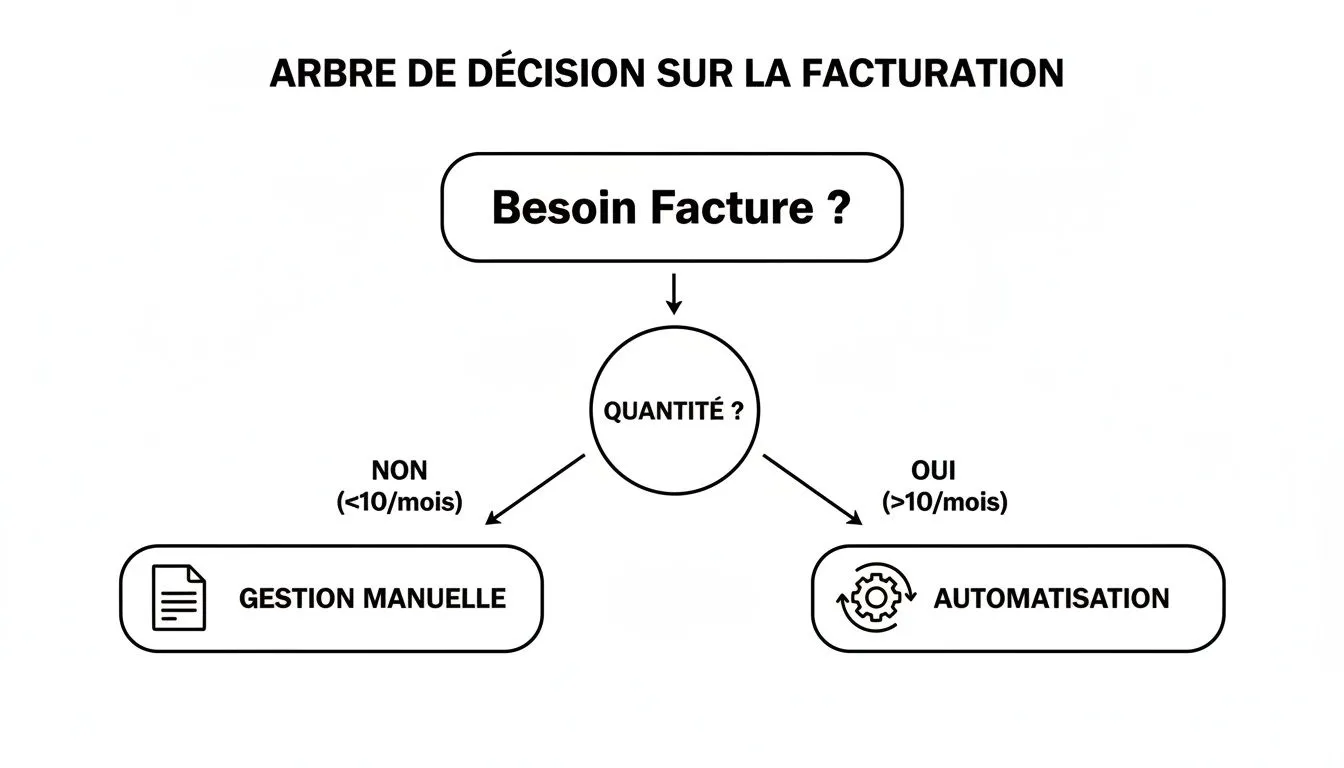
This visual makes it clear: beyond a very low order volume, automation is no longer a luxury. It’s a necessity to secure your business and give yourself the means to grow it with peace of mind.
Quick comparison of invoicing methods
To help you quickly visualize the trade-offs, this table compares the free “DIY” approach with a specialized solution.
| Feature | Free tools (Excel, Word) | Specialized e-commerce platforms |
|---|---|---|
| Invoice creation | Manual, repetitive | Automatic, as soon as an order comes in |
| Numbering | Manual, risk of errors | Sequential and automatic, guaranteed no duplicates |
| Legal compliance | User’s responsibility | Templates always up to date with legal notices |
| Centralization | None, files scattered | Total, single dashboard |
| Payment tracking | Manual and tedious | Automated, with possible reminders |
| Archiving | Manual, risk of loss | Secure and centralized in the cloud |
| Financial reports | Very limited, if not impossible | Detailed and real-time (revenue, VAT, etc.) |
At a glance, it’s clear that while free tools help you get by at the very start, they are absolutely not built to support the growth of a serious e-commerce business.
Mandatory information on a French invoice: what you need to know
Even before looking for the best free tool to create your first invoice, there’s an unavoidable, non-negotiable step: legal compliance. It’s often forgotten, but an invoice is not just a piece of paper to get paid. It’s a legal and accounting document, and in France the rules are particularly strict.
A single mistake, a simple omission, and you’re facing a penalty. The tax authorities don’t joke about this: the fine is €15 per missing or inaccurate item. Do the math across dozens of invoices, and the bill can quickly add up.
The most common mistake? Thinking that using a free tool absolves you of your responsibilities. Whether you cobble your invoice together in Word, Excel or with an online generator, you — and only you — are responsible for its compliance. Let’s go through, point by point, how to secure your invoicing from the start.
Who’s billing whom? Identifying the parties
The basics of everything: knowing precisely who’s selling and who’s buying. It sounds obvious, but in the heat of the moment, especially in e-commerce where everything moves fast, a detail can easily slip through.
For your company (the seller), you must indicate:
- Your business name: This is the official name of your business. If you’re a sole trader (micro-entrepreneur), it’s your first and last name, followed by “EI” or “Entrepreneur Individuel.”
- The address of your registered office.
- Your SIREN number: the unique identifier for your business.
- Your intra-community VAT number: This is essential, even if you’re VAT-exempt (as many sole traders are). You’ll need it for all your transactions, and it’s a marker of professionalism, especially if you deal with other businesses in the EU.
For your customer (the buyer), you must mention:
- Their name or business name: The full name for an individual, the business name for a company.
- Their billing address: This is a crucial point for the document’s validity. Be careful, it doesn’t always match the delivery address!
A tip for e-commerce sellers: make sure your checkout on Shopify or WooCommerce clearly distinguishes between the delivery address and the billing address. It’s the latter, and only the latter, that must appear on the invoice.
By the way, a small heads-up: with the electronic invoicing reform looming for 2026, your professional customer’s SIREN number will become mandatory on business-to-business (B2B) invoices. Starting to collect it now is an excellent habit to adopt.
Numbering and date: the perfect sequence
Here’s a highly sensitive point for the tax authorities. Your invoice numbering must follow a golden rule: it must be chronological, continuous and without any gaps. In plain terms: no holes and no duplicates.
- The classic disaster scenario: You create invoice no. 2024-052 in your spreadsheet. The next day, in a bit of a rush, you start from an old file and, without noticing, create another invoice no. 2024-052 for a different customer. This duplication is a red flag for the tax authorities and can be seen as an attempt at concealment.
- The simple solution: Adopt a prefix per year (e.g.
2024-XXXX). This lets you start from zero every January 1st while guaranteeing a unique sequence for the year. Of course, any proper invoicing software handles this automatically, sparing you the cold sweats.
The issue date of the invoice is just as fundamental. It’s what starts the clock for payment terms and your VAT filings.
The heart of the matter: product descriptions and amounts
Every line on your invoice must be crystal clear. For an e-commerce seller, that means being extremely precise about what was sold. No more vague descriptions!
For each product or service, the invoice must show:
- The exact description: For example, “Organic Cotton T-shirt - Size L - Navy Blue.”
- The quantity sold.
- The unit price excluding tax (net).
- The applicable VAT rate (20%, 10%, 5.5%, etc.).
- The total net amount for the line (quantity × unit price).
At the bottom of the invoice, the totals must be clearly displayed: the total excluding tax, the VAT breakdown by rate, and of course, the total amount including tax, which is what your customer must pay. If you want to dig deeper into the topic, our full guide on mandatory invoice information covers exactly that.
The special case of VAT in e-commerce
If you’re under the VAT exemption scheme (the micro-entrepreneur regime, for example), you’re required to add the mention: “VAT not applicable, art. 293 B of the French Tax Code.” Never forget it.
For sales to individuals within the European Union, things get more complex. With the VAT One-Stop Shop system (OSS/IOSS), you must apply the VAT rate of your customer’s country. Selling to a Belgian customer? The invoice must show 21% VAT, even if your company is French. Trying to manage this by hand in a spreadsheet is the shortest path to major errors and guaranteed problems.
Let’s get started: your first free invoice, step by step
Now let’s get into the heart of the matter. Let’s see together how to make an invoice for free, with a simple template on hand, whether it’s an Excel spreadsheet or an online generator. To get started without breaking the bank, this is the most direct method.
To make this concrete, let’s put ourselves in the shoes of an e-commerce seller who just sold an “Organic Cotton T-shirt” to an individual customer in France. Let’s fill in together the essential fields needed for this invoice to hold up.
Let’s start with the basics: who’s billing whom?
The first thing to do is clearly identify the two parties. On your template, you should have two distinct blocks: one for you (the issuer) and one for your customer.
On your company’s side, make sure to fill in:
- Your business name (the official name), or, if you’re a sole trader, your “First Name Last Name (EI).”
- The address of your registered office.
- Your identification numbers: the SIREN is a classic, and the intra-community VAT number is essential if you’re liable for VAT.
For your customer, you’ll need their full name and their billing address. A word of caution here: the billing address is not always the delivery address. Rely on what the customer entered when placing the order.
Above all, don’t forget to assign a unique invoice number (for example, 2024-0001) and to indicate the issue date. These two pieces of information are the cornerstone for clean, easy-to-track bookkeeping.
The classic copy-paste trap: When you make your invoices by hand, the temptation to start from an old document is strong. The risk? Forgetting to change the number or the date. This is the kind of mistake that can invalidate an invoice and cause you trouble in the event of an audit.
The heart of the matter: itemizing the sale and calculating the totals
The core of your invoice is, of course, the detail of what you sold. Every line must be absolutely clear. For our example, we won’t just write “T-shirt,” but describe it precisely. To get a better grasp of this logic, you can take a look at this example Vinted pro invoice and practical guide which, even though it’s specific, clearly shows the importance of details.
For our T-shirt, the body of the invoice would look like this:
| Description | Quantity | Unit Price (net) | VAT Rate | Net Amount |
|---|---|---|---|---|
| Organic Cotton T-shirt - Blue - Size M | 1 | €20.83 | 20% | €20.83 |
| Shipping fees | 1 | €4.16 | 20% | €4.16 |
Below this table, the totals must stand out clearly:
- Net total: €24.99
- VAT amount (20%): €5.00
- Total including tax: €29.99
The idea is to have a clear, unambiguous structure, as shown in the image below.
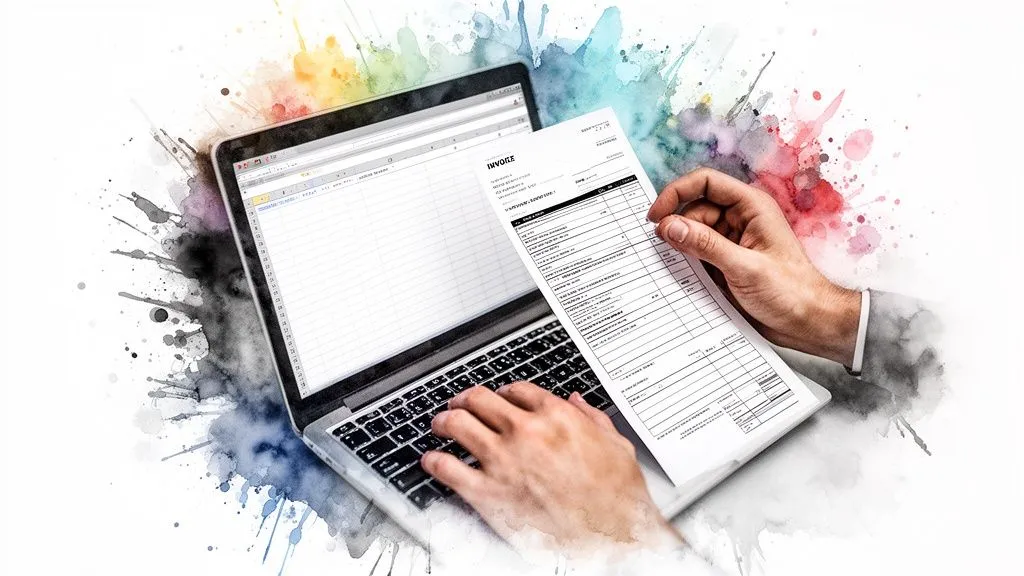
You can clearly see the typical layout: the company and customer info at the top, the order details in the middle, and the key figures at the bottom. This is the universal structure for a readable, compliant invoice.
And here’s where you already start to feel the limits…
Congratulations, you’ve just created a perfectly valid invoice! But I’ll bet you’ve already sensed the constraints of this method. Now, imagine doing this not once, but 30, 50, or even 100 times a month.
The friction points quickly become obvious:
- The time it takes: Every invoice means several minutes of data entry, proofreading, and sending. Added up, this time becomes a real cost for your business.
- The risk of human error: A typo in an amount, the wrong VAT rate applied to a European customer, a duplicate invoice number… these mistakes are nearly inevitable when you’re tired.
- Archiving and tracking: How do you keep track of everything? A simple folder on your computer quickly turns into a real maze. Not to mention tracking unpaid invoices, which becomes a headache.
In short, while it’s entirely possible to create a free online invoice by hand, it’s more of a stopgap solution than a growth strategy. It’s perfect for understanding the basics of invoicing, as we’ve just done. But to move up a gear and secure your management, you need to think about something else soon, as we explained in our guide to free online invoicing. Often, the manual experience is the best argument for deciding to automate.
The hidden risks behind free invoicing
The idea of creating your invoices online for free is appealing, no one will say otherwise. When you’re starting out, every euro saved is a small victory. Yet this apparent freeness has a very real cost, one that doesn’t appear on any accounting line but that can weigh heavily on your business: risk.
What’s perfectly manageable with a handful of sales a month quickly turns into a genuine administrative minefield once your store takes off. And believe me, these risks aren’t theoretical; they’re very concrete and can cost you dearly.
Human errors and their legal consequences
The most immediate risk is simply human error. An unfortunate copy-paste, a typo in an amount, and the trouble begins.
Imagine for a moment: after a great sales day, you have to generate 50 invoices by hand. In the rush, on invoice no. 2024-0118, you forget to apply VAT. On no. 2024-0125, you get a business customer’s SIREN number wrong. It happens faster than you’d think.
These “small” mistakes can nonetheless have serious consequences:
- Tax penalties: The tax authorities can fine you €15 per missing or inaccurate item on an invoice. If the error is systematic across 50 invoices, the math adds up quickly… and it hurts.
- Customer disputes: A customer who receives an invoice riddled with errors can legitimately dispute it. Result: delayed payments and shaken trust in your professionalism.
- Accounting headaches: Your accountant will spend precious time correcting these errors, time that, of course, will be billed to you.
Manual invoicing is a bit like walking a tightrope without a safety net. As long as everything’s fine, you keep moving forward. But at the first gust of wind — a spike in orders, a simple lapse of attention — the fall can be brutal.
The intra-community VAT nightmare
For an e-commerce seller, VAT management is an absolutely critical point, especially when selling internationally. With the One-Stop Shop mechanism (OSS), if you sell to individuals in the EU, you must apply the VAT rate of your customer’s country.
How do you manage that with a simple spreadsheet?
- A customer in France? 20% VAT.
- A customer in Germany? 19% VAT.
- A customer in Italy? 22% VAT.
Manually managing these different rates for each order is not only a huge source of errors, but also a considerable waste of time. A VAT rate error is a direct red flag for European tax authorities, which can trigger complex and costly audits.
Breaks in invoice numbering
If there’s one point on which the tax authorities are uncompromising, it’s this: your invoice numbering must be chronological and without the slightest gap. This is the guarantee that no transaction has been concealed.
With a manual tool, the risk of creating a duplicate or a “gap” in the sequence is constant. You create invoice 2024-0305. Distracted by an emergency, you later reopen an old file and issue a new invoice… with the same number, 2024-0305. In the event of an audit, this anomaly will immediately raise suspicion.
Automated invoicing software, on the other hand, guarantees an unbreakable sequence. For an entrepreneur, that peace of mind is priceless.
Incompatibility with the 2026 reform
The final blow for manual invoicing is coming very soon with the electronic invoicing reform. Starting in September 2026, all business-to-business (B2B) transactions will have to go through certified platforms.
Your Word or Excel templates, just like most free online generators, will simply no longer be compliant. Continuing to use them will put you in an illegal situation. In fact, a recent study shows that companies are already actively preparing for this. If you want to dig deeper, you can check out this press release on businesses’ confidence in the face of electronic invoicing.
The time you invest today in a manual system is, in reality, wasted time. This system is doomed in the very short term.
Ultimately, while the option of creating invoices for free seems economical at first glance, it exposes your e-commerce business to disproportionate risks as soon as your activity grows. The real cost is measured in lost time, stress, accounting errors and very real legal risks.
Automating your invoicing to support your growth
You’ve done the rounds of the free solutions, the famous “DIY system” with its limits and its risks. It’s time to see things differently. Moving from a simple “create a free online invoice” search to a truly automated process isn’t a luxury reserved for large companies. For an ambitious e-commerce seller, it’s actually an essential step to support growth.
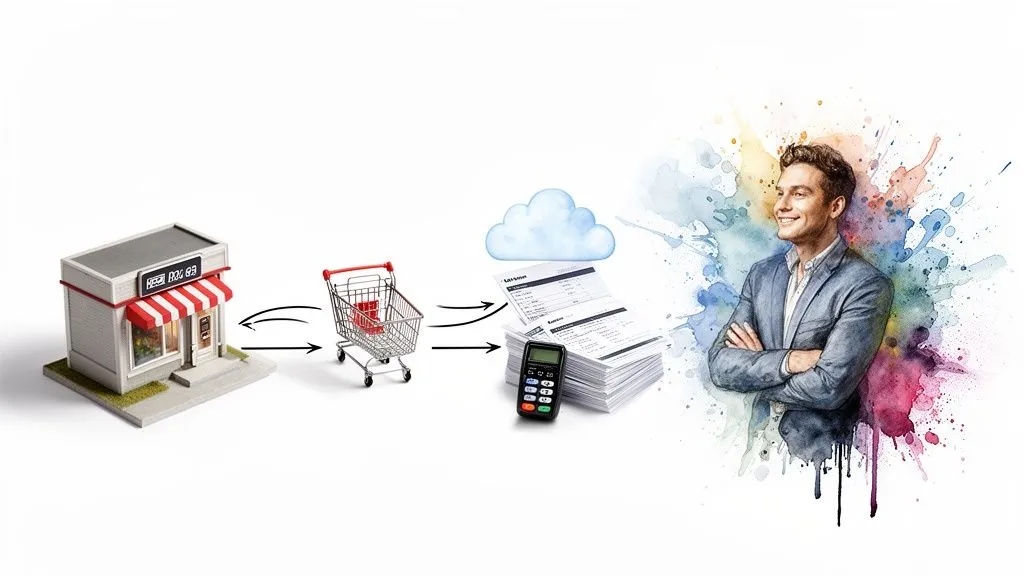
Automation, concretely, means turning a repetitive, time-consuming, error-prone task into a reliable mechanism that runs in the background. Imagine: a sale is validated on your website, and the corresponding invoice is generated, numbered and sent without you having to do a thing. That’s exactly the promise of a specialized platform like Bizyness.
The magic of native connections
The secret to successful automation is integrations. An invoicing platform designed for e-commerce doesn’t live in a bubble; it plugs directly into your work tools.
Think of it as the financial brain of your business, permanently connected to:
- Your online stores: Whether you use Shopify, WooCommerce, or sell on Amazon, every order automatically triggers the creation of a compliant invoice.
- Your payment systems: Transactions via Stripe, PayPal and others are instantly logged and matched to the right invoices.
This real-time synchronization eliminates nearly 99% of manual data entry. No more repeated CSV exports, risky copy-pasting or omissions. Every sale generates its invoice, without you having to lift a finger.
The challenge is no longer to “make an invoice,” but to ensure that every euro coming in is correctly tracked, taxed and accounted for. It’s a complete shift in philosophy.
Concrete benefits for an e-commerce seller
Beyond the obvious time savings, the benefits of an automated solution go to the very heart of your management.
1. Rock-solid legal and tax compliance
Tax laws evolve, and so do mandatory requirements. A serious platform continuously updates its invoice templates to guarantee your compliance, particularly ahead of deadlines like the 2026 electronic invoicing reform. When electronic formats become the norm in B2B, automation will no longer be optional.
2. Smart management of European VAT (OSS/IOSS)
This is the nightmare of many e-commerce sellers. Selling to a customer in Germany, Spain or Italy? That means applying the VAT rate of the destination country. A good tool identifies the country and automatically applies the correct rate. Even better, it does much of the groundwork for your OSS One-Stop Shop filing.
3. A clear, centralized view of your finances
All your financial data ends up in one place. In just a few clicks, you can view a dashboard that gives you an overview of:
- Your revenue in real time.
- The VAT you’ve collected, broken down by country.
- Invoices still awaiting payment.
This centralization is the key to steering your store’s financial health, instead of just enduring it. To dig deeper into this topic, our guide on business process automation can give you some ideas.
Spend your time selling, not managing
The most valuable benefit, ultimately, is freeing up your time and mental load. Every hour you spend checking a number sequence or calculating a VAT amount is an hour you’re not spending on your real job: marketing, product development or customer service.
Adopting a specialized solution isn’t just about securing your bookkeeping. It’s a genuine investment in your company’s growth. You give yourself the means to focus on what creates value. To optimize your management, it’s crucial to automate your invoicing and boost your productivity.
This shift to automation is a natural step for any e-commerce seller who looks further ahead than the next few orders. It’s about building solid administrative foundations, capable of supporting rapid growth without collapsing. That’s what makes the difference between running a hobby and running a real business.
Your last questions about online invoicing
We’ve covered a lot of ground, but it’s entirely possible that a few questions are still on your mind. That’s normal! Let’s clear things up by answering the most frequently asked questions so you can get started with confidence.
Can you really start with Excel?
To be perfectly honest, yes, it’s a viable option if you’re just starting out, with a very low order volume. We’re talking about a few sales a month, at most. The one non-negotiable condition is that every invoice issued be fully compliant and contain all the mandatory legal information we’ve listed.
But be careful, this manual method has its limits, and you reach them very quickly. Managing time becomes a headache, the risk of a data entry error is constant, and let’s be honest, it’s absolutely not a viable long-term solution, especially with the new laws on the way.
Will a simple online invoice generator be enough for 2026?
The answer is no. Almost all of the free invoice generators available today will not be compliant with the major 2026 electronic invoicing reform. This reform will require going through certified platforms, the so-called Partner Dematerialization Platforms (PDPs), or the government portal.
A generator produces a simple PDF file. It doesn’t handle the secure, standardized data transmission that the law will require. That’s a crucial difference which will make these free tools obsolete for all business-to-business (B2B) transactions.
At what point should you switch to a paid tool?
There’s no rule set in stone, but experience shows that the tipping point is often around 20 to 30 invoices per month. This is generally the stage at which manual management becomes a real burden and a waste of time.
The math is simple: the time you spend creating, checking and sending each invoice, not to mention the risk of costly errors, ends up far exceeding the cost of a subscription to a tool that automates all of it. The investment then becomes far more worthwhile than stubbornly doing everything by hand.
Ready to say goodbye to spreadsheets and build solid financial management for your e-commerce business? Discover how Bizyness can automate your invoicing and accounting to save you precious time and secure your growth. Discover Bizyness.
