

 Français
Discover the free inventory management software for sole traders
Find the ideal free inventory management software for your sole trader business. Compare your options and simplify your accounting.
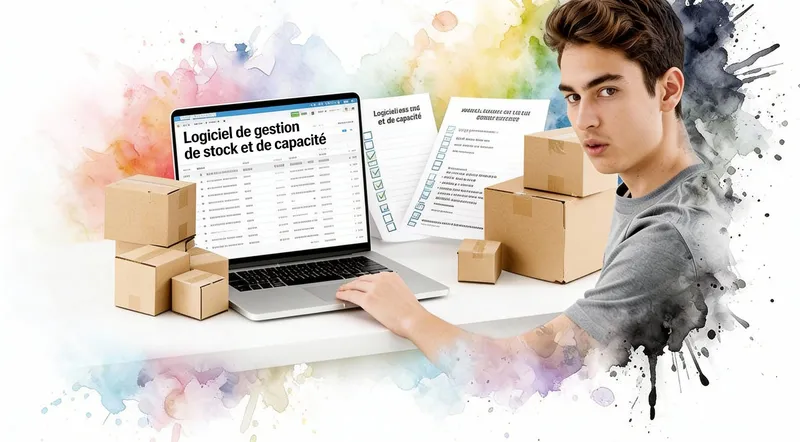
Yes, free inventory management software can absolutely be enough to get started. In fact, for a sole trader, it’s often the smartest choice. You lay healthy foundations for your business without spending a single cent, and you turn an admin task that’s sometimes dreaded into a real growth lever.
Why inventory software is your best ally
As a freelancer, you know time is your most precious resource. You’re on every front: production, marketing, sales, customer service… In that whirlwind, inventory management can quickly feel like a chore. Yet it’s one of the pillars of your success.
Skipping it is a bit like sailing blind in a storm. One bad estimate and you’re guaranteed a stockout, a disappointed customer who goes elsewhere, and a dent in your reputation. On the flip side, too much stock means money sitting idle on shelves — vital cash that could fund an ad campaign or better equipment.
Much more than a simple inventory list
Good free inventory management software isn’t just a slightly prettier spreadsheet. It’s a real dashboard that drives your business. It gives you a clear, at-a-glance view of what you have, what it’s worth, and how fast it’s moving.
Thanks to it, you’ll be able to:
- Identify your star products, the ones that are selling well, so you can focus your marketing efforts on them.
- Spot the items gathering dust, taking up space and cash for nothing.
- Anticipate orders to place with your suppliers thanks to low-stock alerts. No more last-minute panic orders!
Imagine never having to tell a customer “hang on, let me check if I have any left…”. That’s an instant gain in professionalism and efficiency. This kind of control is an essential step in digitalizing your business. You finally start making decisions based on facts, not guesswork.
Moving from managing stock “by hand” in a notebook to a dedicated tool is often a real turning point for a small business. It’s the moment you stop enduring your stock and start truly steering it. You turn a cost center into a competitive edge.
A context that pushes you to get equipped
This awareness is increasingly shared. Between 2018 and 2024, adoption of management software, including free tools, really took off among small French businesses, especially with the e-commerce boom.
There were nearly 2.3 million micro-entrepreneurs in France at the end of 2023, an increase of more than 70% in just five years! In this context, optimization is no longer a luxury. Industry studies show that losses from stockouts and overstock can cost between 8 and 12% of revenue for a small business. Getting equipped with the right tool is therefore no longer optional — it’s a necessity to stay in the race.
How to choose the right free software for your business
The market for free inventory management software is vast, and it’s easy to get lost. Let’s be clear: for a small business, the selection criteria are often much simpler than you’d think. No need to dive into endless comparisons.
The most important thing? Simplicity. A good tool is one you’ll actually use day to day, not a bloated system that requires days of training. Look above all for a clear, intuitive interface you can get the hang of in just a few hours.
Define your real needs
Before you even open a comparison chart, sit down and list what’s essential for your business. There’s often a temptation to want the most complete software, but the key is to focus on the features that will genuinely simplify your life, right away.
Here are the basic checkpoints:
- Product management: Is it easy to create product sheets with references (SKUs), clear descriptions, and, if needed, multiple suppliers?
- Movement tracking: Recording a receipt (a supplier delivery) or an outflow (a sale) should take just a few clicks. If it’s tedious, you won’t do it.
- Low-stock alerts: This is the feature that saves sales! Can the software send you a notification when an item hits a critical threshold? It’s a must-have to avoid stockouts.
- Basic reporting: Do you have access to simple dashboards to see the value of your stock at a glance or identify your top products?
Free inventory management software that checks these four boxes already covers a large part of the job. Features like managing multiple warehouses or compatibility with barcode scanners are rarely a priority when starting out.
This decision tree illustrates the moment when it makes sense to switch from manual management to a dedicated tool.
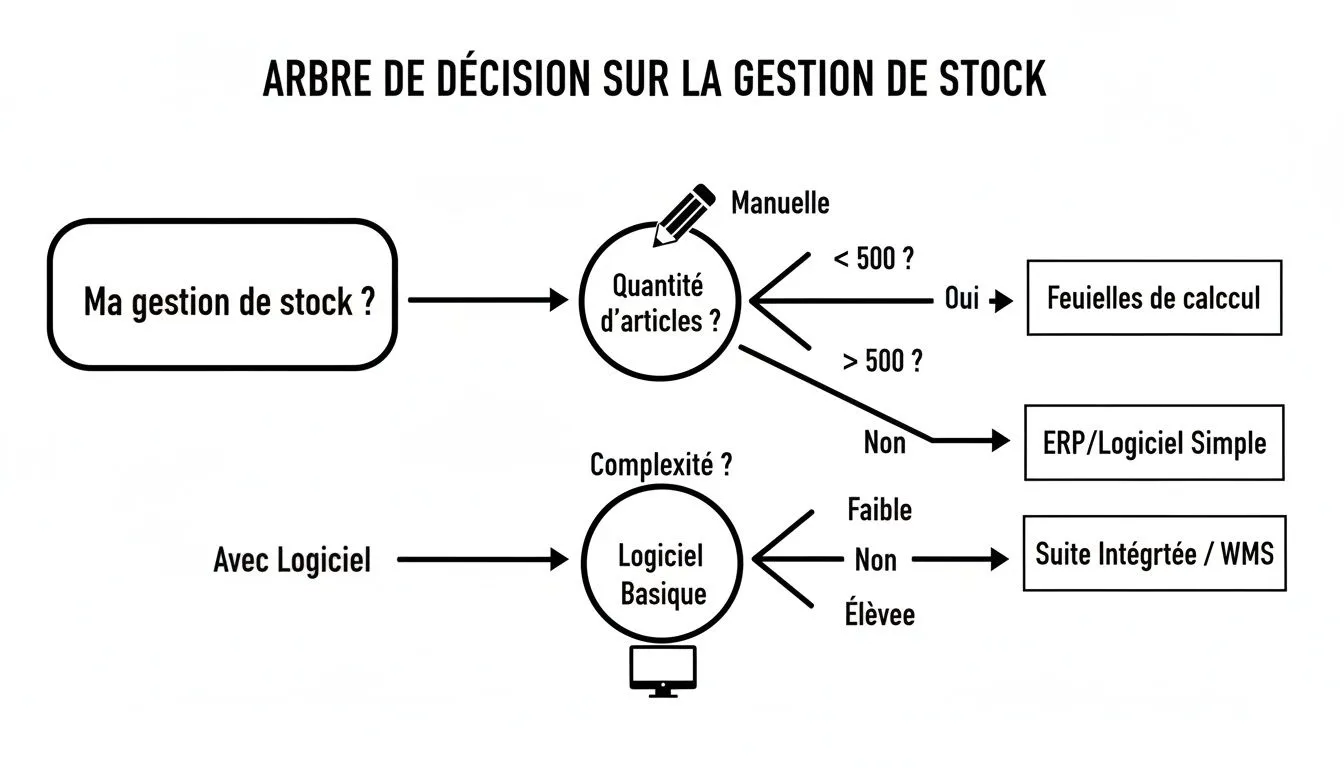
What this visual shows is that switching to software becomes obvious as soon as manual errors get too costly or the time spent on spreadsheets balloons. A tipping point many sole traders reach faster than expected.
Thinking ahead: scalability and integrations
The trap of “free” is getting stuck. Good free software is one that can grow with you. Ask yourself: if my business takes off, does the software offer a paid version or modules to go further? Thinking about this scalability from the start means securing peace of mind for the future.
Integration is what turns a tool from “handy” into “essential.” Your inventory software’s ability to talk to your invoicing tool, like Bizyness, isn’t a luxury. It’s what will save you precious time by avoiding double entry and the errors that come with it.
Comparison of popular free inventory management software
To help you see things more clearly, here’s a comparison table of the most common free solutions on the market. This table summarizes the strengths and limitations of each option so you can make an informed choice based on your situation.
| Software | Best for | Key free features | Main limitation |
|---|---|---|---|
| Dolibarr | Tech-comfortable entrepreneurs who want an ultra-customizable open-source solution. | Product/service management, inventory, orders, invoicing, CRM. | Requires installation on a server and technical configuration. |
| Odoo (Community) | Small businesses looking for a complete ecosystem (ERP) that can self-host the solution. | Inventory, sales, purchasing, invoicing. Access to all apps. | The Community edition is self-hosted; support and advanced modules are paid. |
| Stock It Easy (Lite) | Craftspeople and small retailers who need a simple solution that’s quick to install on a Windows PC. | Item management, stock movements, alerts, inventory, labels. | Free version limited in number of references and features. |
| Monday.com (Free) | Teams who want visual project management and can adapt it for basic stock tracking. | Customizable boards, visual statuses, simple automations. | Not a true inventory tool; unsuited to complex catalogs or valuation calculations. |
In short, tools like Dolibarr or Odoo offer incredible power, but require a time investment for setup. Solutions like Stock It Easy Lite are perfect for starting quickly and simply, as long as you’re managing fewer than 300 SKUs and don’t need deep integrations with a POS system or complex accounting. To go further, feel free to check out detailed analyses, such as the one on the best inventory software on wizishop.fr.
Setting up your first inventory without the headache
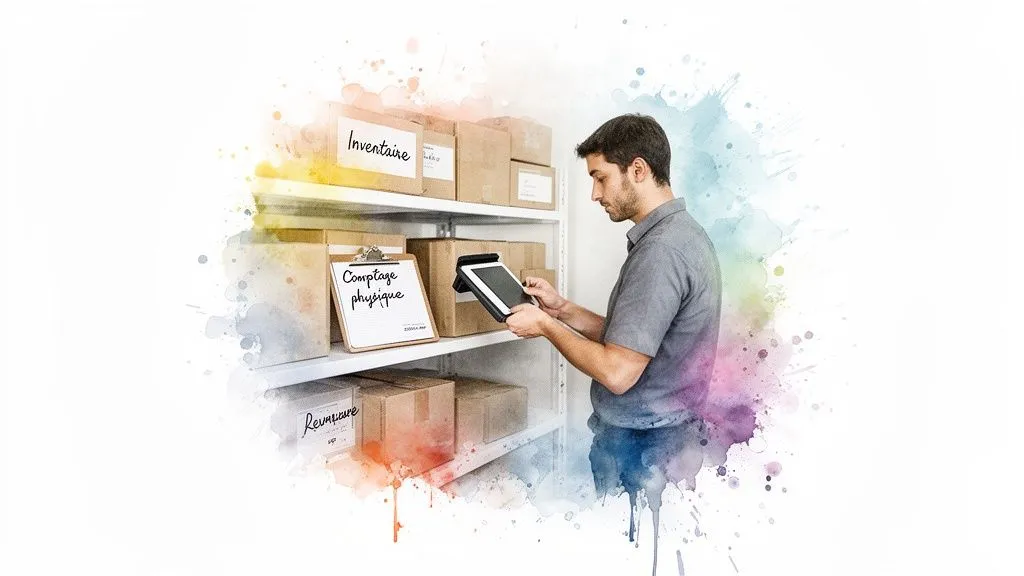
Theory is one thing, but putting it into practice is another. Setting up your first inventory in free inventory management software is often the step that feels a bit daunting. Yet with a minimum of method, it’s far less tedious than you’d think. The goal isn’t to aim for perfection on day one, but to lay solid foundations for the future.
The starting point is to list everything you have. It’s the perfect opportunity to create a clear naming system that will serve you every day. For each item, a few key pieces of information will be enough to feed your new tool and make it truly useful.
List and categorize your items
Before you even log into the software, take the time to prepare your data. A simple spreadsheet works perfectly well at this stage. It lets you lay everything out offline before importing your information in one go — a feature most free tools thankfully offer. For those starting from an existing base, our guide on managing stock in Excel can also be a great source of inspiration for a smooth transition.
For each product, make sure to note:
- A unique reference (SKU): This is your product’s ID card. If you don’t have one, now’s the time to create a logical system (for example, TSH-BLU-M for a blue T-shirt in size M).
- A clear product name: Use a simple label that both you and your customers understand at a glance.
- The pre-tax purchase price: This is essential so the software can assess the value of your stock.
- The main supplier: Even if you juggle several, link each item to its default supplier.
This upfront preparation will save you painful back-and-forth in the software interface and will save you a huge amount of time.
Carrying out the initial physical inventory
Once your product list is ready, it’s time for the moment of truth: the count. Yes, it’s the least exciting part, but it’s without question the most important. You need to know precisely how many units of each reference you have in stock at the exact moment you switch over to the software.
Don’t rely on memory or old lists lying around. Take the time to physically count each item on your shelves. One mistake at this stage, and all your future reports and alerts will be thrown off. Think of it as an investment of a few hours for months of peace of mind.
This starting quantity is your “point zero.” It needs to be as accurate as possible. A tip if there are several of you: work in pairs. One counts, the other checks. It’s an excellent way to limit errors.
Importing your data and setting up alerts
With your clean product file and initial quantities in hand, importing is often just a few clicks. Most tools will give you a CSV or Excel template to fill in. Follow it to the letter to avoid error messages.
As soon as your products and their quantities are in the system, the first thing to do is set your minimum stock thresholds. This is the magic number that, once reached, triggers an alert telling you it’s time to reorder or produce again.
Let’s say you sell handmade candles and it takes you a week to make a new batch of 20. You could set your alert at 25 units. That gives you a small buffer so you’re never out of stock. Above all, don’t set the same threshold everywhere; each product has its own sales velocity and its own restocking lead time. This is the first step toward moving from reactive stock management to truly proactive management.
Linking your stock and your accounting to automate everything
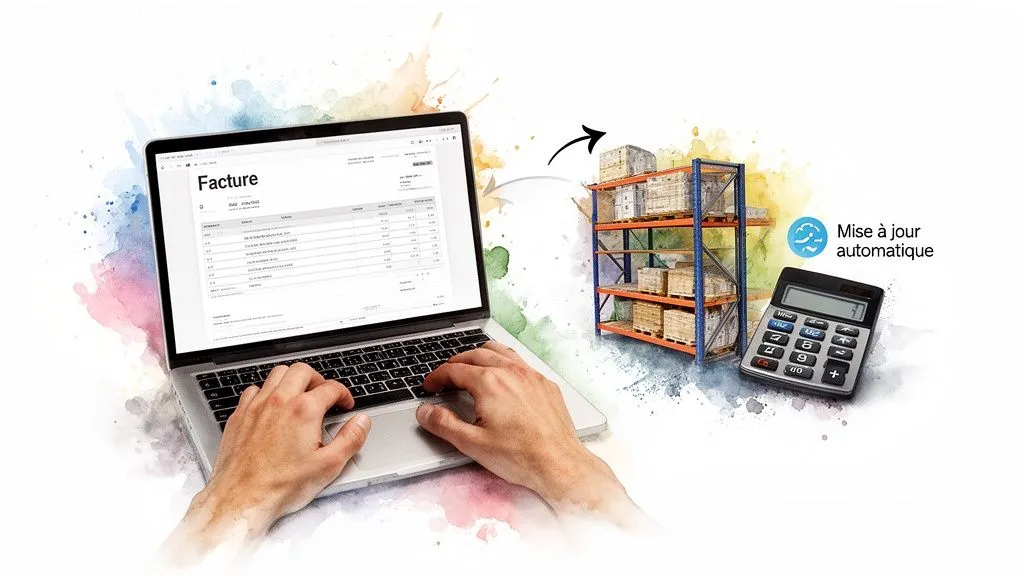
The real breakthrough is when your inventory management is no longer an isolated task in your day. By syncing your free inventory management software with your invoicing tool, you’ll completely transform your day-to-day as a business owner.
It’s not just another gadget — it’s an incredible gain in time and peace of mind. Forget the hours spent juggling two spreadsheets or re-entering every sale in your accounting records. Automation takes care of everything.
Think about it: you issue an invoice for a customer. And that’s it. Without you lifting a finger, the products are deducted from your inventory. The risk of forgetting or making a typo almost entirely disappears.
Toward a unified, much smarter workflow
By connecting the two tools, you create a real ecosystem where everything flows logically. A purchase order sent to a supplier can, for example, create a “pending receipt” in your stock. As soon as you confirm receipt, quantities are updated, and the items are ready to be sold.
The same goes for your online sales. A purchase on your site, and boom, stock is adjusted instantly. No more nightmare of selling a product you no longer have, a situation as frustrating for the customer as it is bad for your reputation.
This integrated process turns what used to be two or three heavy administrative tasks into a single workflow that’s smooth, fast, and much more reliable.
The integration between stock and accounting is the moment a simple inventory tool becomes a real dashboard for your business. You’re no longer just tracking what you own: you get an accurate, real-time financial view of the value of your goods.
A clear view of your stock’s value, at all times
One of the biggest benefits of this synchronization is real-time stock valuation. Your software knows the price you paid for each item. At any moment, it can therefore calculate the total value of what’s on your shelves.
This information is absolutely essential, for several reasons:
- For your balance sheet: You have an exact figure to include in your financial documents, without having to block off a whole day for a full physical inventory.
- To make the right decisions: You know exactly how much cash is “sitting idle” in your stock. This is essential for better managing your purchasing and deciding when to run a promotion.
- For your insurance: In case something goes wrong (water damage, theft…), you have concrete, quantified proof of the value of what was lost.
Even as a sole trader with simplified accounting, having this financial view is a major asset for running your business with peace of mind. Understanding this link between stock and finances is a key skill, and free accounting software for sole traders can be the perfect ally for that.
By connecting these two worlds, you’re not just saving time. You’re gaining rigor, professionalism, and above all, visibility into the real health of your business.
Habits to build for reliable inventory management

Installing free inventory management software is great, but it’s only the first step. However powerful the tool, it won’t work miracles if the data you feed it is wrong. The key to reliable stock lies in the rigor and habits you put in place day to day. It’s this discipline that will turn a simple list of items into a real dashboard for your business.
The trick is to break the effort into pieces. Fifteen minutes a day updating your movements is far better than a whole day of headaches at the end of the month trying to fix discrepancies that have become inexplicable.
Ditch the annual inventory and adopt rolling counts
The big year-end inventory is a bit of a nightmare for many entrepreneurs. An incredible source of stress that paralyzes the business and often reveals huge discrepancies, impossible to explain months after the fact. Fortunately, there’s a much healthier and more effective alternative: the rolling inventory count.
The concept is simple. Instead of trying to count everything at once, you tackle a small portion of the stock, but very regularly. For example, you might decide to physically count a specific product family every Friday, or the items on a particular shelf in your storage area.
The benefits are immediate:
- Consistent accuracy: No more nasty surprises. Your data stays accurate all year round, which makes your low-stock alerts genuinely reliable.
- Less disruption: A small count only takes a few minutes and doesn’t require closing up shop.
- Problems spotted quickly: If a discrepancy appears, you catch it right away. The cause is much easier to identify while the event is still fresh.
With this routine, inventory becomes a simple formality, a background task, rather than a dreaded ordeal.
The discipline of systematic recording
If there’s one golden rule to remember, it’s this: no stock movement should escape the software. Every product coming in, every product going out, whatever the reason, must be tracked instantly.
We obviously think of sales and supplier deliveries. But it’s often the more discreet movements that create chaos in the numbers. Get into the habit of recording everything:
- Customer returns: A returned item must go back into available stock. It’s a potential sale!
- Breakage or losses: A damaged or lost product must be removed from the system. Otherwise, you risk selling something that no longer exists.
- Samples or donations: Even if no invoice is issued, these products have physically left your stock.
Think of your software as a perfect mirror of your physical stock. If a product moves on the shelf, it should move in the system. It’s this perfect synchronization that ensures the numbers on screen match reality on the ground.
By recording these movements in real time, you ensure rock-solid consistency. It’s the essential condition for ordering the right quantities at the right time and saying goodbye to stockouts or costly overstocking.
Frequently asked questions about free inventory software
Even after reading guides and comparing options, a few doubts often remain before taking the plunge. That’s normal! Here are clear, direct answers to the most common questions about free inventory management software, tailored for small businesses.
Is a free tool really enough?
For a sole trader or small business managing, say, fewer than 300 SKUs, the answer is a resounding yes. Free software isn’t just enough — it’s often the smartest choice to start with.
It covers the basics perfectly: tracking inflows and outflows, setting up low-stock alerts, creating complete product sheets. It’s the best way to professionalize your management without spending a euro.
The limits show up later. Typically, when your business takes off and you need to connect several online stores, integrate with a point-of-sale system, or get customer support that answers within the hour. But to get started, it’s ideal.
Open source vs. freemium: what’s the real difference?
Understanding this distinction well is essential to avoid making the wrong choice.
Open-source software, like the well-known Dolibarr, gives you access to its source code. You can install it wherever you want (on your own server, for example) and tinker with it as you see fit. It’s total freedom, but it requires some technical knowledge for installation and maintenance.
Freemium is a different philosophy. It’s the entry-level, often stripped-down, version of paid software. The big advantage is that the vendor handles the entire technical side for you. It’s plug-and-play. The downside is that certain features are locked to encourage you to upgrade to a paid plan.
To put it simply: open source means more control; freemium means more simplicity when starting out.
Your first free software isn’t a lifelong commitment. It’s a first step, a tool to help you lay healthy foundations. What matters is that it lets you get started well and grow at your own pace.
If I want to switch software later, is it a nightmare?
Not at all, but you need to think about it from the start. It’s actually a really important selection criterion. Before you commit, even to a free solution, check one thing: is there a feature to export your data?
You need to be able to easily retrieve your product list, your stock levels, and your supplier contacts in a universal format, such as CSV or Excel.
This feature is your safety net. It guarantees that the day you move up to a more powerful tool, you won’t have to retype everything by hand. Trust me, it’s a massive time saver and the assurance of a stress-free transition.
Ready to centralize your management and save precious time? Bizyness gives you the keys to connect invoicing, accounting, and much more. Free your mind to focus on what really matters: growing your business. Discover how to simplify your day-to-day at https://www.bizyness.fr.
