

 Français
 Free Invoicing Software for Sole Traders: 2024 Guide
Discover the best free invoicing software for sole traders to easily manage your business. Compare and choose the ideal tool!
As a sole trader, juggling invoicing can quickly become a headache. A good free invoicing software, like the one offered for example by Bizyness, is often the best entry point for managing your business stress-free. It’s not just about creating quotes and invoices, but about laying healthy foundations for the future and anticipating the legal obligations on the horizon.
Why has invoicing software become essential?
Many of us started out with Excel or Word. It was convenient, free, and it seemed enough at the time. But let’s be honest, this method is now not only outdated but also risky. For a sole trader who wants to see their business grow with peace of mind, switching to a dedicated tool is no longer a choice — it’s a necessity to secure and streamline all administrative management.
The main argument is legal compliance. Invoicing rules change, mandatory mentions get added, and a simple spreadsheet will never alert you if you forget something. A small mistake, like an invoice number that doesn’t follow sequentially or a poorly applied VAT mention, can quickly turn into a real problem in the event of a tax audit.
Anticipating future legal obligations
The regulatory framework is tightening, and manual tools will soon reach their limits. By September 1, 2027, e-invoicing will become mandatory for all businesses subject to VAT, which includes sole traders. Failing to meet this deadline will expose you to financial penalties: €15 per non-compliant invoice, capped at €15,000 per year. To fully understand what’s ahead, I’d recommend learning more about the details of mandatory e-invoicing.
Modern invoicing software isn’t just a gadget to stay compliant. It’s a genuine co-pilot that takes care of tedious tasks, protects your data, and gives your clients a much more professional image.
Gaining efficiency and credibility every day
Beyond the purely legal aspect, invoicing software, even a free one, brings very concrete benefits:
- A phenomenal time saving: No more re-typing a client’s details or a service description every time. Everything is automated, giving you more time for what really matters: your craft.
- Fewer risks of errors: Total calculations, VAT application, and invoice numbering are all handled automatically. The risk of a typo that could cost you dearly is almost zero.
- A more professional image: Sending clear, well-presented quotes and invoices, with your logo and no mistakes, changes everything in how a client perceives you. It inspires trust and seriousness.
- Simplified tracking of your business: In just a few clicks, you know where you stand with your revenue, which invoices are awaiting payment, and who your best clients are. This is essential for making the right decisions and steering your growth.
Getting your hands on the right free invoicing software as a sole trader isn’t just a matter of luck or picking the first result that shows up on Google. It’s above all a strategic decision that deserves careful thought. To get it right, you need to start from your needs — today’s, but also anticipating tomorrow’s.
Let’s take a moment to define together the key points that will make the difference. This step is a bit like laying the foundations of your administrative management: if it’s done right, everything else will follow effortlessly. Above all, it will save you the hassle of having to change everything in six months, since a data migration is often a real headache.

Compliance with French law: the non-negotiable point
The number one criterion, the one you don’t compromise on, is legal compliance. Your software must absolutely allow you to issue invoices that comply to the letter with French regulations. Think about invoice numbering, which must be continuous and without gaps. Think also about VAT management (even if you’re under the VAT exemption scheme) and the inclusion of all mandatory mentions.
A simple mistake on an invoice can render it void and, in the worst case, expose you to penalties. Think of your software as a safeguard: it should prevent you from making mistakes and creating a non-compliant document.
Make sure the tool is up to date, especially with the e-invoicing reform fast approaching. If in doubt, our guide on mandatory mentions on an invoice is there to refresh your memory on every important detail.
Everyday ergonomics and simplicity
Your time is your most precious asset. Good invoicing software should save you time, not waste it. The interface should be clear and easy to pick up, without needing to spend hours reading a manual.
To assess this point, ask yourself a few practical questions:
- Creating an invoice: How many clicks does it take to create and send an invoice to a brand-new client? Is it smooth?
- Getting an overview: Does the dashboard clearly show me my revenue and my invoices awaiting payment?
- First impression: Within a few minutes, do I feel comfortable? Does the navigation feel logical?
Even the most powerful tool becomes dead weight if it’s too complex to use. For day-to-day management, always favor simplicity and efficiency.
The real limits of “free”
The word “free” can sometimes hide very real restrictions. It’s essential to identify them from the start, otherwise you risk finding yourself stuck right in the middle of your growth.
Dig a little to find out the limits of the free plan:
- Number of clients: Does the tool limit you to 5, 10, or 50 clients before asking you to pay?
- Invoice volume: Can you issue as many invoices as you want each month, or is there a limit?
- Customization: Will you be able to add your logo and adapt the colors to your brand identity? This matters for your brand image.
- Essential features: Does the free version let you create quotes, track payments received, or export your accounting data?
Choosing software whose free limits match your current activity level is a way to ensure peace of mind. And it lets you plan more calmly for upgrading to a paid plan the day your business really takes off.
Comparative analysis of free invoicing software
Choosing the right free invoicing software for sole traders isn’t just a matter of ticking boxes. The best tool for you will be the one that fits your day-to-day reality, your way of working and, of course, your ambitions. Let’s set aside endless feature lists and dive into concrete cases to see which software truly stands out.
The adoption of these tools is no longer a niche phenomenon, either. Since the late 2010s, free invoicing software like Facture.net has become genuinely widespread among French sole traders. This is the logical continuation of the explosion in the number of micro-businesses (over 900,000 created in 2023 alone) and a growing need to simplify management. In fact, a recent study reveals that nearly 30% of sole traders have already taken the plunge and use free invoicing software.
This infographic sums up nicely the pillars of a good invoicing tool: invoice management, time tracking, financial reports… everything that matters for efficient management.
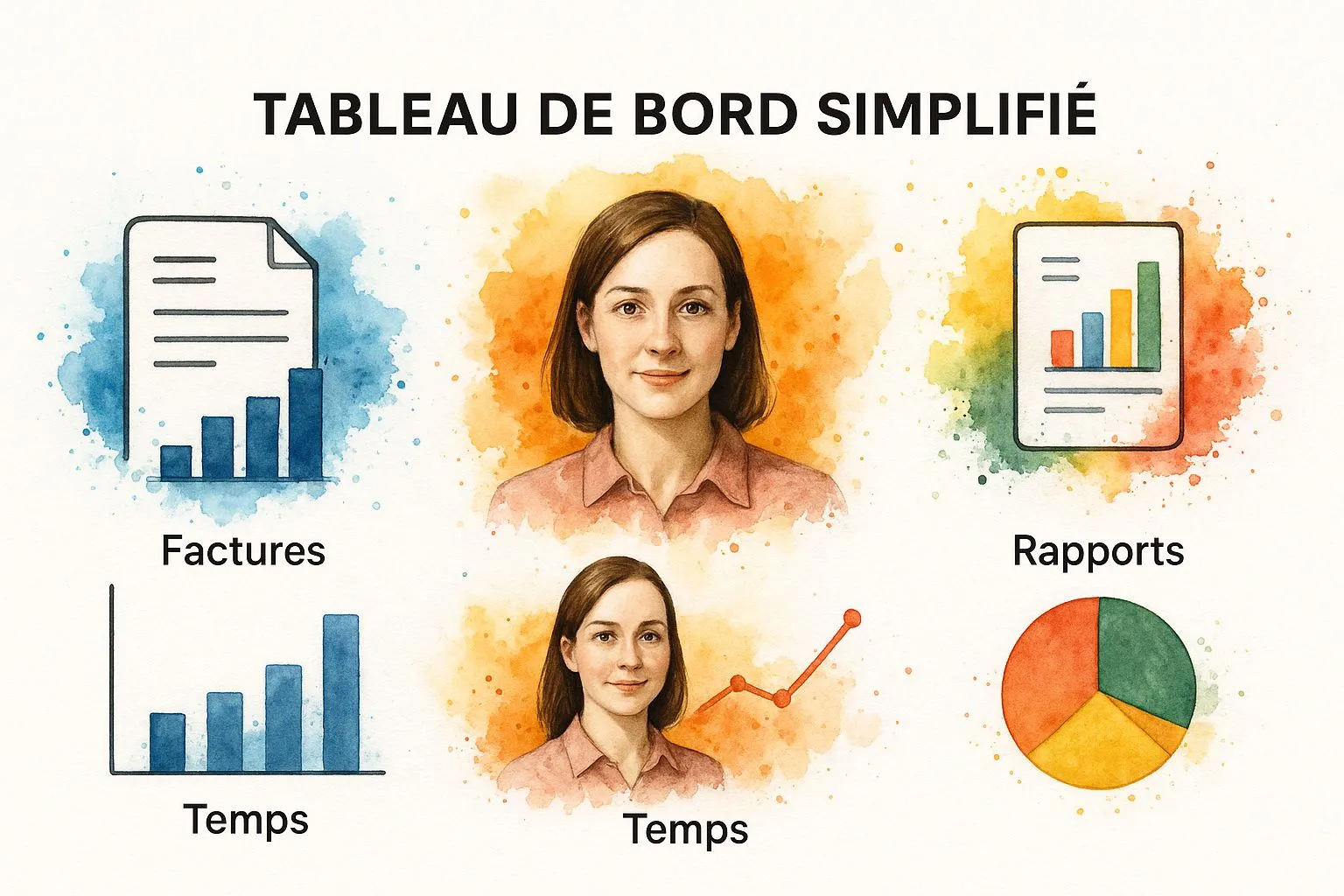
You can clearly see here how a well-designed dashboard can really simplify a freelancer’s daily life.
Scenario 1: the consultant who bills by time spent
Take a marketing consultant juggling several projects at once. Their daily headache? Tracking with surgical precision every hour spent on a project in order to bill accurately.
- The vital need: Time tracking that integrates seamlessly with invoicing, to easily link hours to each client or project.
- Which tool stands out? A solution like Zervant is often very well suited to this. The principle is simple: you log your work sessions, and at the end of the month, you turn them into invoice lines with one click. No more double entry and no more risk of error.
- The point to watch: The free version has its limits, particularly on the number of clients you can manage. If your address book grows quickly, you may start to feel cramped.
For anyone who sells time, the feature that changes everything is exactly this: turning tracked time into an invoice. The time and peace of mind saved can justify the choice of software on its own.
Scenario 2: the craftsperson and their custom quotes
Now imagine a carpenter. Every job is different and requires an ultra-detailed quote: materials, labor cost, various options… Once the quote is accepted, they need to be able to convert it into an invoice without any hassle.
- The vital need: The ability to create a catalog of reusable products and services, customize quotes, and turn them into invoices with a single click.
- Which tool stands out? This is the favorite playing field of tools like Henrri. They’re built for this: you build your item library, which considerably speeds up quote creation. Status management (sent, accepted, declined) is also a real plus for staying organized.
- The point to watch: Graphic customization is often the poor relation of free plans. If your company’s image is essential, the publisher’s logo on your documents or a somewhat rigid design could be frustrating.
Scenario 3: the e-commerce seller with many small sales
Last case: a sole trader who sells their creations on online marketplaces. Their challenge isn’t complexity, it’s volume. They need to be able to issue dozens of small invoices without it eating up half their day.
- The vital need: Speed above all. They need a tool to create, duplicate, and send invoices in bulk, with a clear dashboard to see who has paid.
- Which tool stands out? For this profile, simplicity is king. Software like Facture.net or the solution offered by Bizyness gets straight to the point. The interface is streamlined, designed for maximum efficiency. The ability to create a free online invoice in under a minute is the number one criterion.
- The point to watch: These tools are sprinters, not marathon runners. Don’t expect advanced inventory management or complex cash-flow reports. Their one and only mission is invoicing. And they do it well.
Comparative summary of free software features
To make things clearer, this table summarizes the key characteristics of the free software mentioned above. It will help you quickly see which solution might best match your profile.
| Feature | Zervant (free) | Henrri (free) | Facture.net (free) | Ideal for… |
|---|---|---|---|---|
| Number of clients | Limited to 5 | Unlimited | Unlimited | Henrri and Facture.net if your client base is large. |
| Time tracking | Yes, built-in | No | No | Zervant for service providers. |
| Product catalog | Yes | Yes, very complete | Yes, simple | Henrri if your quotes are complex. |
| Quote-to-invoice conversion | Yes | Yes, optimized | Yes | All offer it, but it’s Henrri’s strong point. |
| Customization | Basic | Basic (logo) | Basic (logo) | None really shines here in the free tier. |
Ultimately, there’s no such thing as an absolute “best” software. The perfect solution is the one that fits your daily constraints, frees up your time, and secures your administrative management — all without touching your starting budget. It’s as simple as that.
Getting started with your tool and creating your first invoice

Found the free invoicing software for sole traders that suits you? Perfect. The next step is setup. Even though it’s often a matter of a few minutes, this initial configuration will shape smooth, professional management going forward. A bit of rigor now saves a lot of time later.
The process is fairly standard: you create your account, then enter your business information. This is where you need to be careful, because everything you enter here will appear on your invoices and quotes.
For everything to go smoothly, I’d recommend gathering a few pieces of information before you start.
Your checklist for a fast start
With these items on hand, setup will be a breeze.
- Legal info: Keep your SIRET number handy, along with your full name and your micro-business’s official address.
- Visual identity: Your logo, if you have one, should be ready in PNG or JPG format. It’s the touch that personalizes your documents.
- Contact details: Make sure to enter the email address and phone number your clients will use to reach you.
- Payment terms: Think about your payment deadlines (30 days, on receipt?) and the late-payment penalties you apply. These are mandatory mentions.
Once these basics are in place, most tools let you play a bit with the design of your documents. Don’t underestimate the impact of a well-placed logo and your colors: it immediately strengthens your brand image.
Issuing a first invoice the right way
Creating your first invoice is a small moment of pride. It’s concrete proof of your work and the starting point of your cash-flow tracking. The software will do the heavy lifting for you, but it’s crucial to understand what you’re doing.
A mention every sole trader should know by heart: “VAT not applicable, art. 293 B of the French Tax Code.” Good software inserts it automatically if you’re under the VAT exemption scheme. It’s the kind of detail that saves you from an unfortunate oversight in the event of a tax audit.
The process is generally very intuitive: you choose a client, add the services or products sold with their prices, and let the software calculate the totals. It also handles sequential numbering and other mandatory mentions. To get a clear idea of what to expect, take a look at this example invoice for a micro-business that brings together all the essential information.
Really take the time to proofread this very first invoice before sending it. It will become your template for all the others and lay the foundations of healthy, stress-free administrative management.
Starting out with free invoicing software for sole traders is a bit like learning to drive on a simple, reliable car. It’s perfect for getting started, finding your footing, and handling your first jobs without breaking the bank. But you need to be clear-eyed: these tools are a springboard, not a lifelong solution. If you don’t understand their limits from the start, you risk finding yourself stuck right when your business takes off.
Most of these free offers rely on a “freemium” model. The idea is simple: the publisher gives you a taste of the essential features to eventually convince you to upgrade to a more powerful paid version. It’s a fair deal, but one that necessarily comes with specific restrictions worth knowing about.
Spotting the limits of free versions
The most common barriers are usually tied to volume. Before diving in headfirst, take five minutes to check these points — it will save you unpleasant surprises.
- A limited number of clients or invoices: This is the classic one. Some tools cap the number of client records you can create or the volume of invoices issued each month. It’s often the first wall you run into.
- No advanced features: Don’t expect to find automated payment reminders for unpaid invoices, bank reconciliation, or complex quote creation. These features that save a huge amount of time are almost always reserved for paid plans.
- Missing customization: The publisher’s logo appearing on your invoices is the small trade-off for being free. A detail that can, over time, affect your brand image.
- Minimal customer support: Run into a technical glitch? You’ll generally get an FAQ or a help forum. For direct, quick contact via chat or phone, you’ll need to pull out your credit card.
You shouldn’t see moving to a paid plan as a mere expense. It’s a genuine investment in your business’s efficiency. Above all, it’s a sign that business is picking up and that you need more powerful tools to steer your growth.
The signs that it’s time to level up
Knowing when to switch to a paid plan is a crucial step. It’s not just a matter of volume, it’s a matter of management. This transition is also set to speed up for everyone. According to the France Num 2025 Barometer, even though only 20% of small businesses had taken the leap to predominantly digital invoicing in 2024, the arrival of mandatory e-invoicing from 2026 changes the game. It’s pushing everyone to equip themselves with more powerful tools. To understand this change in full, the report on e-invoicing on the France Num portal is a goldmine.
Here are a few telltale signs:
- Manual tracking is eating up too much of your time: If you’re spending more time chasing payments than looking for new clients, the math is quickly done. The subscription cost of software will be more than paid back by the hours you’ll get back.
- You need numbers to make decisions: To know which services are performing well or to monitor your cash flow day to day, you need clear reports. These dashboards are the hallmark of paid versions.
- You’re starting to work as a team: The day your accountant asks for direct access to your numbers to prepare your accounts, free software will quickly show its weaknesses.
By anticipating this moment, you give yourself the means to choose a solution that will grow with you. And above all, you’ll spare yourself the hassle of an emergency data migration when you have other things to do.
Your questions about free invoicing software
Setting out to find free invoicing software for sole traders naturally raises a few questions. That’s entirely normal. Let’s unpack the key points together so you can make your choice and use your tool with peace of mind.
Am I really required to use invoicing software?
Simply put: no. The law doesn’t strictly require sole traders to use dedicated software. You’re entirely within your rights to make do with a spreadsheet like Excel, but on one condition: your invoices must be flawless. That means they must include all mandatory mentions and follow continuous numbering, without a single gap.
The problem with this “homemade” method is that it opens the door to errors, and a simple typo can be costly in the event of a tax audit. Not to mention the time lost managing everything by hand once your business starts to take off.
And then there’s 2027 on the horizon, with the arrival of e-invoicing for everyone. Switching to suitable software now isn’t really a choice anymore — it’s simply anticipating the future and securing your business’s longevity.
Is free software enough to stay compliant?
Yes, absolutely, as long as you choose it well. Good free software should be your legal safeguard. It should automatically include the mandatory mentions tied to your status, such as the famous line “VAT not applicable, art. 293 B of the French Tax Code,” without you having to think about it.
It should also guarantee sequential, gap-free invoice numbering. This is an absolutely non-negotiable point for the tax authorities and one of the biggest advantages over spreadsheet-based management.
The most important thing is to make sure the tool was designed for French legislation. Being free should never come at the expense of your documents’ validity. That’s the baseline.
What are the limitations you don’t notice right away?
Where there’s “free,” there’s often a “trade-off.” You need to be clear-eyed about this. Here are the most common points of concern, which can quickly become frustrating:
- Caps everywhere: This is the most classic limit. You’ll often be capped on the number of clients you can register or the number of invoices you can send each month.
- Restricted customization: Expect to see the publisher’s logo on your documents. Options for adapting the design to your brand identity will likely be very limited, or nonexistent.
- Missing customer support: In case of a glitch, you’ll often have to make do with an FAQ or a help forum. Don’t count on a quick, personalized response from an advisor.
These limitations are, of course, designed to encourage you to switch to a paid plan as soon as your business gains a bit of momentum.
What happens if I exceed the micro-business thresholds?
Great question, because it shows you’re anticipating your success! Basic free software is almost never designed to handle VAT or more advanced accounting needs.
The day you exceed the thresholds and have to charge VAT, the free tool will instantly show its limits. You’ll have to migrate to a paid solution capable of handling different VAT rates, helping you prepare your tax returns, and offering more structured accounting. It’s the clear signal that it’s time to upgrade your tools, along with your status.
Ready to make your life easier and issue professional invoices in just a few clicks? Take a look at Bizyness’s free invoicing solution, designed specifically for sole traders. Get started for free on Bizyness.
