

 Français
Sole trader invoice template to download for flawless management
Download a reliable sole trader invoice template (Word/Excel). Our guide helps you create compliant invoices with all mandatory details.
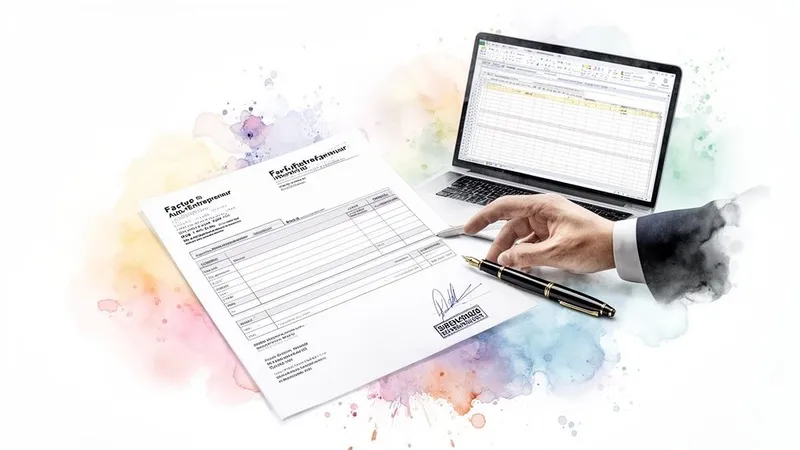
When you start out as a sole trader, you tend to focus on the core of your business: the service, the product, the client. Invoicing, on the other hand, is often shrugged off as an “administrative chore.” Yet it’s much more than a piece of paper. A well-made invoice is the cornerstone of a business that runs smoothly and inspires trust.
A good sole trader invoice template isn’t just there to look nice or save time. It’s your safety net. It makes sure you don’t forget anything, secures your payments, and immediately shows clients they’re dealing with a professional.
Why airtight invoicing is vital for your business
Starting out is good. Lasting is better. And invoicing sits at the heart of that longevity. A slightly sloppy approach can quickly turn into a real headache: clients who are slow to pay, misunderstandings that lead to disputes, and in the worst case, a financial penalty that hurts.
Don’t underestimate the impact of a small mistake. The tax authorities don’t take it lightly: a non-compliant invoice means a €15 fine per missing or incorrect item. The total can add up fast and put a strain on cash flow that really doesn’t need it.
Your reputation and your wallet are on the line
Using a solid sole trader invoice template protects you. It’s your personal checklist to make sure everything is there, including the famous VAT mentions. For your client, it’s a sign of seriousness that builds confidence and encourages prompt payment.
Your invoice is a bit like the last impression you leave after a job. A clear, professional document is the finishing touch that reinforces trust and makes clients want to work with you again.
The sole trader world is getting more and more crowded. We’re talking about 2.5 to 2.7 million active micro-entrepreneurs in France. In this context, standing out through professionalism is a real advantage. Spotless administrative management, starting with invoicing, is the first step toward a healthily growing business. If you’re interested in the topic, the figures on sole trader income published by Hiscox are quite telling.
The point of this guide is simple: to help you turn this legal obligation into a genuine asset. Together, we’ll look at how to create flawless invoices, with concrete tools and tips to make your life easier.
Decoding the mandatory details on your invoices
An invoice is much more than a simple piece of paper used to get paid. It’s a legal and accounting document that carries your responsibility as a sole trader. Every single line is governed by the French Commercial Code, and an omission can cost you dearly. So it’s worth mastering the rules of the game to keep your business secure.
Think of your invoice as the transaction’s identity card. To be unassailable, whether in front of your client or the tax authorities, it must be flawless. That’s the secret to a healthy client relationship and hassle-free management.
Your information: who are you?
The first thing to do is introduce yourself clearly. Your client must know beyond any doubt who provided the service or sold the product. Transparency is key, and it comes down to a few essential elements.
- Your full identity: Always state your first and last name. If you have a trading name, it must also appear on the invoice.
- The mention “Entrepreneur Individuel” or “EI”: Since 2022, this has been mandatory. You must add these initials just before or after your name.
- Your registered address: This is the official address of your micro-business, the one declared when you registered.
- Your SIREN number: This unique 9-digit number is your company’s legal registration, its true signature.
These four points form the foundation of your professional identity on all your official documents.
Invoice and client details
Once you’re properly identified, it’s the document itself, and your client, that need clear identification, to ensure perfect traceability of your transactions.
Start with the most obvious point: the word “Invoice” must appear in full. Next comes the invoice number. The golden rule? A chronological, continuous sequence with no gaps. For example: INV2024-001, then INV2024-002, and so on. The issue date is just as important.
On the client side, whether it’s an individual or a business, you must state their name (or company name) and address. For business clients, this is a strict requirement.
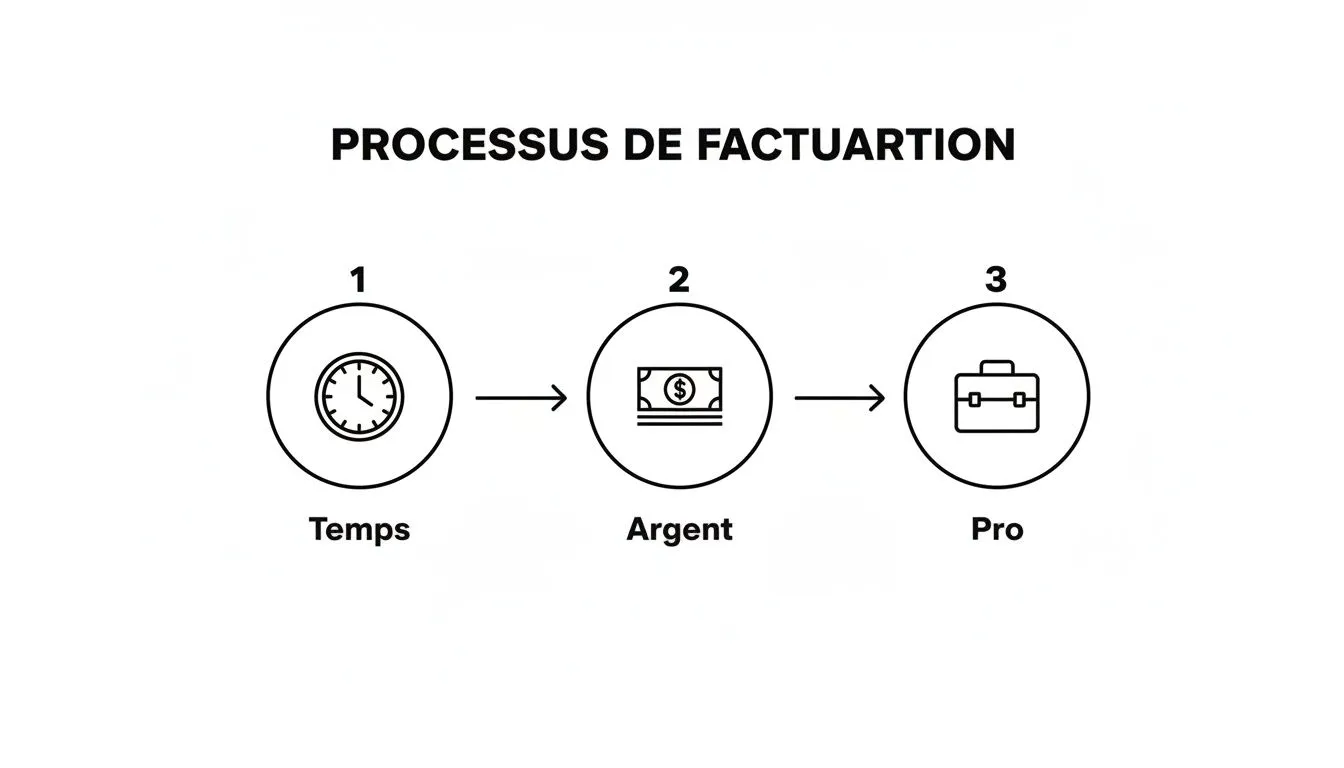
This illustration sums up the process well: good management of your time and finances results in a professional document that inspires trust.
Describing the service and the amount due
Now we get to the heart of the matter: describing what you’re selling. Clarity is your best ally to avoid misunderstandings or, worse, disputes. Each product or service must have its own line, specifying:
- The exact nature of the service or a description of the product.
- The quantity (number of hours, days, units sold).
- The unit price excluding tax (VAT).
The total amount due must then be visible at a glance. This is where an absolutely crucial mention comes in for the vast majority of sole traders.
“VAT not applicable, art. 293 B of the French Tax Code (CGI)“
As long as you benefit from the VAT exemption scheme, this short phrase is mandatory on every one of your invoices. It explains why there is no VAT and confirms that the amount shown is indeed the net amount to be paid.
Don’t forget to state the delivery date of the goods or the completion date of the service. To dig deeper into the topic and see more specific cases, our full guide on the mandatory details on sole trader invoices is the perfect resource.
Finally, one last point if you’re invoicing a business client. You need to add the payment deadline, the late-payment penalty rate, and the flat-rate collection cost compensation, set at €40. This is essential protection for your cash flow.
Checklist of legal mentions for a flawless invoice
Use this table as a quick verification guide before every send to guarantee 100% compliant invoicing.
| Invoice element | Required information | Practical tip or example |
|---|---|---|
| Identification | Your first name, last name and the mention “EI” or “Entrepreneur Individuel” | John Smith EI |
| Address | Your registered business address | 10 Rue de la Paix, 75002 Paris |
| SIREN | Your 9-digit SIREN number | 123 456 789 |
| Invoice number | Unique, sequential number with no gaps | INV-2024-034 |
| Dates | Issue date and service/delivery date | Issued 15/07/2024, service from 01/07 to 05/07 |
| Client | Client’s name (or company name) and address | XYZ Company, 25 Avenue des Champs-Élysées, 75008 Paris |
| Services | Detailed description, quantity, unit price excluding VAT | Logo design - 1 unit - €500 excl. VAT |
| VAT mention | ”VAT not applicable, art. 293 B of the CGI” | Add at the bottom of the invoice, near the total |
| Terms (business) | Payment deadline and late-payment penalties | Payment within 30 days, late penalties: 10% |
| Compensation (business) | Mention of the flat-rate €40 collection cost compensation | Mandatory for business clients |
With this checklist at hand, you have everything you need to issue invoices that are not only compliant but also professional and clear for your clients.
Juggling VAT exemption and gross-price invoicing
VAT management is often the topic that seems a bit scary when you’re a sole trader. At the start, everything is simple: you benefit from the VAT exemption scheme (franchise en base). In practice, this means you don’t charge it, and therefore don’t declare it. You simply state the famous mention “VAT not applicable, art. 293 B of the CGI” on your invoices. A real relief.
But this peace of mind doesn’t last forever. It’s directly tied to the growth of your revenue. As soon as your income approaches certain thresholds, moving to the standard VAT regime becomes an unavoidable step. Far from being bad news, it’s actually a sign that your business is doing well!
The key is not to be caught off guard. Anticipating this change is the secret to a smooth transition.
Understanding the VAT thresholds that trigger the change
The system is designed for a gradual transition, with two thresholds to keep an eye on:
- The exemption threshold: This is the annual revenue cap you must not exceed to remain under the VAT exemption scheme.
- The tolerance (or increased) threshold: If your revenue falls between these two thresholds, you can keep the exemption for the current year. However, you will automatically move to VAT the following year.
Be careful: if you exceed the increased threshold during the year, the change is immediate. You’ll then have to start charging VAT from the first day of the month in which you exceeded it.
Anticipating when you’ll cross the VAT thresholds is essential. It lets you prepare your invoice template, adjust your rates, and communicate clearly with your clients to avoid any surprises.
The rules of the game evolve, so it’s important to stay informed. For example, starting January 1, 2025, sole traders providing services who earn between €37,500 and €39,100 will move to the standard regime. For sales activities, the exemption threshold will rise to €91,900. These adjustments make an adaptable sole trader invoice template and a good management tool almost indispensable. To prepare properly, feel free to check the 2025 updates for sole traders.
Adapting your invoice template for VAT
So, you’re now liable for VAT? It’s time to update your invoice template. The “VAT not applicable” mention must disappear and give way to a clear breakdown of the price.
Here’s the new information to include:
- Your intra-community VAT number: The Business Tax Office (SIE) will provide it. It must appear in the header of your invoices.
- The breakdown of amounts: Each service or product must show its unit price excluding tax.
- The applicable VAT rate: Clearly state the rate (e.g. 20%, 10%, 5.5%).
- The total VAT amount: Show the total amount of VAT you’re collecting on this invoice.
- The total amount including all taxes: This is the final sum your client will have to pay.
Case study: a web developer crosses the threshold
Let’s imagine Leo, a freelance web developer. In October, his revenue exceeds the increased threshold. His next invoice, for a project billed at €1,500, must look completely different.
- Before (under exemption): Total due: €1,500
- Net amount: €1,500
- VAT (20%): €300
- Total including VAT: €1,800
This move to VAT has a direct impact on the final price for his individual clients. For his business clients, however, it’s a neutral operation, since they can reclaim this VAT. The best approach for Leo is to communicate this change in advance to preserve a relationship of trust.
Adapt our invoice templates for Word and Excel
Enough theory, time to get practical. To start off on the right foot without spending hours on it, the best solution is usually a good template. That’s exactly why we offer invoice templates that are both simple and professional, ready to be downloaded and customized for your business.
You can grab our templates in the most common formats. It’s up to you to choose the one that suits you best:
- The Word invoice template: The perfect choice for quick, hassle-free customization, especially if you’re more comfortable with a classic word processor.
- The Excel invoice template: I highly recommend it for its ability to handle calculations automatically (totals, VAT if needed). It really limits the risk of a small typing error that could cost you dearly.
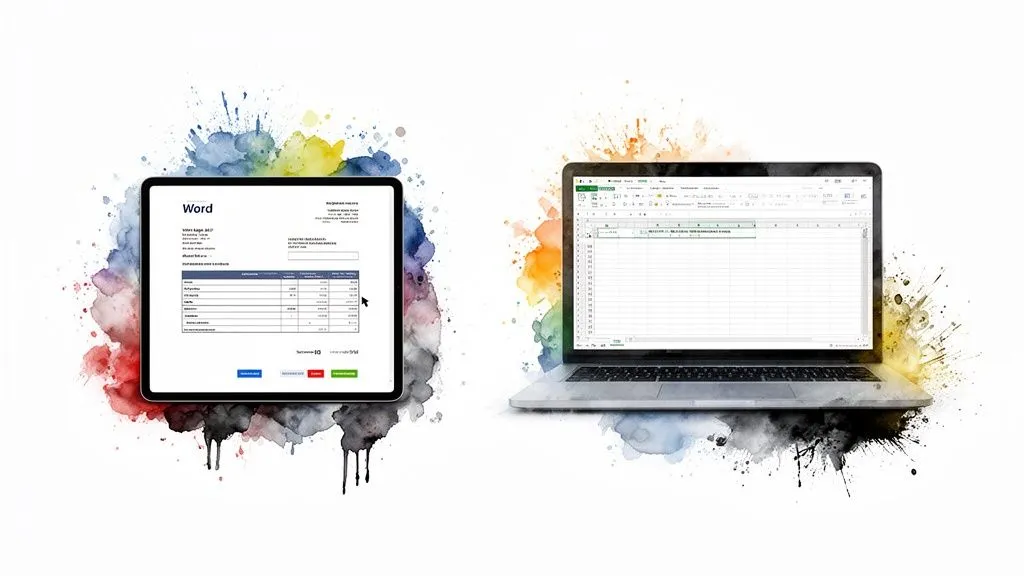
But be careful, a template is only a starting point. For it to be truly effective and, above all, compliant, you need to make it your own.
Make the template your own
The very first thing to do is add your personal touch: your visual identity and your legal information. It’s this small effort that turns a generic document into your invoice.
Remember to slip your logo into the header, it instantly looks more professional. Then, take the time to carefully fill in the fields for your details: first and last name followed by the mandatory “EI” mention, your address and, of course, your SIREN number.
A friendly tip: don’t forget to add your bank details (IBAN and BIC) in the footer. It’s a small thing, but a client who has all the information at hand to make a transfer tends to pay faster.
Get comfortable with calculations in Excel
If you chose the Excel template, just take five minutes to understand how it’s built. It’s generally already set up with simple formulas that calculate the subtotals and grand total for you.
The huge advantage of Excel is that it considerably reduces the risk of human error. A properly set-up formula to add up your services or apply a discount guarantees an always-accurate total. Your credibility will thank you.
Check whether the total cells are protected. This prevents accidentally deleting a formula, which happens more often than you’d think.
This manual method is very handy to get started, but it can quickly show its limits as your invoice volume grows. It doesn’t handle automatic numbering and won’t alert you if you forget a mandatory mention. To go further and discover other solutions, feel free to check out our selection of blank invoice templates to compare approaches.
Using a sole trader invoice template in Word or Excel is an excellent entry point. It’s a free, accessible solution that keeps you independent. Just keep in mind that it requires discipline and a systematic double-check before each send.
Mandatory e-invoicing: what’s coming your way
The invoicing landscape in France is undergoing a major shift. Say goodbye to paper invoices and simple PDFs sent by email. Electronic invoicing, or e-invoicing, is gradually becoming the new standard, and as a sole trader, it’s essential to prepare for it without delay.
This transition goes well beyond simple digitization. Under the new regulation, an “e-invoice” is a document with structured data that flows through platforms approved by the State. The Factur-X format illustrates this principle well: it’s a file that contains both a PDF for human reading and an XML data file for automated processing. The idea behind all this? To streamline invoice management and simplify VAT filings.
The timeline to keep in mind
To approach this reform calmly, the first thing to do is note down the key dates. The rollout happens in two stages. Even though 2026 may still seem far off, it’s better not to be caught off guard.
- From September 1, 2026: All businesses, without exception (including sole traders), will need to be equipped to receive invoices in electronic format.
- From September 1, 2027: The obligation will extend to issuing invoices. From this date, you will be required to send your invoices to your business clients using this new system.
It’s therefore well worth starting to look for a suitable tool right now. This way you’ll avoid having to handle this transition under time pressure.
Preparing for e-invoicing isn’t just about ticking a box on a list of legal obligations. It’s an opportunity to modernize your management, save valuable time, and show your clients that you’re a serious, well-organized professional.
Why start today?
Burying your head in the sand about this reform would be a bad idea. Waiting until the last minute to choose your invoicing solution could create real bottlenecks in your business. By planning ahead, you give yourself time to compare tools calmly and adopt new working habits without stress.
The goal is to find software that’s not only compliant with legal requirements but, above all, that makes your life easier. Turn this constraint into an asset. By being ready ahead of everyone else, you send a strong signal to your clients: you’re a reliable, proactive, forward-looking partner. To fully understand the stakes and the options available to you, feel free to check out our complete guide on e-invoicing for sole traders.
Frequently asked questions about sole trader invoicing
When you’re starting out, invoicing can quickly become a headache. You hear all sorts of conflicting advice. Here, we set the record straight with direct answers, no fluff, so you can invoice with peace of mind.
Can I really create my invoices in Word?
Technically, yes. As long as all the mandatory mentions are there and you follow your numbering to the letter, the law doesn’t forbid it. But in practice, it’s a very bad idea.
Imagine: a simple typo in an invoice number, and suddenly your entire chronological sequence is thrown off. A calculation error in the total happens so easily… This method simply isn’t reliable and makes tracking your business tedious, especially once you start dealing with VAT.
To feel more at ease and project a more professional image, a well-configured spreadsheet is the bare minimum. Ideally, real invoicing software is the way to go.
Oops, I made a mistake on an invoice I already sent. What do I do?
Above all, don’t edit it and don’t delete it! Once an invoice has been issued, it’s set in stone in your accounting records. That’s a golden rule.
If you spot an error, the one and only legal solution is to create a credit note. This is a document that cancels the original invoice, either partially or fully. This credit note must absolutely reference the number of the invoice it corrects and have its own number, following the same logic as your other invoices.
Never give in to the temptation of deleting a faulty invoice. The credit note is the only method recognized by the tax authorities. It’s what guarantees perfect traceability and saves you from serious trouble in the event of an audit.
The good news is that modern invoicing software handles this automatically. In just a few clicks, the credit note is created, and you’re covered.
Does my client need to sign the invoice for it to be valid?
This is a fairly stubborn misconception, but no, the client’s signature is not required on an invoice. What seals the business agreement between you is the signed quote, with the famous “Approved” mention.
The invoice comes afterward. It’s an accounting document that confirms you’ve indeed carried out the service or sold the product, and that formalizes the amount the client owes you. By paying this invoice, your client effectively validates the service and the document.
How long do I need to keep my invoices?
On this point, the law is very strict. You must keep all your invoices, both the ones you send (sales) and the ones you receive (purchases), for 10 years. This period starts at the close of the accounting year the invoice belongs to.
This obligation applies whether you keep them on paper or in digital format. If you go fully digital, make sure you can guarantee the files won’t be altered or lost during this entire period. Tax authorities can look back several years during an audit, so don’t take this lightly.
Using an online management solution with secure cloud storage is by far the simplest way to meet this requirement without turning your office into an archive warehouse.
Ready to say goodbye to invoicing errors and paperwork? Bizyness was designed for sole traders who want to focus on their craft, not on admin work. Create compliant invoices in a few clicks, track your payments, and prepare calmly for e-invoicing.
