

 Français
The best accounting software for Mac for your e-commerce business in 2026
Find the best accounting software for Mac in 2026. Our guide for online sellers reviews Shopify integrations, VAT management and compliance.
For an online seller who has chosen the Mac ecosystem, accounting isn’t just about lining up numbers. It’s a real strategic puzzle, sitting at the crossroads of macOS’s fluidity, complex sales flows, and increasingly sharp tax rules. That’s where accounting software for Mac, built from the ground up for e-commerce, becomes simply indispensable.
Why software designed for Mac changes everything in e-commerce
When you run your online store on a Mac, you’re at the center of a fast-moving ecosystem. You navigate between your website (Shopify, WooCommerce), marketplaces like Amazon, and a host of payment gateways (Stripe, PayPal). Trying to steer all of that with generic accounting software is a bit like trying to navigate Paris with a map of France. You end up lost, and the mistakes get expensive.
The Mac environment is known for its intuitive, high-performance user experience. Your accounting tool needs to live up to that. It’s not enough for it to “run” on macOS; it has to speak the same language as your sales tools and fit naturally into the way you work.
The secret: native, intelligent integration
The real strength of accounting software for Mac dedicated to e-commerce is its ability to connect every touchpoint of your business. A good tool doesn’t just install itself — it becomes the conductor of your financial data.
Concretely, it should:
- Connect directly to your stores to pull in every order, with no manual intervention.
- Talk to your payment platforms to link the money received to the corresponding sale. No more endless bank reconciliation.
- Automatically apply the right tax rules (VAT, OSS/IOSS) based on the product and the customer’s country. Priceless peace of mind.
This full connection eliminates tedious manual entry, cuts the risk of errors, and above all gives you a clear, up-to-date view of your business’s health.

From administrative chore to competitive edge
Let’s be honest: e-commerce accounting is often seen as a chore. Yet with the right software, that constraint turns into a genuine asset. By automating repetitive tasks, you reclaim precious hours every week — time you can finally devote to what really matters: developing your products and selling.
And that’s just the beginning. Artificial intelligence is redefining what accounting software can do for you. The trends for 2026 are clear: more than 70% of new tools will include smart automation. Leading vendors are already using AI to automate up to 90% of repetitive tasks, such as invoice entry or creating accounting entries. For an e-commerce seller on Mac, that means 40 to 50% less time spent on paperwork. A huge gain. To dig deeper, you can check out this article on 2026 accounting trends from Dext.com.
Ultimately, choosing specialized software isn’t just buying a tool. It’s investing in your company’s nervous system — a system that doesn’t just count, but organizes and interprets the numbers so you can make the right decisions at the right time.
The criteria you shouldn’t overlook for your Mac accounting software
Finding the right accounting software for your Mac isn’t just about ticking the “macOS compatible” box. It’s a decision that directly affects your day-to-day efficiency and your online store’s financial health. To get it right, you need to look beyond the spec sheet and examine a few genuinely decisive points.
The first big question is usually a technological one: should you choose “native” software installed on your computer, or a “Cloud” solution (also called SaaS), accessible via a simple web browser? For an online seller, who is by nature mobile and has to juggle several devices, the answer clearly leans one way.
SaaS, or Cloud, solutions offer unmatched flexibility. Whether you’re on your MacBook at the office, on an iPad on the go, or occasionally on a PC, your accounting data stays accessible, up to date, and secure. That’s the end of the stress that comes with a hard drive failure or stolen equipment.
Native macOS software or Cloud (SaaS) solution: which to choose?
This choice between locally installed software and a web app will shape the way you work. For an online merchant, the advantages of the Cloud are often undeniable, especially when it comes to access to information and collaboration with an accountant.
To help you visualize the differences, here’s a simple comparison table.
Comparison table: native macOS software or Cloud (SaaS) solution — which to choose?
| Criterion | Native Mac software | Cloud software (SaaS) |
|---|---|---|
| Accessibility | Limited to the computer it’s installed on. Hard to work on the go. | Accessible anywhere, 24/7, from any device connected to the internet. |
| Updates | Manual, often paid, and sometimes tricky to install. | Automatic, seamless, and included in the subscription. |
| Data security | Rests entirely on your personal backups (external hard drive, etc.). | Managed by the provider with professional, redundant backups. |
| Collaboration | Heavy file sharing (exports, emails), risk of version errors. | Real-time access for your accountant or business partners. |
| Cost | Upfront license purchase, often expensive. | Monthly or annual subscription, easier to budget. |
Clearly, the SaaS model fits perfectly with the pace of e-commerce, where responsiveness and real-time access to information are key assets.
Integration depth: an absolute priority
Once the native/Cloud debate is settled, the most important criterion is arguably integrations. Good accounting software for Mac needs to connect smoothly and intelligently to your entire sales ecosystem.
Picture your tools (your store, your payment solution, etc.) as Lego pieces. Software with strong integrations is the baseplate everything snaps onto perfectly. Without it, you’re left with scattered bricks you have to assemble by hand, sale after sale. That’s a massive waste of time.
The point of an integration isn’t just to “connect” two systems. It’s to automate the data flow from A to Z, so there’s no manual intervention left between the moment a sale is made and its recording in accounting.
To judge the quality of an integration, ask yourself the right questions:
- What data is actually synced? Does the software only pull the total order amount, or does it also fetch product details, VAT, shipping fees, and discounts?
- Is bank reconciliation seamless? Can the software automatically link a payment of €120 received via Stripe to the matching order in your Shopify store?
- How are refunds handled? When a customer is refunded, is the corresponding accounting entry created automatically, or do you have to enter it manually?
A superficial integration will always require you to check, correct, and complete — wiping out the entire benefit of automation.
Usability: a non-negotiable criterion on Mac
Finally, never forget who you are: a Mac user. You’re used to well-designed software, clean interfaces, and a smooth user experience. Your accounting software shouldn’t be the exception. An ugly, complicated tool will become a daily source of frustration.
Usability is therefore an essential criterion. Good software should present information visually and clearly, with dashboards that speak to you. Finding an invoice or checking a payment should take a few seconds, not several minutes. If you want to dig deeper into this topic, our article on how to choose easy-to-use accounting software will give you more insight.
The best advice we can give you: test before you buy. Most SaaS solutions offer free trial periods. It’s the perfect opportunity to see whether the software is pleasant to use, whether you find your way around easily, and whether basic tasks are hassle-free. A poor user experience is often a symptom of a tool that wasn’t designed with you in mind.
Automation, your best ally for e-commerce accounting
When you launch into e-commerce and orders start pouring in, you quickly realize one thing: manual accounting is a genuine time sink. Handling every invoice, every payment, every entry by hand isn’t just tedious — it’s also risking mistakes that can end up costing a lot.
For an online seller using a Mac, automation is no longer a luxury. It’s simply a matter of survival.
Think of manual accounting as building a car alone, by hand, piece by piece. It’s slow, repetitive, and the risk of forgetting a bolt is enormous. Good accounting software for Mac that automates your workflows is your personal assembly line: fast, precise, and designed to prevent errors.
The path to get there is fairly simple, as shown in this diagram.
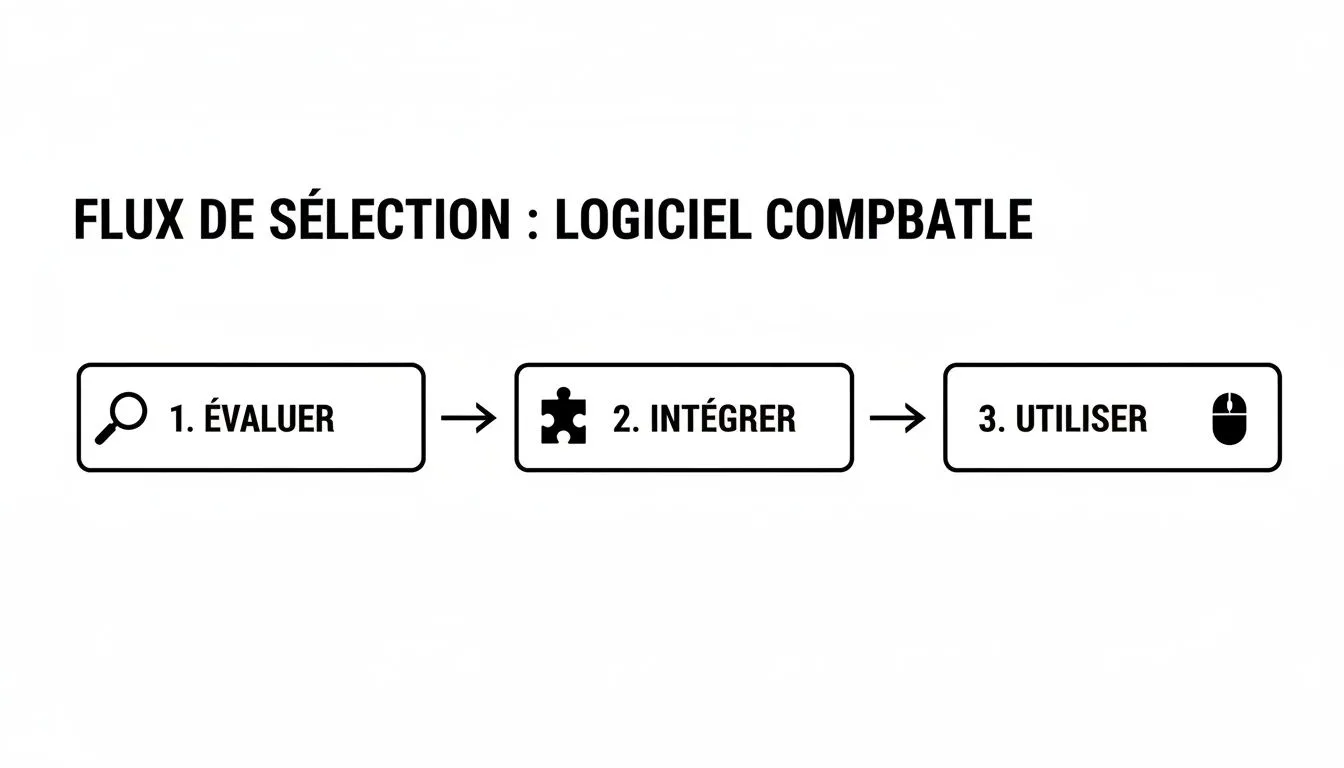
The key takeaway is that integration isn’t just a technical step. It’s the bridge connecting your choice of tool to its true superpower: automating your processes.
The workflows to automate first
So, concretely, what are these famous repetitive tasks you’ll be able to hand off to your software? Here are the automations your tool absolutely must handle to free up your mind.
1. Automatic generation of compliant invoices
Every time an order is confirmed in your Shopify or Amazon store, the software should instantly generate the matching invoice. And not just any invoice: one that is fully compliant with the law, with every required legal mention. No more forgotten or hastily cobbled-together invoices on a spreadsheet.
2. Smart application of VAT rates
Selling internationally is a fantastic growth driver, but also a real tax headache. Good specialized software is there to make your life easier.
It needs to handle, on its own:
- Identifying each customer’s country of residence.
- Distinguishing whether it’s a physical good or a digital service.
- Applying the right VAT rate without you lifting a finger — whether that’s French VAT, a European rate via the OSS/IOSS one-stop shop, or an exemption for sales outside the EU.
What’s nearly impossible to manage manually at scale then becomes a simple automation.
From bank reconciliation to smart reconciliation
If there’s one task everyone dreads, it’s bank reconciliation. The principle is simple: match every line on your bank statement with an accounting transaction (a sale, a purchase, a commission). Without automation, it’s painstaking, time-consuming work prone to errors.
Powerful software, connected to both your bank accounts and your payment platforms like Stripe or PayPal, changes the game completely.
The software doesn’t just “see” a transfer. It understands it. It knows, for example, that a Stripe transfer of €1,452 actually corresponds to 15 separate orders, from which platform commissions need to be deducted. It makes the connection on its own, breaks down the amounts, and prepares the entries.
This smart reconciliation saves you hours every month while ensuring pinpoint-accurate accounting. If you’d like to dig deeper into productivity gains, our guide on business process automation offers more angles.
A concrete example of automation in action
To really grasp the power of these workflows, let’s imagine a complex but very common scenario for an online seller.
- Scenario: You sell a product through the Amazon FBA program (Fulfilled by Amazon). Your stock is located in Germany. A customer living in Austria buys the product.
Without automation, here’s the obstacle course:
- Identify that the sale is subject to Austrian VAT (the customer’s country).
- Look up the VAT rate applicable in Austria for that product.
- Manually create an invoice with the correct rate.
- Log this sale in a file for your VAT return via the OSS one-stop shop.
- Wait for Amazon’s payout, then try to match that payment to the right order, deducting FBA fees and other commissions.
With accounting software for Mac like Bizyness, this entire process becomes invisible:
- The order is pulled in from Amazon.
- The software detects the origin (Germany) and destination (Austria) and automatically applies the Austrian VAT rate.
- The invoice, fully compliant, is generated right away.
- The transaction is already pre-categorized for your OSS return.
- When Amazon’s bulk payout arrives, the software automatically reconciles it with the original order.
Your only action in all of this? Confirming the work was done, and done correctly. Automation isn’t just a time-saver; it’s a safety net that ensures your compliance and lets you focus on growth, with peace of mind.
Ensuring your tax compliance with e-invoicing and VAT
Tax compliance is, in a way, the invisible foundation of your e-commerce business. You don’t see it, but if it’s shaky, everything else risks collapsing. And for online sellers, two pillars have become essential: e-invoicing and VAT management.
Ignoring these rules exposes you to problems that can end up costing a great deal. Fortunately, good accounting software for Mac can turn this administrative headache into an almost automatic process. Think of it as a tax co-pilot watching your back and protecting you from mistakes.
Understanding the e-invoicing reform
France is in the midst of transitioning to mandatory e-invoicing. By 2026, all businesses will have to comply. It’s not just about moving from paper to PDF; the reform imposes very precise rules on how invoices are created, sent, and archived.
Concretely, for an online seller, this means that invoices cobbled together on a spreadsheet or word processor will soon no longer be compliant. It becomes essential to use software capable of generating invoices that follow this new standard to the letter. That’s where your accounting software becomes your best ally. To get started, understanding the practical guide to invoicing a client in France is already an excellent starting point.
Far from being a mere constraint, e-invoicing is a real opportunity. It standardizes practices, secures transactions, and above all, opens the door to fully automated accounting.
Software vendors have clearly understood this. The 2025-2026 figures speak for themselves: 85% of accounting software for Mac on the French market already includes this compliance. Tools like Indy and Freebe have clearly democratized access to these solutions, driving a 35% increase in the number of Mac users between 2024 and 2026. Compliance is no longer optional — it has become an essential selection criterion.
Demystifying VAT management with the OSS and IOSS one-stop shops
As long as you only sell in France, managing VAT stays fairly simple. But as soon as your packages cross EU borders, things get complicated. That’s precisely why the OSS (One-Stop Shop) and IOSS (Import One-Stop Shop) portals were created — to make your life easier.
The principle is simple: instead of registering for VAT in every European country where you have customers, you declare and pay all the VAT owed through a single portal, directly in France.
Modern accounting software should handle all of this for you, without you having to think about it. Here’s what it should do:
- Monitor the threshold: The OSS scheme becomes mandatory once you exceed €10,000 in annual sales to individuals within the EU. Your software should track this amount in real time and alert you.
- Apply the right VAT rates: Each country has its own rates. The tool should automatically apply the correct percentage based on your customer’s delivery address.
- Prepare your returns: Your software should compile all European sales and generate a ready-to-use report for your OSS return, breaking down amounts by country and rate. If you want to dig deeper, our companion article will help you master your invoices and quotes.
In short, well-designed software turns these complex rules into a smooth process. It analyzes every sale, applies the correct tax treatment, and prepares the documents, leaving you free to focus on what matters: selling. All you have to do is oversee it, with peace of mind.
Steering your finances with a unified view of your business
Running an e-commerce business without a clear overview of your finances is a bit like navigating in thick fog. You move forward, sure, but without really knowing where you’re stepping. Modern accounting software for Mac shouldn’t be limited to being a simple calculator. Think of it instead as your central dashboard, the one that gathers all the vital information for making the right decisions.
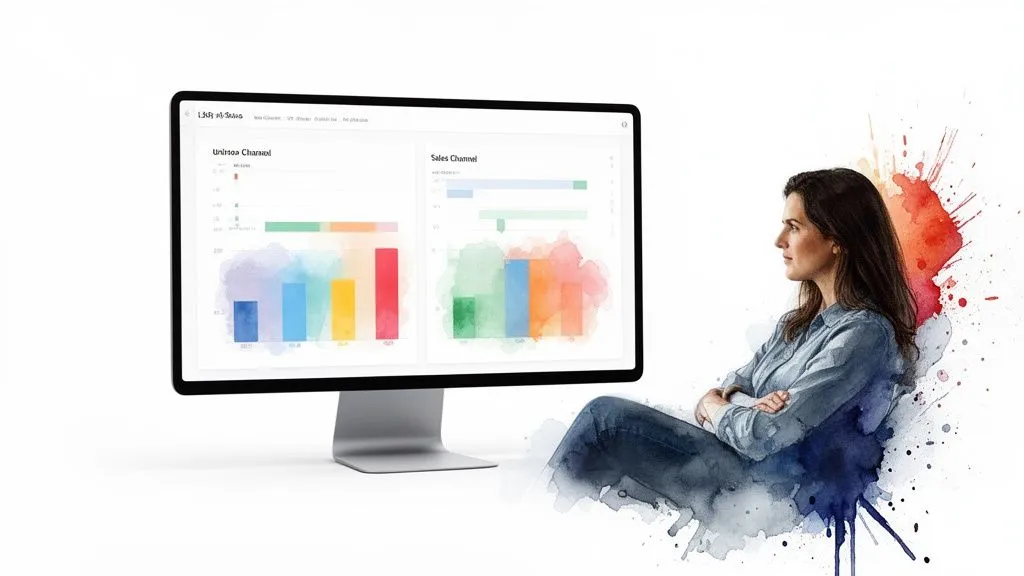
The goal is simple: moving from accounting that only looks in the rearview mirror to genuine real-time financial steering. By centralizing invoicing, expense management, bank reconciliation, and reports, you finally get a 360-degree view of your company’s health.
From raw data to strategic decisions
Having all your data in one place is good. But the real value lies in the ability to make it talk. A good unified dashboard lets you ask the right questions and get near-instant answers.
- Profitability by channel: Which is your best-performing sales channel? Does your Shopify store really generate better margins than your Amazon sales, once all commissions and fees are taken into account?
- Real-time margins: You need to be able to monitor your product-by-product margins live. Did a slightly aggressive promotion boost volumes, but how much did it eat into your overall profitability?
- Cash flow: Anticipating cash flow dips is crucial. By clearly visualizing upcoming money in and money out, you avoid cold sweats and unpleasant surprises.
It’s this ability to turn simple numbers into actionable insight that makes all the difference between a simple tool and a true growth partner.
This trend toward all-in-one solutions is confirmed on the French market. Integrated accounting software for Mac is estimated to account for more than 60% of the French market in 2026. Players like Sellsy or Sage 50 — a benchmark for SMBs with more than 100,000 client companies — offer platforms that combine invoicing, CRM, and accounting. For online sellers, the payoff is concrete: a 45% reduction in time spent on administrative tasks. To learn more, you can take a look at the developments in invoicing software for Mac by reading this analysis from Axonaut.
Good accounting software doesn’t just tell you how much you earned last month. It helps you understand how and where you earned that money, giving you the keys to replicate that success.
An investment in clarity
Adopting a unified platform is an investment, that’s true. But the return is often quick and very tangible. Every decision, whether it’s launching an ad campaign or negotiating with a supplier, becomes more sound because it’s based on reliable, up-to-date data.
Think of the time you’ll save. No more exporting data from Shopify only to cross-reference it with Stripe statements on a spreadsheet before sending everything to your accountant. Everything is connected, synced, and ready to be analyzed. Of course, even with excellent software, having some complementary know-how can still help — for example by exploring the Excel accounting formulas category.
Ultimately, investing in accounting software for Mac that unifies your financial view simply means choosing to steer your business with the headlights on. It gives you the means to make faster, smarter, and ultimately more profitable decisions.
Turning your accounting into a growth asset
Choosing the right accounting software for Mac isn’t just a box to tick on your to-do list. It’s a strategic decision, one of those that can truly define your company’s trajectory. By the end of this guide, one thing is clear: an effective solution is far more than a spreadsheet on steroids.
The ideal tool should blend into your Mac environment, live in the cloud to give you the flexibility you need, and above all, speak the language of e-commerce. Its role? To understand and automate the tax and administrative headaches that would otherwise drain your time and energy.
Change how you see accounting
It’s high time to stop seeing accounting as a chore, that so-called “necessary evil.” With the right software, it becomes the logical, intelligent extension of your business. Every order placed on Shopify, every payment collected via Stripe, every sale on Amazon feeds, behind the scenes, a system that works for you.
Stop seeing your accounting software as a cost center, and see it instead as a productivity engine. By taking on repetitive tasks, it gives you back the most precious resource of all: time. Time to devote to what only you can do — nurturing your products, sharpening your marketing, and shaping your brand’s future.
A very real competitive advantage
The financial and tax complexity of e-commerce is a fact of life. Faced with it, you have two options: endure it or master it. Powerful software gives you the keys to the second path. It turns what looks like a chaos of numbers into a smooth, secure process. Your financial management then becomes a genuine advantage over your competitors.
Rather than drowning in transaction reconciliation or VAT calculations, you can finally focus on the numbers that really matter for your growth:
- Analyze profitability by product and by sales channel.
- Make informed decisions based on dashboards that are always up to date.
- Anticipate your cash needs to calmly prepare for your next activity peak.
Ultimately, the right tool gives you the clarity and confidence needed to steer your business. It’s the investment that takes you from a passionate but overwhelmed craftsperson to a visionary business owner.
Launching into e-commerce accounting raises plenty of questions, especially in the Mac environment. That’s normal. Let’s go through the questions that come up most often for online sellers.
What’s the best free invoicing software on Mac?
Free is tempting. You tell yourself you’ll save a few dozen euros a month. But for an e-commerce business, it’s a false economy that quickly turns into a trap. Free invoicing software can get a freelancer by, but it’s absolutely not built for the realities of online selling.
The real problem is their total lack of specialization. You’ll very quickly hit walls:
- No native integrations: Forget automatic connection to Shopify, Amazon, or Stripe. You’ll be stuck juggling CSV files and manual imports, a huge source of errors and wasted time.
- Weak VAT handling: Managing different VAT rates, especially for international sales (with the OSS/IOSS one-stop shops), is often nonexistent or very limited. That’s an open door to major tax risk.
- Impossible bank reconciliation: Trying to manually match Stripe payouts (which bundle dozens of transactions) with your sales is a real nightmare.
Trust me, investing in accounting software for Mac designed for e-commerce pays for itself very quickly. The time you save by automating these tasks is worth far more than the cost of the subscription.
Can I use a generic tool for my Shopify store?
Technically, the answer is yes. But in practice, it’s a very bad idea that will cost you a lot of time and energy. Using generic accounting software to manage a Shopify store is a bit like trying to assemble an IKEA piece of furniture with a single adjustable wrench: doable in theory, but it’ll be slow, frustrating, and the end result will be wobbly.
The obstacles will be constant. Every manual sales import is a chance to make a mistake, especially when applying the correct VAT rates. Reconciling Stripe or PayPal payouts with the matching orders becomes an endless puzzle. Every hour spent on this painstaking work is an hour not spent growing your business.
Generic software doesn’t speak the language of e-commerce. It doesn’t know what a marketplace commission is, a partial refund, or an intra-EU sale. Automation, the lifeblood of healthy management, is simply out of reach.
How do I successfully migrate to new software?
Switching accounting tools can be daunting, that’s true. But with a bit of method, the transition can go smoothly.
- Clean up your data: First and foremost, make sure you have clean exports of your sales, customers, and invoices from your old system. Good upfront cleanup will save you a lot of grief.
- Rely on customer support: This is crucial. Choose a solution known for the quality of its customer service. Getting good support importing your history is your guarantee of losing nothing and starting on solid ground.
- Move step by step: Don’t connect everything at once. Start by importing your history. Check that everything is correct. Then activate integrations (Shopify, Stripe…) one at a time, checking at each step that the data flows through as expected.
This simple, methodical approach guarantees a smooth transition, without losing your financial history, while finally opening the door to automated accounting.
Don’t let accounting hold back your growth any longer. With Bizyness, turn every sale into an automated, compliant accounting flow, right on your Mac.
Discover how Bizyness centralizes and simplifies all your financial management.
