

 Français
Best free invoicing software for sole traders | Simplify your paperwork
Discover the best free invoicing software for sole traders (micro-entrepreneurs) to create quotes and invoices quickly, in full compliance. Try it now!
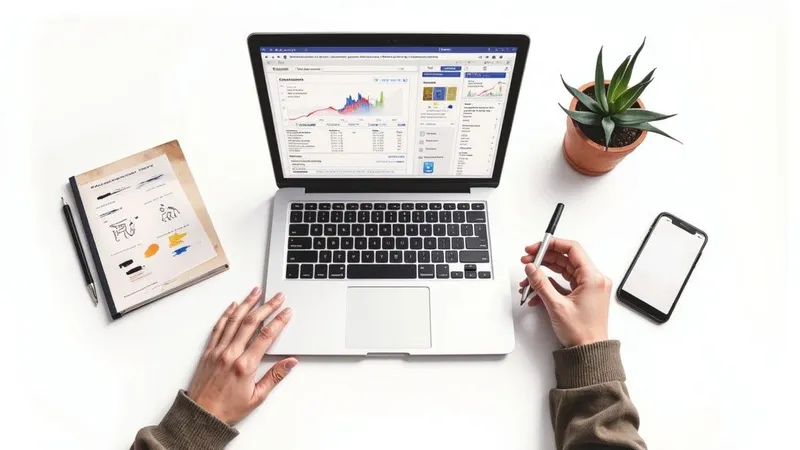
To find the best free invoicing software for sole traders, three solutions stand out: Henrri for its quick learning curve, Facture.net for having no limits, and Abby for its advanced options. It all depends on your profile: beginner, fast growth, or the need for a mini-CRM.
Quick comparison of free invoicing solutions
Automating your invoicing means ensuring legal compliance, gaining professionalism, and reducing errors. No more unstable spreadsheets costing you time and peace of mind. To dig deeper into the requirements, check out our full guide on invoicing for sole traders.
In practice, these tools let you:
- set up your account in under 5 minutes,
- automatically track payments,
- get clear reports to steer your cash flow.
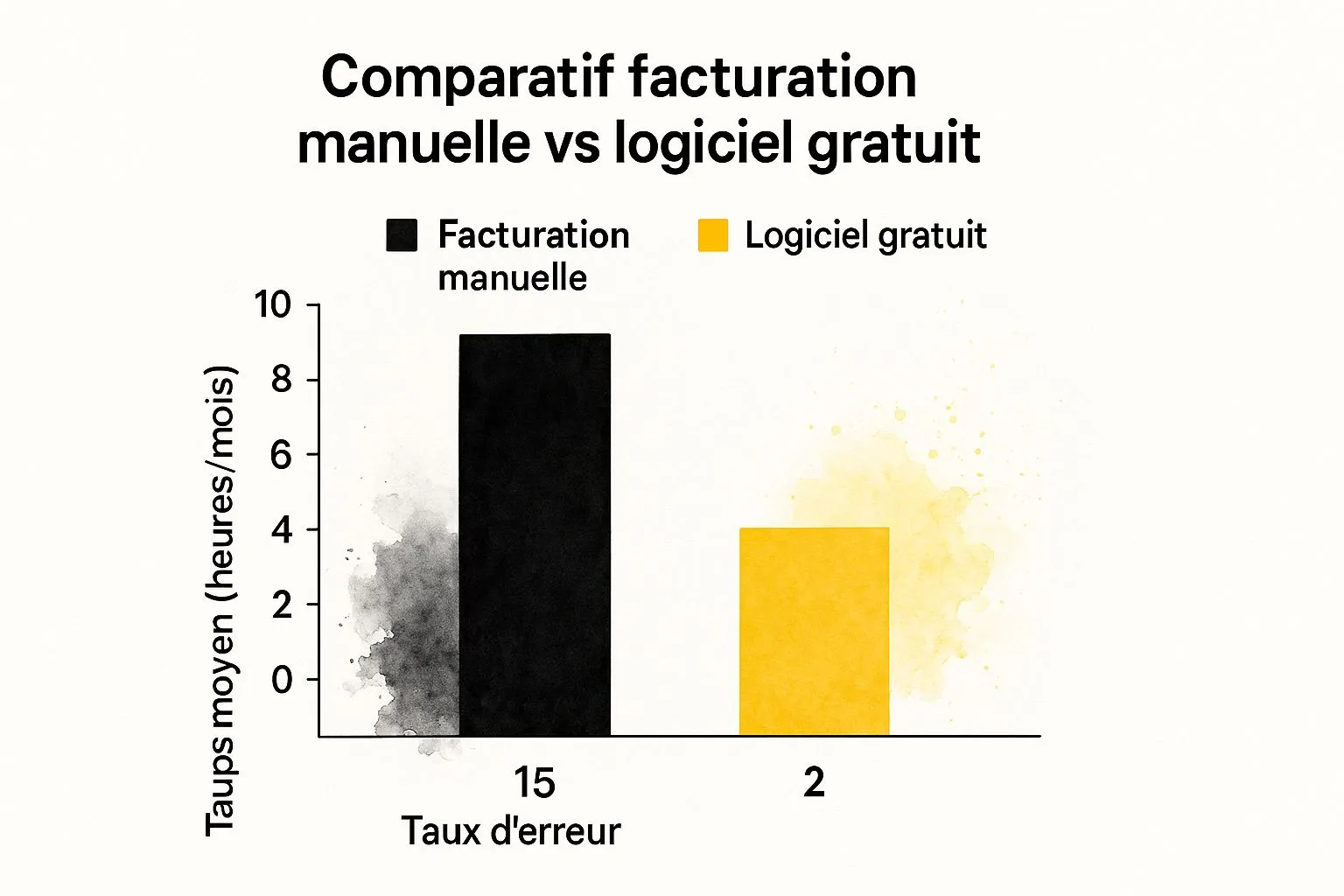
The numbers speak for themselves: the time spent on invoicing is cut by a factor of 5, and the risk of errors drops considerably.
Express comparison of free solutions
Before diving into the details of each tool, here’s a summary of their key strengths and recommended use cases:
| Software | Main strengths | Ideal use case |
|---|---|---|
| Henrri | Immediate onboarding, clean interface | Beginner sole traders looking for the simplest solution |
| Facture.net | Unlimited quotes and invoices, no hidden fees | Fast-growing freelancers with high invoicing volume |
| Abby | Built-in mini-CRM, automatic bank sync | Independents who want to centralize client relations and cash-flow tracking |
Key takeaway: free doesn’t necessarily mean limited features. These three platforms cover the essentials for effectively running your micro-business.
This express comparison gives you a quick overview. In the rest of this guide, each piece of software will be analyzed in depth to help you make the choice best suited to your business.
The key criteria for choosing the right free invoicing software
Choosing a free invoicing software for sole traders can seem simple at first glance. Yet a poor choice can quickly become a daily headache. To avoid that trap, you need to rely on a few objective criteria.
Of course, there are the basic features. But five criteria are truly decisive in making sure the tool will support your business in the long run. A methodical review of these points will save you the hassle of having to migrate everything a few months down the line.
Simple and quick onboarding
The first contact with the interface says a lot. A good invoicing tool should above all save you time. A clear layout and smooth navigation are therefore non-negotiable.
When testing a tool, ask yourself the right questions:
- How many clicks does it take to create an invoice?
- Does the dashboard clearly display the essential information (revenue, pending invoices)?
- Is creating a client record simple and intuitive?
A good tool should let you issue a quote or an invoice in under two minutes, even the first time. If you’re hunting for a basic feature for ten minutes, move on.
Legal compliance above all
This is arguably the most critical point. A non-compliant invoice can cost you dearly in the event of a tax audit. It’s therefore essential to choose software that strictly complies with French legislation.
The main requirement is compliance with the anti-VAT-fraud law. Even though, as a sole trader, you benefit from the VAT exemption threshold, this certification is a mark of seriousness. It ensures that invoicing data is tamper-proof and secure — basic principles for sound management.
The French market for sole-trader software is fairly extensive. Ease of use and legal compliance are the two pillars. These tools must also handle the specifics of the status, such as calculating social security contributions. If you want to dig further, take a look at this comparison of the best invoicing tools.
Scalability: thinking ahead
Your business will grow, and your software needs to keep up. A free plan is perfect to get started. But make sure moving to a paid version can happen smoothly if your needs expand.
Check carefully that upgrading to a higher plan lets you keep all your history and client data. A seamless migration is the mark of a professional provider.
Customer support and data security
Even for a free tool, a minimum level of assistance is necessary. This can take the form of a well-stocked FAQ, a help forum, or email support. A total lack of help can become a real problem the day you get stuck.
On the security side, your invoicing data is confidential. Give priority to providers that:
- Host their servers in Europe, which guarantees compliance with GDPR.
- Use HTTPS encryption to secure all connections.
- Display a clear and easy-to-find privacy policy.
Evaluation grid for your free invoicing software
To help you get a clearer picture, here’s a summary grid. Use it to compare the different solutions you’ll test. It will help you make a rational, informed decision.
| Selection criterion | Points to check | Level of importance (High/Medium/Low) |
|---|---|---|
| Interface | Number of clicks to invoice, clarity of the dashboard | High |
| Compliance | Anti-VAT-fraud law certification, up-to-date legal notices | High |
| Scalability | Paid plans available, easy data migration | Medium |
| Support | Presence of an FAQ, responsiveness of customer service | Medium |
| Security | Servers in Europe (GDPR), HTTPS connection | High |
Using this grid, you can structure your analysis. This ensures you choose a free invoicing software for sole traders that isn’t just a tool, but a genuine partner for the growth of your business.
Our comparison of the best free invoicing software
Choosing a free invoicing software for sole traders isn’t just about ticking boxes on a list. The real difference lies in the day-to-day experience, the small hidden limitations and, above all, the fit with your way of working. To help you see things clearly, I put three market-leading solutions under the microscope: Henrri, Facture.net and Abby.
Each has its own philosophy and meets very specific needs. A provider just starting out doesn’t have the same expectations as a tradesperson with a well-filled client portfolio, or a freelancer juggling multiple assignments. Let’s forget the spec sheets and get concrete.
Henrri, the ally for first steps
Henrri has built a solid reputation among sole traders who are just starting out, and that’s no coincidence. Its main strength? Almost disarming simplicity. The interface is so streamlined that you can create your first quote in a few minutes, without even having to think twice.
This approach goes straight to the point. The dashboard displays the essentials: the month’s revenue, invoice status, and the most recently created documents. It’s perfect for those who want pure efficiency, without the slightest technical complication that could slow down a new entrepreneur.
Do be careful though, because this simplicity hides a business model based on paid add-ons. While the core features (quotes, invoices, client records) are free and unlimited, some actions you’d assume are standard become paid. For example, exporting your accounting data or sending an invoice by post requires whipping out your credit card.
Henrri’s strong point: onboarding is literally instant. It’s the ideal choice for the sole trader who needs a functional tool right away, without getting lost in complex menus. It perfectly secures the start of the business.
Who is Henrri perfect for?
You’re a consultant, copywriter or graphic designer who has just launched. You manage between 1 and 5 clients a month, and your top priority is issuing compliant invoices, quickly and properly. Advanced cash-flow tracking or a CRM can wait. Henrri lets you get started at no cost and with no stress.
Facture.net, the power of 100% unlimited
Developed by the Codeur.com platform, Facture.net takes the completely opposite approach. Its promise is radical: everything is truly free, everything is truly unlimited. Quotes, invoices, number of clients… no restrictions. The publisher even commits to never changing that.
That’s a strong argument for independents whose business is taking off. No more anxiety about being blocked by a monthly quota. This freedom, both psychological and practical, is a huge advantage for focusing on your business.
The tool even includes a few basic but well-designed CRM features, such as tracking sales opportunities. That lets you sketch out projected revenue — a nice little bonus for steering your business with some perspective. The trade-off for this total freeness? Customer support reduced to its bare minimum, an FAQ. If something goes wrong, you’re on your own.
Facture.net’s strong point: total, unlimited freeness, no asterisks. It’s the guarantee of never having to pay to invoice, no matter how much your business grows. Perfect for those aiming high.
Who is Facture.net perfect for?
You’re a web developer with a steady stream of projects, or an e-commerce seller processing dozens of orders a month. Your invoicing volume is high and fluctuating. The last thing you need is a tool putting obstacles in your way. Facture.net gives you a production machine with no barriers.
Abby, the all-in-one for getting organized
Abby doesn’t just aim to be a simple invoicing tool — it aspires to be a genuine co-pilot for your micro-business. Its free version includes features usually reserved for paid plans, such as bank sync or a highly effective mini-CRM.
Abby’s real strength is its ability to centralize everything. By connecting your business bank account, you track your clients’ payments in real time and reconcile them with your invoices. Believe me, that’s a phenomenal time-saver for cash-flow management.
Its client management module is also more advanced, letting you keep a history of exchanges and get to know your contacts better. Of course, the free version has its limits, particularly on the number of bank sync operations or on more advanced modules like revenue declaration. To better understand the different offers on the market, feel free to read this full comparison of invoicing software for sole traders.
Abby’s strong point: advanced features (CRM, bank sync) built into the free plan. It’s a genuine little management assistant for sole traders who want to build solid foundations.
Who is Abby perfect for?
You’re a tradesperson, coach or service provider building long-term relationships with your clients. You don’t just send an invoice — you track projects, manage deposits, and want a clear view of your cash flow. Abby gives you that 360° view, from first contact to final payment.
Ultimately, there’s no such thing as the “best” tool. The choice depends entirely on your maturity as an entrepreneur, your sector, and your ambitions. The best advice I can give you is to try all three solutions. It’s the only way to feel which one you’ll be most comfortable running your business with day to day.
More than invoicing: the features that really make the difference
A free invoicing software for sole traders worthy of the name is no longer limited to simply issuing quotes and invoices. The best platforms are true co-pilots for your business, integrating features that automate the most tedious tasks and give you a crystal-clear overview.

We’re no longer just talking about legal compliance. These tools help you steer your cash flow, nurture your client relationships and, above all, get paid faster. By choosing a solution that offers these options, you give your micro-business a solid foundation to grow serenely.
The dashboard: your real-time control tower
The first feature that truly changes things is the dynamic dashboard. Forget tracking your revenue on a dusty Excel spreadsheet. A good software centralizes all your financial data and presents it in a clear, visual, immediate way.
At a glance, you can track:
- Your revenue: view your income over the month, quarter or year, and easily compare your performance.
- The status of your invoices: instantly see which invoices are pending, overdue or already paid.
- Your cash-flow forecasts: some tools even estimate future incoming payments based on the quotes you’ve had accepted.
Having this overview is crucial. It lets you make informed decisions, anticipate quieter periods, and always know where you stand relative to the well-known micro-business revenue thresholds.
A mini-CRM to take care of your clients
A successful sole trader is often one who has an excellent client relationship. Some free solutions understand this well and include a mini-CRM (Customer Relationship Management). It’s simply a centralized database bringing together all the information about your clients and prospects.
For each contact, you can log much more than their details: the history of your conversations, quotes sent, invoices paid, and ongoing projects. It’s a huge advantage for personalizing your interactions and ensuring follow-up that feels genuinely professional.
Think of a freelance graphic designer. Before calling back a loyal client, they glance at their CRM record. They find the previous projects, the negotiated rates, and the last brief. This little bit of preparation lets them be far more relevant and strengthens that precious relationship of trust.
Built-in online payment to put an end to delays
Waiting to be paid is a major source of stress for many independents. To fix this, the best free software offers integration with online payment solutions like Stripe or PayPal.
It works with childlike simplicity: a payment button or link is added directly to your invoice’s PDF. Your client just has to click and pay by card in a few seconds. This smoothness drastically reduces payment delays and simplifies your cash-flow tracking.
Bank synchronization: effortless reconciliation
Bank synchronization is arguably one of the most impressive features. By connecting your professional bank account to your software, the tool automatically imports all your transactions. It can then match them, as if by magic, to the invoices you’ve issued.
This automation puts an end to manual reconciliation, that tedious task where errors are never far away. You know in real time which invoices have been paid, which makes follow-ups much simpler and more effective. Solutions like Wuro or Henrri show that these advanced features are no longer reserved for large companies. In fact, sole traders are increasingly turning to these tools to automate more than 40% of their administrative management. To dig into the topic, you can check the details on Wuro.fr.
Anticipating the e-invoicing mandate: an unavoidable step
When choosing your free invoicing software as a sole trader, you often think about your immediate needs. Yet a major reform is on the horizon, and ignoring it today could prove costly tomorrow. Electronic invoicing is about to become the norm for everyone, including us micro-entrepreneurs.
This isn’t just about swapping paper invoices for PDFs. It’s the entire invoicing chain that’s transforming: how documents are issued, received and processed. Anticipating this shift means ensuring a smooth transition and avoiding having to change tools in a rush a few years from now.
The new legal framework, in plain terms
The rollout of electronic invoicing, or e-invoicing, will be phased in gradually. The tax authorities have set up a timeline so everyone has time to adapt.
Two dates should be etched in stone for your business:
- From September 1, 2026: you’ll need to be able to receive invoices in electronic format from your suppliers.
- From September 1, 2027: you’ll be required to issue your own invoices to your business clients via a certified platform.
This requirement applies to absolutely all sole traders, including those under the VAT exemption threshold. If this topic feels a bit fuzzy, our full article on VAT for sole traders is here to explain everything.
Crucial point to understand: an electronic invoice isn’t a simple PDF sent by email. It’s a file with structured data (in Factur-X format, for example) that travels through specialized, approved platforms, called partner dematerialization platforms (PDPs).
What concrete impact on your choice of free software?
This reform completely reshuffles the deck. Software that simply generates nice-looking PDFs will soon no longer be compliant. It has therefore become essential to check whether the free tools you’re interested in are already prepared for this deadline.
How do you know if a software is ready?
- Already certified or in the process: Some publishers already clearly state their ambition to become a partner dematerialization platform (PDP). That’s the most reassuring signal you can get.
- Announced compatibility: Others communicate that they’re actively working to make their tool compatible. That’s a good sign, but you’ll need to keep an eye on their announcements.
- Radio silence: If a publisher makes no mention of this reform anywhere, be wary. There’s a real risk of having to migrate everything (clients, invoices, quotes…) to another system as the deadline approaches.
Choosing software today that anticipates the future gives you a real advantage. You get used to an interface that will naturally integrate these new features, without the stress of a forced migration — an operation that’s often much more complex and lengthy than you’d imagine.
The penalties are not to be taken lightly
The tax authorities aren’t joking about this transition and have set penalties to make sure everyone plays along. Ignoring these new rules could have a direct and painful financial impact on your micro-business.
In the event of non-compliance, the penalties are clear: 15 euros per non-compliant invoice, with an annual cap of 15,000 euros. On top of that, there’s a fine of 250 euros per invoice if you fail to meet your e-reporting obligations. You’ll find more details on these legal provisions on electronic invoicing.
Don’t view this reform as just another constraint, but rather as an opportunity to modernize your management. Good free software, already compatible, will save you precious time, secure your exchanges, and guarantee you stay compliant, today and for years to come.
The right time to switch to a paid version
Free invoicing software is a precious ally for launching your business. It meets your basic needs without weighing on your cash flow at the start. But let’s be clear: as your business grows, the limits of the free plan can quickly become a real headache, or even hold back your professionalism. Switching to a paid plan isn’t just an expense — it’s a concrete investment in your company’s growth.

The tipping point often comes when the workarounds and frustrations of the free plan cost you more time than the subscription would. The math is quick to do: if you lose two hours a month fiddling with a limited tool, a €10 plan already pays for itself many times over. Your time is worth more.
Spotting the signs it’s time to switch
Several very concrete signs indicate that your micro-business needs a more robust tool. Don’t ignore them — they’re proof that your business is gaining momentum.
Here are the indicators that should catch your attention:
- Your client and invoice volume is exploding: Manually managing more than 15 or 20 regular clients becomes a huge mental burden. A paid solution will automate follow-ups and give you a clear overview.
- You want a more professional image: Your quotes and invoices should reflect your brand, not your software’s. Paid plans allow for deep customization, without imposing their own logo.
- Your projects are getting more complex: Are you juggling deposits, recurring billing, or do you need to precisely track time spent? Paid tools often include project management and time-tracking features that change everything.
- You need reliable support: A bug that blocks your invoicing on the last day of the month? That’s when the responsive customer support of paid plans becomes your best friend.
Going paid is above all about buying yourself peace of mind and time. It’s about ensuring your management tool becomes a growth accelerator, not a ball and chain.
A direct investment in your productivity
Let’s take a concrete example. A freelance graphic designer juggling several projects at once uses free software. The problem: they can’t track their working time directly in the tool. They’re forced to juggle a separate spreadsheet, which increases the risk of errors and wasted time.
By opting for a plan at €15 a month, they unlock a built-in time-tracking module. With one click, they log the hours spent on each project and bill them precisely. This simple change lets them bill one extra hour a month that used to slip through the cracks. Not only is the subscription paid for, it even generates extra revenue.
Switching to a paid version is therefore much more than a matter of comfort. It’s a logical step for any sole trader looking to structure their business, master their cash flow, and build a solid image over the long term.
FAQ: answers to your questions about invoicing software for sole traders
Choosing your first invoicing software as a sole trader raises plenty of questions. That’s completely normal. To help you see things clearly and make the right choice without a headache, I’ve gathered here the questions that come up most often.
The goal: to give you direct, practical answers so you can move forward with confidence.
Is invoicing software really mandatory for a sole trader?
To put it simply: no, it’s not yet a strict legal requirement for everyone. But be careful, the situation is changing fast and, in practice, it has become almost unavoidable.
There are two scenarios. If you’re subject to VAT, the anti-fraud law already requires you to use a certified cash-register or invoicing software. For everyone else, even though it’s not mandatory, you still have to follow precise rules: legal notices on invoices, chronological numbering with no gaps… which is exactly what software does for you, without errors.
Better safe than sorry. The move to electronic invoicing is already scheduled for 2027 for all businesses, including micro-businesses. Equipping yourself now means getting ahead of the curve and avoiding having to manage a complex, stressful transition at the last minute.
In short, viewing software as an investment in your future and peace of mind is the best approach. It’s a strategic decision that secures and professionalizes your business.
Can I just use Excel or Google Sheets to make my invoices?
It’s a classic temptation, especially at the start. It seems simple, free, and you already know the tool. Yet it’s a very bad idea, and the risks can cost you far more than a subscription.
Using a spreadsheet exposes you to several major problems:
- Numbering errors: One simple omission, one row deleted by mistake, and your invoice sequence is broken. That’s a compliance issue the tax authorities don’t take lightly.
- Calculation errors: A misapplied formula, a miscalculated VAT amount, a forgotten legal notice… human error happens fast and can weaken your documents.
- No certification: An Excel file can be edited indefinitely. It offers no guarantee of data integrity, a criterion that’s nonetheless essential in the event of an audit.
- Massive time waste: Tracking payments, chasing unpaid invoices, calculating your revenue for URSSAF… all these tasks quickly become a real headache.
Good invoicing software for sole traders, even a free one, automates all of this, makes your documents more reliable, and saves you precious time.
Is my data secure with free online software?
That’s an excellent question, and the answer is yes, provided you choose your provider carefully. Serious software publishers, even for their free plans, know that trust is the foundation of their business and therefore apply very high security standards.
To make sure you’re on the right track, here are three habits to adopt:
- Check where your data is hosted: Ideally, choose a solution whose servers are located in Europe. That’s a guarantee of compliance with GDPR, the regulation that protects your personal data and that of your clients.
- Check the connection: The publisher’s website must use the HTTPS protocol. That’s the little padlock you see in your browser’s address bar, guaranteeing that exchanges are encrypted.
- Read (at least skim) the privacy policy: It should be easy to find and clearly explain how your data is used. If it’s vague or nowhere to be found, be wary.
By following these few precautions, you can use the market’s recognized tools with peace of mind.
Ready to simplify your management and ensure compliance with no effort? Discover Bizyness, the tool designed for sole traders who want to focus on their growth, not their paperwork. Try Bizyness for free today.
