

 Français
Blank invoice template: free download
Blank invoice template: download free Word, Excel and PDF templates and follow our guide to fill out your invoices without errors.

Creating an invoice can quickly feel like an administrative chore. Yet a good blank invoice template is much more than a simple piece of paper: it’s the cornerstone of your cash flow and your brand image. It’s the document that turns your work into revenue, and it leaves a final impression, good or bad, on your client.
Why a good invoice template is essential
An invoice isn’t just a payment request. It’s a legal document, a tracking tool for your bookkeeping and, ultimately, a kind of business card. Think about it: it’s often the last contact you have with your client after delivering your service or product. A clear, professional document with no errors builds trust and encourages prompt payment. Conversely, a sloppy invoice riddled with omissions opens the door to delays, endless questions, or even disputes, and can seriously damage your reputation.
Starting from a reliable blank invoice template makes your life easier on several levels:
- You’re sure to stay compliant: A good template already includes all the mandatory legal information. No more stress about forgetting a detail that could cost you a €15 fine per error.
- You save valuable time: Instead of reinventing the wheel for every sale, you only need to fill in the fields specific to the client and the service. That time is money you can reinvest in your core business.
- You polish your professional image: By adding your logo and your company colors, this simple administrative document becomes a communication tool that reinforces your credibility.
- You reduce the risk of errors: Templates, especially in Excel, can automate VAT calculations and totals. That’s a significant safeguard against costly calculation mistakes.
The idea of taking care over invoices isn’t new. While the earliest traces date back to antiquity, it was in 1780 that invoices began to take their modern form. Back then, they were often richly decorated, proof that the care put into this document has always been a sign of seriousness. For the curious, Expensya retraces the history of the invoice.
This guide is here to help you turn a blank page into a flawless invoicing tool. It’s the first step toward healthy, efficient management of your business.
The essential information on your invoice
An invoice is much more than a simple payment request. It’s a legal document, a pillar of your bookkeeping that must follow fairly strict formal rules to be valid. The slightest omission, even one small missing piece of information, can not only delay payment but also expose you to penalties.
Think of this section as your cheat sheet. Every time you use a blank invoice template, come back to it to make sure you’re not leaving anything to chance. Every detail matters: it proves a transaction actually took place, clearly identifies who is selling and who is buying, and ensures taxes are calculated correctly. It’s the foundation of your financial tracking and a real mark of seriousness for your clients.
Identifying who’s who: the parties to the transaction
The first, and most fundamental, step is making sure you and your client are perfectly identifiable. Without this basic information, your invoice has no legal value. It’s a bit like a contract without a signature: unthinkable.
For your business, always make sure to include:
- Your company name (or your first and last name if you’re a sole trader).
- The full address of your registered office.
- Your SIREN number.
- Your intra-community VAT number, even if you’re not liable for VAT.
Naturally, your client’s full details (name and address) must also appear clearly and prominently.
This image sums it up well: rigorous invoicing is the foundation that supports both your cash flow and your professional reputation.
To help you make sure you don’t forget anything, here’s a summary checklist of the mandatory information to include on your invoices.
Checklist of mandatory information on an invoice
Summary table of the essential legal information to include on every invoice to ensure compliance.
| Category | Mandatory item | Explanation and example |
|---|---|---|
| Numbering | Invoice number | Must be unique and follow a chronological sequence with no gaps. E.g.: INV-2024-001. |
| Dates | Invoice issue date | The date the invoice is created. |
| Dates | Date of sale or service | The actual delivery date of the goods or the completion date of the service. |
| Identification | Your full details | Company name, address, SIREN, RCS registration and city, legal form, share capital. |
| Identification | Client details | Name (or company name) and full address. |
| VAT | Your VAT number | Individual VAT identification number (even if not liable). |
| Details | Description of products/services | Precise description, quantity, unit price excluding tax. |
| Amounts | Total price excluding tax and VAT amount | For each VAT rate, the total excluding tax and the corresponding tax amount. |
| Amounts | Total amount including tax | The final sum the client must pay. |
| Payment | Payment date or deadline | ”Payment on receipt”, “Payment within 30 days”, or a specific date. |
| Payment | Late payment penalty rate | The rate applicable if payment is not made on time. |
| Payment | Compensation for collection costs | Mandatory mention of the flat-rate amount of €40. |
This table is an excellent starting point to verify that every document you send is fully compliant.
Detailing the service or sale
Once the parties are clearly identified, we get to the heart of the matter: describing what you sold. This is where precision is your best ally for heading off any misunderstanding or potential dispute.
A vague line like “Service provided” simply isn’t enough. You need to be much more specific. For each product or service, your invoice must list:
- A detailed description of what was sold or carried out.
- The exact quantity (hours, days, units, etc.).
- The unit price excluding tax.
- The applicable VAT rate (20%, 10%, 5.5% or 0%).
This rigor serves a double purpose: it lets your client know exactly what they’re paying for, and it’s essential for your own bookkeeping, especially in the event of an audit. To go further on this topic, feel free to check out our full guide on mandatory invoice information.
The invoice number is a crucial detail that’s often underestimated. It must absolutely be unique and follow a continuous chronological sequence with no gaps. For example: INV-2024-001, INV-2024-002, etc. A gap in the numbering can be a red flag for the tax authorities.
Specifying payment terms
Finally, leave no room for doubt about payment terms. Setting a clear framework protects your cash flow and gives you the means to act in the event of a delay.
Your invoice must therefore always mention:
- The payment due date.
- The early payment discount terms, if you offer any.
- The late payment penalty rate owed if payment doesn’t arrive by the agreed date.
- The amount of the flat-rate compensation for collection costs, legally set at €40.
For certain activities, such as those of tradespeople, it’s also mandatory to add your professional insurance details. By including all these elements, your invoice becomes a solid document that secures your revenue.
Download your free blank invoice template
Theory is all well and good, but let’s get practical! To save you precious time and make sure you start off on the right foot, we’ve prepared ready-to-use invoice templates. Each format has its own advantages — it’s up to you to choose the one that best fits the way you work.
All that’s left is to download the blank invoice template of your choice to start invoicing right away. Rest assured, all our templates include the fields required to comply with the law. No more costly omissions!
Which invoice format is right for you?
Each format was designed for a particular use. Which one should you choose? It all depends on how comfortable you are with everyday tools and what you’re looking for above all: an eye-catching invoice, error-free calculations, or simplicity first and foremost.
Here’s a quick guide to help you see things more clearly:
- Word template (.docx): The best ally for your brand image. Want an invoice that looks like you? This is the ideal format for easily inserting your logo, playing with your brand colors, and adjusting the layout to your taste.
- Excel template (.xlsx): The king of efficiency, perfect for those who dread calculation errors. Thanks to built-in formulas, the totals excluding tax, VAT and the total including tax calculate themselves. Guaranteed peace of mind.
- PDF template (.pdf): Simplicity personified. This format is perfect if you prefer to fill out your invoices by hand after printing them, or if you want to send a clean, non-editable document directly to your clients.
Pro tip: Even if you prepare your invoice in Word or Excel, always make it a habit to send it to your client as a PDF. It guarantees that no one can alter it, and it instantly looks more serious and official.
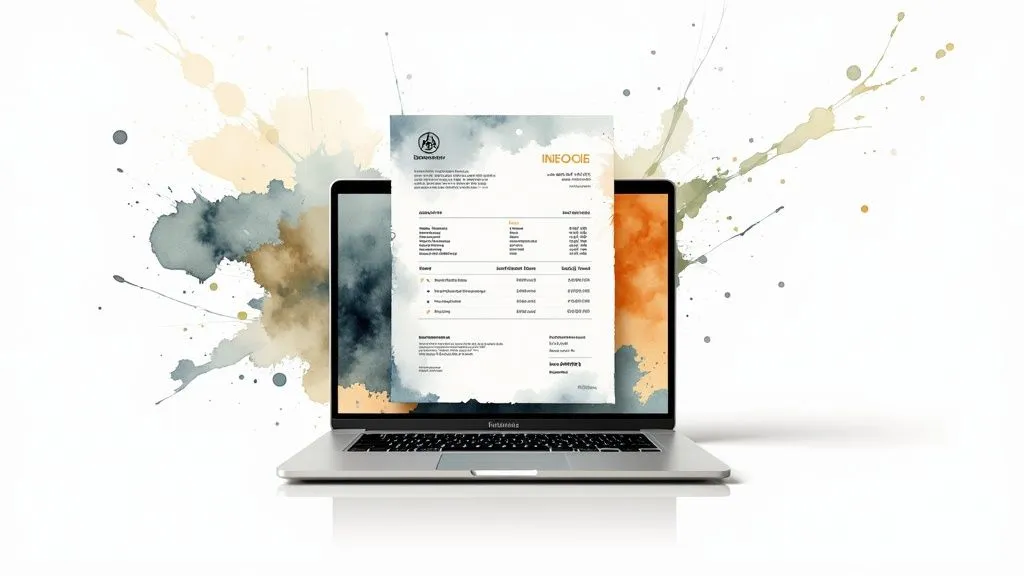
To give you an idea, here’s what a well-built invoice template looks like.
As you can see in this example, everything is in its place: each party’s details are clearly visible, the products or services are itemized line by line, and the totals stand out. A well laid-out invoice is easier for your client to understand, and so, often, it gets paid faster.
Filling out and customizing your invoice: the practical guide
Having a blank invoice template on hand is good. But knowing how to turn it into a clear, professional, indisputable document is even better. Consider this: a well-filled-out invoice isn’t just a payment request, it’s also a mark of trust that encourages your client to pay you promptly.
To make this more concrete, let’s put ourselves in the shoes of a freelance graphic designer who needs to invoice for the creation of a logo. Follow along!
Numbering and dates
Let’s start at the beginning: every invoice must have a unique number. It’s a legal requirement, but above all it’s essential for keeping your bookkeeping organized.
To keep it simple and effective, adopt a logic that makes sense to you and that runs without interruption. For example, a yearly chronology like INV-2024-001, INV-2024-002, and so on. The important thing is that there’s never a “gap” in the sequence. Right next to it, clearly indicate the invoice issue date and, if needed, the date of the service.
Description of services or products
This is where clarity is your best ally. A vague description opens the door to questions, misunderstandings, and ultimately, payment delays. Your client should instantly understand what they’re paying for.
For our graphic designer, instead of a simple “Logo creation”, we’d break it down a bit more for a more professional result:
- Logo creation - Research and initial concepts (3 proposals)
- Logo creation - Revisions and finalization (2 rounds of feedback)
- Transfer of copyright for commercial use
A precise description doesn’t just reassure the client. It also protects you by clearly defining the scope of the assignment. It’s a detail that can make all the difference in the event of a disagreement.
Calculating the amounts
Time to break out the calculator! This is often where small errors creep in. If you’re using an Excel template, the formulas will do most of the work. Otherwise, a double-check is a must.
Here’s the process for an error-free calculation:
- Enter the unit price excluding tax for each line.
- Apply the correct VAT rate if you’re subject to it (most commonly 20% for services).
- Calculate the VAT amount for each service.
- Add up all the amounts excluding tax.
- Add up all the VAT amounts.
- Finally, add the total excluding tax and the total VAT to get the famous total including all taxes. That’s the amount your client owes you.
Customizing your template
A blank invoice template, by definition, is a bit impersonal. It’s up to you to bring it to life so it matches your brand image! A polished invoice adds a touch of professionalism that leaves a lasting impression.
A few simple ideas to help you stand out:
- Your logo: Feature it prominently, usually at the top of the document.
- Your colors: Use your brand colors for headings or dividers.
- Your font: If you use a specific one, this is the time to bring it out for consistency.
By doing this, your invoice goes from a simple administrative document to a genuine communication tool. It shows that you pay attention to detail and leaves a good final impression on your client.
Invoicing for sole traders: what you need to know
The sole trader status (in France, “auto-entrepreneur” or “micro-entrepreneur”) is appealing for its lighter administrative burden. But be careful, simplicity doesn’t mean an absence of rules, especially when it comes to invoicing! If you’re starting from a blank invoice template, it’s crucial to adapt it to the requirements of your status to be fully compliant.
The key element that sets a sole trader’s invoice apart is the VAT exemption scheme (franchise en base de TVA). What does that mean in practice? As long as your revenue stays below certain thresholds, you don’t charge VAT to your clients. They simply pay the amount excluding tax, and that’s it.
This particularity changes quite a few things on your document. Forget the columns for the VAT rate or amount. For you, the total excluding tax is also the total including tax. It’s a real plus for simplifying calculations, but this absence of VAT must absolutely be justified by a legal mention. Without it, your invoice isn’t valid.

The VAT mention that changes everything
For your invoice to be compliant, one short sentence is absolutely essential. It’s what explains why VAT doesn’t appear anywhere.
“VAT not applicable, art. 293 B of the French Tax Code”
This mention isn’t optional, it’s mandatory. It must be stated clearly on every invoice, usually near the total amount. It’s the signal, both to your client and to the tax authorities, that you do indeed benefit from the VAT exemption scheme provided under Article 293B of the French General Tax Code.
This scheme was designed to make life easier for freelancers who are just starting out or who have moderate activity, sparing them the complexity of VAT filings.
Watch out for exceeding revenue thresholds
This favorable scheme isn’t set in stone. It depends directly on your annual revenue. The thresholds differ depending on whether you provide services or sell goods, so it’s essential to keep a close eye on your income.
If you exceed these thresholds, the rules change completely: you move into the world of VAT.
This change has immediate consequences:
- You must start applying VAT on your invoices from the 1st day of the month in which you exceed the threshold.
- Your blank invoice template must be reviewed and updated. You’ll need to add columns for the amount excluding tax, the VAT rate, the VAT amount, and the total including tax.
- You’ll of course need to declare and remit this collected VAT to the State.
To fully master all these aspects, our complete guide on invoicing for sole traders is a read I highly recommend. And if you work in the beauty sector, additional information on invoicing specifics for beauty professionals could be useful to you. A well-informed entrepreneur is worth two, especially when it comes to avoiding unpleasant surprises with the tax authorities.
When should you move from a template to real invoicing software?
A blank invoice template is perfect for getting started. It’s free, simple, and does the job for your very first assignments. But watch out, as your business grows, what used to be a help can quickly become a burden.
Picture yourself juggling a dozen invoices in Excel. You have to manually check that the numbers follow on correctly, with no gaps or duplicates. Then open another file to note who has paid and who is late. Not to mention the reminders, which you have to send one by one. With every new invoice, the risk of error or oversight climbs. That’s precisely where switching to dedicated software makes all the sense in the world.
The unmistakable signs: it’s time to switch
The switch becomes obvious once the paperwork starts taking more of your time than your actual job. If you recognize yourself in the following points, it’s probably time to move on:
- Numbering becomes a headache: You spend time checking numbers, worried about making a mistake that could cost you dearly in the event of an audit.
- Payment tracking is a total fog: It’s hard to know at a glance where you stand. Who owes you money? How long has this invoice been outstanding?
- Data entry errors pile up: A typo in an amount, a mistake in a client’s address… it happens more and more often and looks unprofessional.
- Legal compliance stresses you out: You’re never quite sure whether your invoices include all the latest mandatory information, which can change over time.
These everyday hassles aren’t inevitable. They’re simply a sign that your tools are no longer keeping up with your growth.
The very real benefits of invoicing software
A tool like Bizyness isn’t just a prettier spreadsheet. It’s a true copilot for your management, designed to automate and secure the entire process.
Dedicated software transforms invoicing. From an administrative chore that eats up your time, it becomes a smooth, strategic process. You free up your mind to focus on what really matters: growing your business.
Automation handles numbering, VAT calculations, and even reminders for unpaid invoices, for you. No more oversights! Your client records are centralized, which guarantees that the information is always correct across all your documents. Above all, good software ensures ongoing legal compliance, sparing you the risk of fines.
In short, switching to software isn’t just about saving time. It’s about professionalizing your image and giving yourself the means to support your growth with complete peace of mind. To go further, take a look at our guide to creating a free online invoice and compare the different methods.
A few frequently asked questions about invoice templates
Even with the best blank invoice template on hand, a few gray areas often remain. That’s perfectly normal. Let’s untangle the most common questions together so you can invoice with peace of mind.
Oops, I made a mistake. Can I edit an invoice that’s already been sent?
No, you can’t. Once an invoice has been issued, it becomes untouchable. This is a basic accounting rule, the principle of inalterability. But don’t panic, there’s a clean, legal way to correct the situation.
It all depends on whether your client has already paid:
- If they haven’t paid yet: You must issue a corrective invoice. This new document simply cancels and replaces the erroneous invoice.
- If they’ve already paid: The solution is to create a credit note. This generates a credit in your client’s favor, correcting the original transaction.
How long do I need to keep my invoices?
On this point, the law is clear: you’re required to keep all your invoices, whether issued or received, for a minimum of 10 years. This period starts at the close of the relevant accounting year. The obligation is the same whether your documents are on paper or in digital format.
Think of this retention period not as a constraint, but rather as a safeguard. In the event of an audit, these archives are tangible, indisputable proof of the reality of your business activities.
Is electronic invoicing really mandatory?
Yes, the shift to fully digital is well underway. From September 2026, electronic invoicing will gradually become the standard for all transactions between VAT-liable businesses. Eventually, your trusty old Word or Excel templates will no longer be enough to stay compliant.
Before choosing invoicing software to manage this transition, it’s wise to look into the budget you’ll need. Checking the various pricing plans of existing solutions is a good starting point for making an informed choice.
Ready to take it up a notch? Automate your invoicing and save valuable time. With Bizyness, you create compliant invoices in a few clicks, track your payments in real time, and say goodbye to administrative burden. Discover Bizyness today.
