

 Français
 Mastering the chart of accounts for your e-commerce business
Discover how a chart of accounts tailored to e-commerce can automate your bookkeeping and bring clarity to your finances. Our guide makes it all simple.

A chart of accounts is a bit like the financial backbone of your online store. It translates every sale, every fee and every commission into a language your accountant will understand. In other words, it brings order to financial chaos to guarantee clarity and compliance.
Why a chart of accounts is vital for your e-commerce business
Picture your business as a huge library. Every transaction – a sale on Shopify, a commission taken by Amazon, Stripe payment fees – is a book. Without a clear shelving system, chaos is guaranteed. The chart of accounts is exactly that system of shelves and sections that lets you file every book in its place.
And believe me, this organization isn’t just an administrative formality. It’s a genuine strategic asset.

The foundation of a clear financial vision
A well-designed chart of accounts turns thousands of raw transactions into digestible information. It lets you answer essential questions without spending hours on it:
- What’s the real profitability of my Amazon sales, once all fees are deducted?
- How much did I spend on advertising on each channel last month?
- What exact amount of VAT do I need to declare and pay?
Without this structure, finding these answers is like financial archaeology: manual, time-consuming work riddled with potential errors.
The chart of accounts is also the engine of automation. Tools like Bizyness rely on this logic to automatically classify your flows. Every sale is instantly converted into an accounting entry, without you having to lift a finger.
A chart of accounts isn’t just a compliance tool. It’s a genuine dashboard for steering your business. It turns the complexity of e-commerce into a clear view of your performance, helping you make decisions based on reliable data.
A historical legacy adapted to the digital age
This method of organization isn’t new. The French Plan Comptable Général (PCG), which serves as our model, has deep historical roots. Its first version appeared in 1943, under the Occupation, to serve the needs of a directed economy. It has of course evolved since then, with major revisions in 1982, 1999 and 2014 to keep pace with modern economic realities.
For an online seller, understanding the PCG is crucial: it’s what structures automated sales entries, applies the right VAT accounts (class 4), and prepares the Fichier des Écritures Comptables (FEC) required by the tax authorities. This rigor helps avoid manual errors which, according to some studies, still affect nearly 30% of small businesses. If the topic interests you, you can dive into the fascinating history of this tool and its evolution.
By grasping its logic, you’re not just ticking a legal box. You’re putting in place a robust system to track your business, secure your tax compliance and confidently prepare for growth.
Let’s break down the structure of the Plan Comptable Général together
At first glance, the Plan Comptable Général (PCG) can seem a bit intimidating with its numbers and classes. But in reality, its structure follows unshakeable logic. Think of it as a big library for your company: each shelf (a “class”) groups books on the same theme (debts, sales, investments). Once you understand the filing system, you know exactly where to find information and where to file each new transaction.
Let’s dive into this structure so it all becomes crystal clear. The PCG is organized around account classes, numbered 1 to 7 for day-to-day operations. Each of these classes tells a chapter in the financial life of your online store.

Balance sheet accounts (classes 1 to 5): the snapshot of your assets
The first five classes make up what’s known as the balance sheet. It’s a snapshot at a given moment of everything your company owns (its assets) and everything it owes (its liabilities).
-
Class 1 – Equity accounts: This is a bit like your company’s financial DNA. It includes the starting capital you invested, profits set aside over the years (reserves), and past results.
-
Class 2 – Fixed asset accounts: These are your investments made to last. And no, we’re not just talking about warehouses or machinery! For an online seller, custom development of your Shopify store or the purchase of expensive business software belongs right here.
-
Class 3 – Inventory accounts: The engine room of your business! This class tracks the value of all products sitting on your shelves, waiting to be shipped to your customers.
-
Class 4 – Third-party accounts: This is the crossroads of all your relationships. It records what your customers owe you, what you owe your suppliers (your SEA agency, your logistics provider…), and above all, what you owe the state (VAT, taxes, etc.).
-
Class 5 – Financial accounts: Here, cash does the talking. It tracks all money movements. The most famous account is 512 (Bank), which is simply the mirror image of your business bank account.
Income statement accounts (classes 6 and 7): the movie of your business
Classes 6 and 7, on the other hand, don’t take a snapshot — they film your business over a given period (generally a year). Thanks to them, you can calculate the most important thing: your result. Did you make or lose money?
In simple terms: the balance sheet (classes 1 to 5) is a photo of your assets. The income statement (classes 6 and 7) is the video of your performance over the year.
The distinction is crystal clear: class 6 records everything that sends money out, while class 7 records everything that brings money in.
Class 6: the hub of all your costs
Class 6 (Expense accounts) is the logbook of all your spending. This is where you’ll carefully file:
- Your purchases of goods from suppliers.
- Your Facebook Ads or Google Ads invoices.
- The commissions paid to marketplaces like Amazon or payment platforms like Stripe.
- Your team’s salaries, if you have one.
- The rent for your storage facility.
Mastering this class is fundamental to knowing where your money goes and how to optimize your profitability.
Class 7: the reflection of your success
Finally, class 7 (Revenue accounts) is the most enjoyable part! It records all your revenue sources. For you, as an online seller, the star account is undoubtedly 707 (Sales of goods). Every order placed on your site boosts this class.
It’s the difference between the total of class 7 and the total of class 6 that gives you your final result.
To help you visualize how these classes apply concretely to an online business, here’s a summary table.
Structure of the Plan Comptable Général classes for an online seller
This table summarizes the role of each account class with concrete examples from the everyday life of an online store.
| Class | Designation | Role for an online seller | Concrete examples (Shopify, Amazon, Stripe…) |
|---|---|---|---|
| 1 | Equity accounts | Starting capital, profits set aside as reserves. | Personal contribution to launch the store, prior year’s result. |
| 2 | Fixed asset accounts | Long-term investments. | Purchase of a premium Shopify theme, development of a custom app. |
| 3 | Inventory accounts | Valuation of products to be sold. | Stock of sneakers, cosmetics, or electronics. |
| 4 | Third-party accounts | Debts and receivables (suppliers, customers, state). | Invoice from the Chinese supplier, receivable from a customer, VAT to pay, Amazon commission. |
| 5 | Financial accounts | Cash (bank, till, online payments). | Business bank account, Stripe or PayPal account balance. |
| 6 | Expense accounts | All business expenses. | Purchase of goods, Google Ads advertising fees, Shopify subscription, shipping costs. |
| 7 | Revenue accounts | All revenue (turnover). | Sales of products on the site, revenue from marketplace sales. |
Ultimately, once you’ve tamed this structure, it becomes a genuine roadmap for your management. It turns accounting concepts that can seem abstract into an ultra-powerful dashboard for steering your e-commerce business day to day. To go further, feel free to check out our complete guide to mastering the chart of accounts for your e-commerce business.
Accounts specific to your e-commerce activity
Now that we’ve covered the basics of the chart of accounts, let’s move on to what really matters to you: the specifics of e-commerce. Online store bookkeeping is a world of its own, quite different from that of a brick-and-mortar shop. It juggles very specific flows that require dedicated accounts to stay clear.
Ignoring these subtleties is a bit like trying to navigate open sea with a broken compass. You quickly end up lost, misreading the signals and, ultimately, making poor decisions. The goal here is to give you a reliable accounting map to steer your business operations day to day.
Managing payment processor commissions
Every time a customer pays you via Stripe or PayPal, a small portion of the amount never makes it to your account. These are the well-known commissions, service fees that eat into your margin and are therefore an expense for your company. Classifying them correctly is the basis for calculating your real profitability.
For this, we use account 627 – Banking and similar services. This isn’t just a technical detail; it’s the line item that lets you know exactly how much collecting your sales costs you.
Let’s take a very concrete example:
- A customer buys a product for €100 including tax on your site.
- Stripe takes its commission of 1.5% + €0.25, or €1.75.
- What you actually receive in your bank account is €98.25.
From an accounting standpoint, this simple transaction results in three separate entries: one for the sale (class 7), one for the expense (account 627), and one for the receipt (account 512). It’s this breakdown that gives you a faithful picture of your performance.
If you skip this step, you risk believing your product is more profitable than it actually is, which skews all your calculations and strategic decisions, whether for setting your selling prices or defining your advertising budget.
Recording marketplace fees
If you sell on platforms like Amazon, you know their business model is a jungle of fees: sales commission, FBA (Fulfillment by Amazon) shipping fees, storage costs, advertising fees… The bill can quickly become a real headache.
Most of these marketplace fees and commissions belong in account 622 – Intermediary fees and commissions. Think of this account as a big bag where you gather all the amounts you pay Amazon for its role as intermediary.
Isolating these costs lets you answer a vital question: is my Amazon sales channel actually profitable? By putting the generated revenue (account 707) face to face with the associated fees (account 622), you get a clear, precise view of that platform’s performance for your business.
Mastering returns and customer credit notes
In e-commerce, the right of withdrawal is a reality you can’t escape. Every refund or credit note you issue isn’t just a simple sale cancellation. It’s a full-fledged accounting operation that must be tracked.
For this, we use account 709 – Rebates, discounts and allowances granted by the company. In practice, this account reduces your turnover (recorded in class 7). Using it is crucial to avoid overstating your actual sales.
Let’s imagine the scenario:
- You record a €50 sale in account 707 (Sales of goods).
- The customer returns the product, and you refund them in full.
- You then record these €50 as a credit to account 709.
The balance of account 709 tells you the total amount of cancellations over a given period. It’s an excellent indicator of your customers’ satisfaction and your products’ quality. A watchful eye on this account can even alert you to a recurring issue with a particular item. If you’d like to dig deeper into these processes, our guide on e-commerce bookkeeping will give you even more keys.
By mastering these three types of accounts, you start building a chart of accounts that truly matches the reality of your e-commerce business. You’re not just complying with the rules; you’re turning your bookkeeping into a genuine dashboard for steering your business.
How to manage international VAT with OSS and IOSS accounts
Going international is a fantastic source of growth for an online seller. But it comes with its share of challenges, and VAT management is a big one. Juggling the rates and rules of each country can quickly become a real headache. Fortunately, there are solutions to simplify all this.
The OSS (One-Stop Shop) one-stop schemes for sales to individuals within the European Union, and IOSS (Import One-Stop Shop) for small imported parcels, are here to make your life easier. They centralize VAT declaration and payment. But for the magic to work, your chart of accounts needs to be set like clockwork to track these flows.
The mistake to absolutely avoid? Lumping everything together. If VAT collected in Germany ends up mixed with French VAT, that’s the door wide open to inaccurate declarations and the risk of a tax audit. The key is to use specific accounts to isolate each type of VAT.
The diagram below clearly shows the journey of an online sale, from payment to commission.
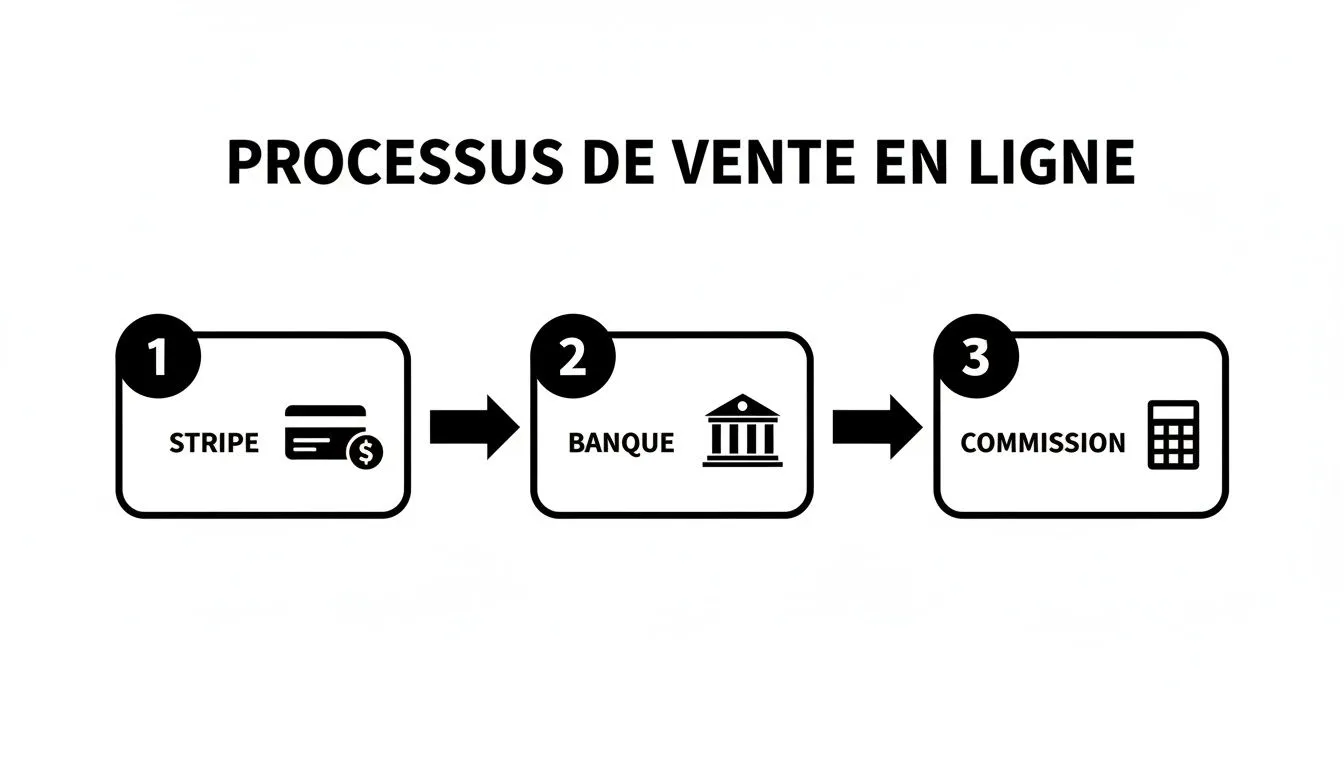
Every step of this flow, from the customer’s payment to the platform’s commission, must be precisely tracked in your chart of accounts to give a faithful picture of your business.
Breaking down VAT for bulletproof compliance
Think of your chart of accounts as a control tower. Every sale is a plane that needs to be directed to the right runway: the right VAT rate and the right accounting account.
Here’s the basic structure to set up:
- French VAT: For your customers in France, nothing changes. Account 44571 (VAT collected) does the job perfectly.
- Intra-EU VAT (OSS): Selling to a customer in Spain? You need to collect VAT at the Spanish rate. This amount must absolutely not end up in the French account. Create a dedicated sub-account, such as 44572 (VAT collected OSS), to keep it separate.
- Import VAT (IOSS): For sales under €150 to customers outside the EU, the IOSS system lets you collect VAT for the destination country. An account 44573 (VAT collected IOSS) will be perfect for tracking these amounts.
This organization isn’t optional — it’s essential. It’s the only way to confidently prepare your OSS/IOSS declarations and justify every euro paid to foreign tax authorities.
Practical case: a sale to Germany
Let’s take a concrete example. You sell a product for €100 excluding tax to an individual in Germany. The German VAT rate is 19%.
-
Invoicing: You’ll issue an invoice for €119 including tax. The €19 of VAT is collected on behalf of the German tax authorities.
-
Debit account 411 (Customers) by €119: your customer owes you this amount.
-
Credit account 707 (Sales of goods) by €100: this is your turnover.
-
Credit account 44572 (VAT collected OSS) by €19: this amount is set aside.
Thanks to this entry, the €19 are clearly identified as a debt owed to Germany, distinct from your French VAT. When it’s time to file your OSS declaration, you’ll know exactly how much to pay.
A well-designed chart of accounts is the cornerstone of sound international VAT management. It turns a complex administrative burden into a simple, reliable process, limiting errors and securing your growth.
Introduced in 2021, the OSS/IOSS one-stop shops were a real revolution, and the Plan Comptable Général followed suit. Accounts like 4457 (Community VAT collected) now structure pan-European declarations that already account for 15% of French cross-border sales. According to data from the Banque de France, companies that adopt a digitized chart of accounts reduce their errors by 45%.
This is exactly where tools like Bizyness come in. By connecting to your stores (Shopify, PrestaShop), the platform analyzes every order, applies the correct VAT rate based on the country, and generates the accounting entry in the right account, without you having to lift a finger. This automation is your best insurance against errors and audits. To review the basics, feel free to read our guide on creating compliant invoices and quotes.
Adapt your chart of accounts to steer your business with precision
A standard chart of accounts is a good start. But a chart of accounts that fits perfectly with the reality of your e-commerce business — that’s where the magic happens. The Plan Comptable Général (PCG) gives you a basic structure, a skeleton. It’s up to you to flesh it out to turn it into a surgically precise steering tool.
The idea is to go from a list of generic accounts to a genuine dashboard that speaks to you. Instead of having a single “Sales of goods” account that mixes everything together, imagine being able to analyze at a glance the performance of your Shopify store, your Amazon sales, and your La Redoute corner. It’s this granularity that makes all the difference for making the right decisions.
Create sub-accounts for finer-grained analysis
The most effective customization is creating sub-accounts, also known as auxiliary accounts. The principle is simple: you add digits after the base account number to create logical subdivisions. It’s a bit like creating subfolders in a directory to keep your files organized.
You can apply this logic to almost every aspect of your business:
- Sales channels: Distinguish between your different platforms to know which ones are actually the most profitable.
- Product lines: Isolate the sales of your “Spring-Summer” collection from those of your “Fall-Winter” collection to analyze their respective performance.
- Geographic zones: Separate your sales in France, in Europe (via OSS), and internationally to concretely track your expansion.
This approach transforms your bookkeeping. From a mere legal obligation, it becomes a goldmine of strategic information for your business.
Customizing your chart of accounts means giving yourself the ability to ask precise questions of your numbers and get immediate answers, without having to tear your hair out over complex spreadsheets.
To make this more concrete, let’s see how to adapt your sales account for tracking by channel.
The table below perfectly illustrates this approach.
Example of chart of accounts customization by sales channel
This table shows how to create sub-accounts to finely analyze the performance of each sales channel.
| Standard PCG Account | Custom number and label | Sales channel | Value for steering |
|---|---|---|---|
| 707 - Sales of goods | 707100 - Shopify Site Sales | Shopify store | Measure the direct profitability of your site, excluding marketplaces. |
| 707200 - Amazon Marketplace Sales | Amazon | Isolate revenue generated on Amazon to compare it against specific fees (FBA, ads, etc.). | |
| 707300 - Cdiscount Marketplace Sales | Cdiscount | Analyze the performance of a specific channel and adjust your strategy. |
With such a structure, generating detailed reports becomes child’s play. You’ll know instantly which channel is driving your growth or which one needs a boost.
This is an essential step in moving from “day-to-day” management to proactively steering your e-commerce business, whether you’re flying solo or working with an accountant.
Automate your bookkeeping with your chart of accounts
Ultimately, all this organizational work has just one goal: making your bookkeeping nearly invisible on a daily basis. A well-designed chart of accounts isn’t an end in itself; it’s the engine that drives a far more impressive machine: automation. It turns somewhat abstract accounting rules into concrete, automatic actions.
Picture this for a moment: you connect your Shopify store and your Stripe account to a platform like Bizyness. Without a clear chart of accounts working behind the scenes, you’d just have a pile of raw data, a bit like a scattered puzzle. But with the right setup, the magic happens. The platform turns into a smart translator, able to understand the language of your e-commerce business and instantly convert it into accounting language.

The bridge between your business and your compliance
The true role of automation is to build a solid, reliable bridge between your day-to-day business activity and your accounting obligations. Every event that happens on your store – a sale, a return, fees – triggers a precise accounting action, without you having to lift a finger.
To make this more concrete, let’s look at a few examples:
- A sale on WooCommerce: The system sees the sale, identifies the product, applies the correct VAT rate based on the customer’s country, and generates the entry crediting account 707 (Sales) and account 4457 (VAT collected).
- A refund via PayPal: A customer gets refunded? The tool records it immediately in account 709 (Credit notes and returns). Your turnover always stays accurate, with no manual work involved.
- A commission charged by Stripe: Transaction fees are immediately isolated and classified as an expense in account 627 (Banking services). This gives you a perfectly clear view of your costs.
This automatic interpretation of every financial flow is the real key. It ensures every euro is not only recorded, but lands exactly in the right place, following the rules you’ve defined in your chart of accounts.
The immediate benefits of automation
The impact of such a system goes well beyond mere compliance. The benefits are felt on every front of your management.
First, the time savings are massive. No more hours spent reconciling bank statements, sorting invoices, or manually entering journal entries. That precious time can finally be reinvested where it really matters: developing your products, refining your marketing, or pampering your customers.
Next, you virtually eliminate any risk of human error. A typo, the wrong account used, incorrectly calculated VAT… these small errors can be very costly, whether in time lost fixing them or, worse, in a tax reassessment. Automation ensures a level of rigor and precision that even the most meticulous person can hardly match.
Automation, built on a solid chart of accounts, isn’t an expense. It’s an investment in your peace of mind. It secures your compliance, makes your numbers reliable, and frees up your time to focus on growth.
Finally, the ultimate benefit is being able to generate, in a single click, the exact documents your accountant needs. The Fichier des Écritures Comptables (FEC), this standardized, mandatory export, is ready at any time. Say goodbye to end-of-quarter stress! Sharing information becomes a mere formality. Automation turns your chart of accounts into a living, dynamic tool, serving your day-to-day steering.
Frequently asked questions about the chart of accounts in e-commerce
Even after the clearest explanations, very practical questions often remain. That’s normal. This little guide is here to directly answer these questions, to clear up any last doubts before you get started.
Do I have to follow the Plan Comptable Général to the letter?
That’s a big “yes, but.” The Plan Comptable Général (PCG) is the backbone of your bookkeeping, the framework required by law. Your accountant and the tax authorities expect you to comply with it. So you can’t, for example, invent a class 9 to put whatever suits you in it.
That said, once this framework is set, you have considerable room to maneuver. Think of it like a house: the load-bearing walls are fixed, but you can arrange the rooms however you like. Creating specific sub-accounts, like 707100 for your Shopify sales and 707200 for your Amazon sales, isn’t just an option — it’s a practice we strongly recommend for steering your business effectively.
Can I create my own chart of accounts?
Of course! You can perfectly well start from a template (like the one we offer for download) and adapt it to your needs. The most important thing is to grasp the logic of the main account classes to avoid glaring classification errors, like recording an expense as revenue.
That said, a quick look from your accountant is always a good idea. They’ll confirm your structure is logical and, above all, that it will make their life easier when preparing the balance sheet. A little time invested upfront is a lot of time (and money) saved later.
Think of your chart of accounts as an architect’s blueprint. You can make the first sketches, but a professional’s opinion is essential to make sure the house will stand and meet the standards.
Does my chart of accounts need to evolve as my business grows?
Absolutely. It’s not a document you create once and for all. It’s a living tool that needs to breathe at the pace of your business. At first, a few accounts are enough. But as soon as your business grows, your chart needs to keep up.
- Opening a new store? If you launch on Etsy, you create a new sales sub-account to track that performance separately.
- Going international? From your first sales in Europe, you need to add the accounts for VAT via the OSS one-stop shop.
- Hiring? Your first employee is joining? It’s time to open the necessary accounts for salaries and payroll taxes.
Get into the habit of reviewing your chart of accounts once a year. It’s a good routine to make sure it still matches the reality of your business.
Now that the theory is clear, it’s time to put it into practice. To automate your entire financial management, from invoicing to bank reconciliation, discover how Bizyness can turn your chart of accounts into a real growth engine. Request a free demo on our website.
