

 Français
 Expense report management: a quick and effective guide
Discover how to master expense report management with automated processes to save time and make your data more reliable.

Expense report management is much more than a simple accounting line. It covers the whole journey: from collecting your employees’ business expenses to validating them, all the way to reimbursement. We’ve all known the era of paper receipts and endless spreadsheets. Fortunately, today more and more of this is automated to save precious time and reduce errors.
Why manual expense report management is holding you back

Chasing receipts and endless Excel files is more than a simple headache. It’s a real drag on your business. This “old-school” approach, still too common, actually hides costs and administrative overhead you could well do without.
For your teams, it’s a source of frustration and wasted time. Having to carefully keep every receipt, fill in tables by hand, and sometimes wait weeks to be reimbursed… it’s enough to demotivate anyone. That’s time and energy not spent on their real missions, the ones that create value.
The concrete impact on your productivity
And on the company side, things aren’t any rosier. The accounting department or managers spend hours checking every line, chasing typos, and making sure every expense is compliant. This painstaking work is not only slow, it’s also an open door to errors.
A small data-entry mistake, a transposed figure, and you’re opening the door to accounting issues, problems reclaiming VAT, or reimbursements that drag on. Multiply that by the number of employees, and you quickly see the impact on overall productivity.
This is far from a minor issue, especially in France. Did you know that around 80% of managers file expense reports? On average, they submit 8 per year, mainly for meals (87%) and transport (81%). Faced with such volumes, it’s easy to understand the urgency of modernizing the process. If the topic interests you, IFOP published an enlightening study on French managers’ habits with their expense reports.
Switching to automation turns this chore into an advantage. You free up precious time for everyone, from field sales reps to the finance department, while making the whole process far more reliable.
Making expense submission easier for your teams
To manage expense reports well, everything starts in the field. The reflex needs to be simple for your employees. Imagine a sales rep leaving a client lunch: before even getting back on the road, they pull out their smartphone, snap a photo of the receipt, and it’s sent. No more receipts piling up at the bottom of a bag or emails getting lost.
The idea is to gather everything in one place. Instead of watching receipts pile up, the employee logs each expense on the spot. It’s a small detail, but it changes everything for mental load and organization.
Technology in the service of autonomy
This is where the magic of OCR (Optical Character Recognition) comes in. In practice, when your employee photographs the receipt, the app doesn’t just store it. It reads it and automatically extracts the essential information:
- The vendor’s name
- The date
- The total amount
- The VAT details
With a tool like Bizyness, a chore turns into a task that takes just a few seconds.
The interface is designed to be crystal clear. The employee sees their expenses added in real time. Thanks to OCR, the fields are already filled in. Say goodbye to manual entry and the typos that come with it.
This automation gives your teams real autonomy. No more waiting until the end of the month to spend hours on an Excel spreadsheet. Each expense is processed on the fly, which streamlines the whole validation chain and, ultimately, reimbursement. It’s an immediate win for your employees’ morale and efficiency.
The time saved is considerable. By getting rid of these repetitive tasks, employees can focus on what really matters, their core job, while being reassured that their expenses will be processed quickly and fairly.
Setting up this method is the first building block of an effective management system. If you want to dig deeper, take a look at our expense report example; it will give you best practices for a flawless presentation. Simplifying submission is truly the starting point for regaining control of your expenses.
Once expenses have been submitted, how do you make sure everything is in order without spending entire days on it? The answer comes down to two words: validation workflows. Rather than checking every line manually, good automation sorts things out for you by applying predefined rules.
This approach changes the game for managers. No more systematic, tedious checking; they only need to focus on the cases that stand out from the ordinary.
Set your own rules of the game
A good expense report management tool should adapt to your expense policy, not the other way around. The idea is to configure smart filters that automatically check the compliance of every submitted expense.
In practice, here are the kinds of rules you can put in place:
- Caps by expense type: Set a maximum amount for a business meal, a hotel night, or a taxi ride.
- Proof requirements: The system can, for example, make a detailed invoice mandatory for any expense over €50.
- Duplicate detection: No more receipts submitted twice by mistake (or on purpose). The tool spots and flags duplicates immediately.
- VAT rate checks: An automatic check ensures rates are correct and that VAT is indeed recoverable.
The whole process, from a simple photo of the receipt to submission for validation, is designed to be as simple as possible for the employee.
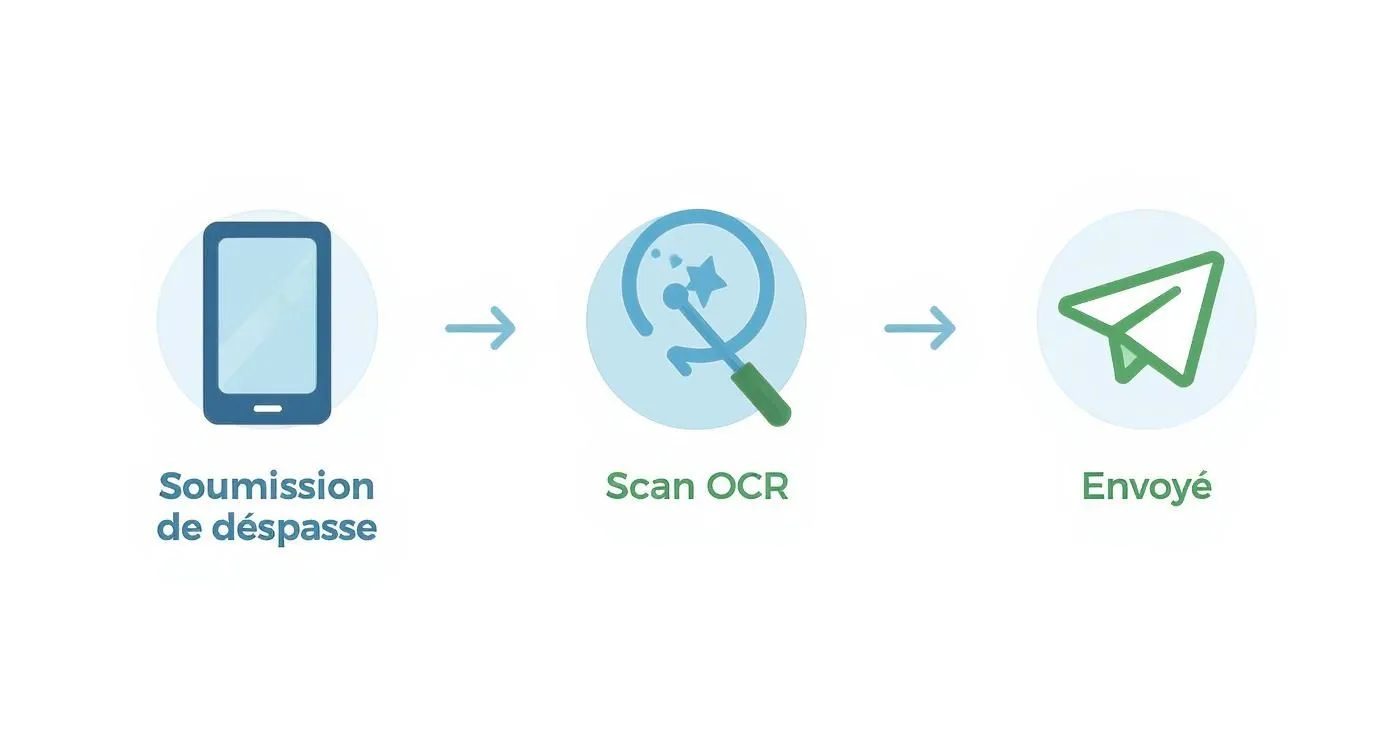
This upstream simplicity is crucial: it guarantees that the information reaching managers is already clean, complete, and well structured.
Picture the scenario: a manager receives a notification. At a glance, they see that 15 expense reports are compliant and approve them in one click. Only one expense, slightly exceeding the allowed cap for a lunch, is flagged for manual review. You move from mass control to targeted validation, which considerably speeds up the process.
The impact on compliance is tangible. Companies like ISS France, by going digital, have seen their compliance rate climb above 80%. The few remaining errors are generally minor and quickly corrected. If you’d like to dig deeper, you can read the full analysis on managing business expenses.
By automating these checks, you don’t just save time. You establish a transparent and fair working framework for everyone, while drastically minimizing the risk of errors and non-compliant expenses.
To better visualize the gap between the two approaches, here’s a quick comparison.
Comparing manual and automated expense report management
This table highlights the key differences between a traditional approach and a digital solution for managing business expenses.
| Process step | Manual Management (Traditional) | Automated Management (With a tool) |
|---|---|---|
| Submission | Manual data entry (Excel), stapling receipts. | Photo of the receipt, automatic reading (OCR). |
| Control | Visual check of every line and every receipt. | Automatic filters (caps, duplicates, VAT). |
| Validation | Physical signature or email validation, one by one. | Bulk validation in one click, alerts on exceptions. |
| Archiving | Physical binders, bulky storage. | Legally valid digital archiving, accessible online. |
| Analysis | Difficult and time-consuming, manual data compilation. | Real-time dashboards, instant reports. |
This table makes it clear: automation isn’t just a modernization, it’s a complete overhaul of the process that brings rigor and efficiency to every step.
Streamlining accounting processing and reimbursements
Once a manager has given the green light, you might think the hardest part is done. In reality, that’s when the marathon begins for the finance department: posting to accounting and, of course, reimbursement. If your tools don’t talk to each other, you’re exposed to double entry, the best friend of errors and wasted time.
The idea is to create an information highway, with no tolls or off-ramps. Modern expense report management software like Bizyness doesn’t just digitize receipts. It communicates directly with your accounting and payroll software so that every validated expense is sent there automatically, with zero manual intervention.
Automating the creation of accounting entries
How does this work in practice? As soon as an expense is approved, the system generates the matching accounting entry. It automatically knows which expense account to post it to (restaurant, transport, hotel…) and which VAT rate to apply. No more misallocated entries.
This automation drastically reduces the risk of human error and ensures your accounting is always up to date, in real time. If you want to dig into the technical side, our guide on posting expense reports to accounting covers exactly that.
Picture the journey of a simple business lunch. Once validated, the accounting entry is generated and ready to be exported. It lands in your accounting software, and at the same time, the amount to be reimbursed is sent to the payroll system to appear on the next payslip. Zero re-entry, zero delay.
This fluidity changes everything once you know how cumbersome the traditional process is. Did you know that processing a single paper expense report costs a company around €53 on average and can take more than 20 days? These figures clearly show the urgency of stepping up a gear. It’s not just about saving money, but also about keeping your employees motivated, because nobody likes waiting for their reimbursement. To learn more, feel free to read this analysis on HR management of expense reports.
By connecting your tools, you turn a string of manual, repetitive tasks into a reliable, fast process. Your accounting department can finally breathe and focus on more strategic work, like analyzing expenses rather than simply entering them.
Use your data to steer expenses more effectively

Automating expense report management isn’t just about processing receipts. Its real power is turning a heavy administrative task into a lever for strategic decision-making. By centralizing every expense, you build a mine of reliable, immediately actionable information.
Gone are the days when you had to wait for the accounting close to get an overview. Now you can track how expenses evolve in real time. And that responsiveness, believe me, changes everything.
How to turn raw numbers into informed decisions
All the data you collect feeds visual, interactive dashboards. For a CFO, it’s the ideal tool for exploring expenses with surgical precision. Imagine being able to filter all expenses in just a few clicks:
- By employee, to see who the biggest spenders are.
- By department, to compare allocated budgets against actual spending.
- By project, to accurately assess the profitability of a client engagement.
- By expense type, to isolate the largest cost categories, such as travel or meals.
This level of analytical detail takes you from a somewhat blurry macro view to a detailed understanding. You no longer just observe an expense; you understand its origin, context, and relevance.
For example, by analyzing the data, you might notice that a sales team’s travel expenses are abnormally high compared to others. That’s a strong signal that can trigger a concrete action: renegotiating rates with a hotel chain or simply revisiting the company’s travel policy.
If you’d like to dig deeper, our guide to building a financial dashboard with examples will give you concrete ideas for creating reports that truly speak to you.
Ultimately, a good management tool gives you the means to anticipate rather than react. You identify trends, proactively adjust budgets, and optimize your costs over the long term. Expense report management then becomes much more than a simple formality: it becomes a genuine financial steering tool.
Frequently asked questions about optimizing expense reports
Going digital for expense report management is a significant change. Naturally, it raises quite a few very practical questions. It’s entirely normal to want to make sure the transition goes smoothly.
Will my scanned receipts have real legal value?
This is often the first concern, and the answer is yes, without hesitation. A receipt photographed with a certified app has exactly the same legal validity as a paper receipt. The condition? That the system complies with the rules set by URSSAF. In practice, this means you can throw away the paper with peace of mind.
And what about the security of my data in all this?
That’s the other big concern: where does all this information end up? Modern tools like Bizyness don’t take this lightly. Your data is stored on ultra-secure servers, generally based in Europe, to be fully GDPR compliant. All information, yours as well as your employees’, is encrypted to block any unwanted access.
The goal is simple: to give you complete peace of mind. Not only is the system a digital vault, it also guarantees you can retrieve any receipt in just a few clicks, even years later. Handy in case of an audit!
Is it complicated to set up for my teams?
You might think so, but most solutions today are designed to be incredibly intuitive. The idea is for the interface to be as simple as the app you use every day on your smartphone. The result: teams typically get up to speed in a matter of hours, not more.
Will the software work with my other tools?
An essential question. A good expense report tool needs to connect easily with what you already use, and especially with your accounting software. This connection is the key to automating the transfer of entries and saying goodbye, once and for all, to double entry.
Step up a gear and turn your expense report management into a simple, effective process. With Bizyness, discover a solution built for entrepreneurs who want to focus on growth. Get started for free on Bizyness.
