

 Français
How to create an invoice online: simple and compliant
Learn how to create an invoice online, legally and easily. Discover the mandatory details, the right tools and how to archive your invoices.
Creating an invoice online is far more than filling in a template on a spreadsheet. It’s the simplest and safest way today to be sure your documents comply with the law, while giving your business a professional image. In practice, it means using dedicated software that generates, sends and tracks your invoices for you, making sure every mandatory detail is included without you having to think about it.
Why is it time to switch to online invoicing?
Letting go of your trusty old spreadsheet for invoicing can feel a little scary. Yet it’s a decisive step toward truly structuring and securing your business. More and more freelancers and SMEs are taking the plunge, and believe me, it’s not just to save a few minutes.
A good invoicing tool is above all a safety net. It saves you from small mistakes that seem harmless but can end up costing you dearly. An invoice with the wrong number, a missing legal notice, an approximate VAT calculation… all of that can weaken your bookkeeping and undermine your credibility.
Far more than a simple PDF generator
In fact, by choosing to create your invoices online, you turn an administrative chore into a real management tool. It’s a chance to centralize all your client information, see at a glance who has paid you, and get a clear view of your cash flow.
This approach lets you sleep easy on the legal side, while also strengthening the trust relationship with your clients. Clear, clean, professional documents change everything. To sum up, the benefits are very concrete:
- Guaranteed compliance: Software automatically adds the legal notices that apply to you. For example, the famous notice “VAT not applicable, art. 293 B of the French General Tax Code” for micro-entrepreneurs is inserted without you having to think about it.
- Flawless numbering: No more stress of ending up with two invoices numbered 34. The system follows a logical, gap-free sequence, exactly as required by the tax authorities.
- A professional image: A well-presented invoice, with your logo and clearly organized information, shows that you’re serious. It’s a detail that matters to your clients and partners.
Switching to a dedicated tool isn’t an expense, it’s an investment. It secures what your clients owe you, saves you a huge amount of time every month, and prepares your business for the future, particularly for the arrival of mandatory e-invoicing.
In short, it’s the first step toward calmer, more efficient management. You free up your mind and gain time to focus on what really matters: growing your business.
Mandatory details on an invoice: a detail that changes everything
An invoice isn’t just a piece of paper to claim what’s owed to you. It’s a legal document, proof of a business transaction, and above all a reflection of how serious you are. When you want to create an invoice online, you need to be rigorous. A small mistake, an oversight, and you open the door to late payments, or even complications in the event of an audit.
The most common mistake I see? Vague identification of the parties. It’s the basics, but it’s often overlooked. You must always state your full name, your registered office address and your SIREN number. On the client’s side, if they’re a business, it’s the same thing. If it’s an individual, their name and address are enough.
Describing the transaction: clarity above all
Now let’s get to the heart of the matter: what you sold. Here, precision is your best ally for avoiding any future dispute or disagreement.
- A clear description: Forget vague wording. “Consulting assignment” doesn’t mean much. Prefer something like: “Strategic marketing support for project X - February 2024”. It’s clear, clean and precise.
- Quantity and unit price: Every line must be detailed. Think 5 hours of service, 1 unit of product, with the tax-exclusive unit price clearly visible.
- The correct VAT rate: Apply the VAT rate that corresponds to each line. If you have services with different rates (for example, 20% and 10%), they need to be clearly separated on the invoice.
This structure protects everyone and makes life much easier for your accountant (and for you!). To dig deeper into the topic and see concrete examples, feel free to read our full guide on mandatory invoice details.
Special cases you should never forget
Your legal status or your line of work may require additional details. This is where the devil hides in the details, and these details are crucial for your invoice to be valid.
The classic case is that of the micro-entrepreneur under the VAT exemption scheme. It is essential to add the notice “VAT not applicable, art. 293 B of the French General Tax Code”. This is a legal obligation, not an option. It explains why there is no VAT on the document. In a different vein, a construction tradesperson must, for example, mention the details of their ten-year (decennial) insurance.
A well-made invoice is a strong signal of professionalism. It shows that you know your business inside out, including the administrative side. It reassures your clients and strengthens your credibility.
Another point to watch: numbering. The tax authorities pay very close attention to this. Your invoice numbers must follow one another, with no gaps in the sequence. This is where invoicing software becomes a valuable ally: it handles this for you, with no risk of human error.
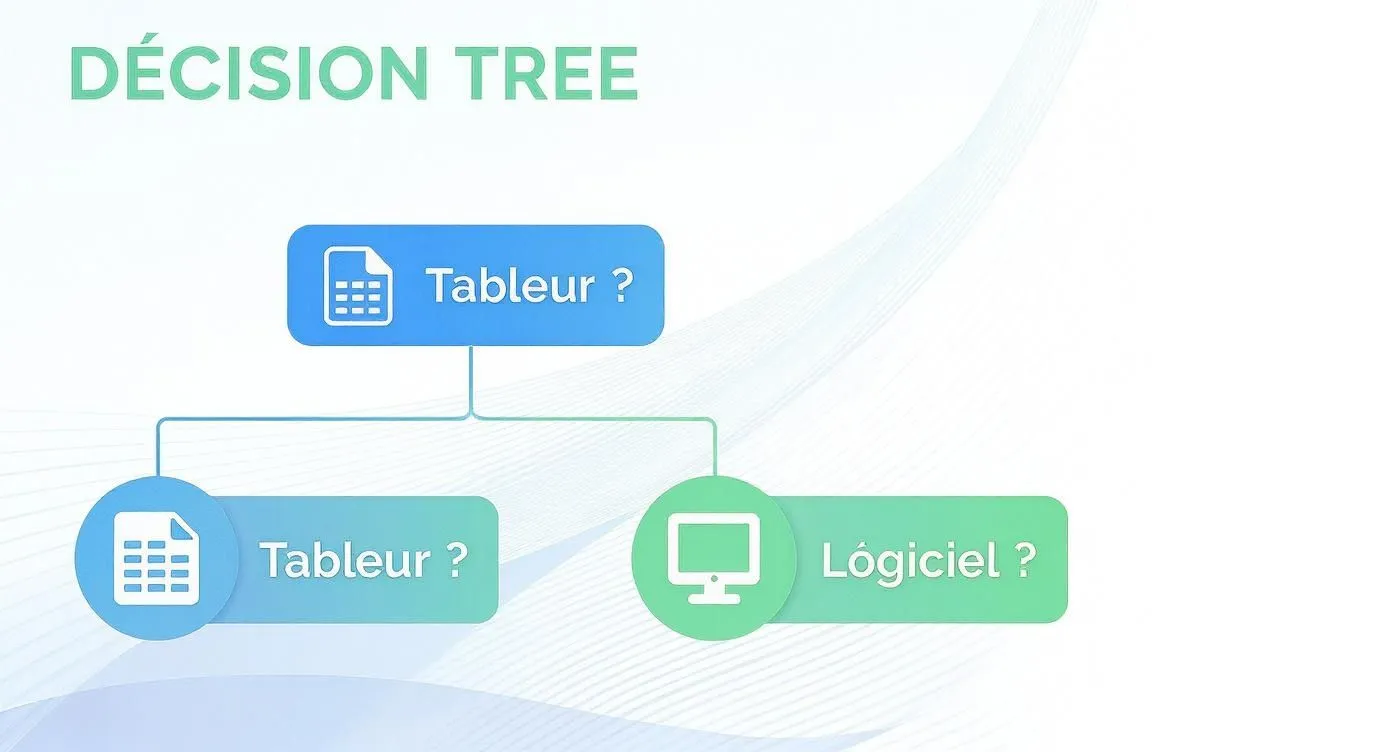
This little diagram illustrates it well: when in doubt, a dedicated tool is often the safest path to make sure you don’t forget any legal detail.
To help you see things more clearly, here’s a summary table of the information you should never omit.
Summary of the essential legal details
| Legal detail | Why it matters | Concrete example |
|---|---|---|
| Full identity of the issuer | Allows the tax authorities and the client to identify you unambiguously. | Your name/business name, address, SIREN/SIRET number |
| Full identity of the client | Mandatory to prove who the invoice is addressed to (except for retail sales). | Client’s name/business name, registered office address |
| Invoice number | Essential for accounting traceability. Must be unique and chronological. | INV-2024-001, INV-2024-002, etc. |
| Issue date | Starting point for payment deadlines and VAT reporting. | Today’s date |
| Description of products/services | Prevents disputes and justifies the amount invoiced. | SEO consulting service - 10 hours |
| Amounts excl. VAT, VAT, and incl. VAT | Essential for bookkeeping, VAT reporting and clarity for the client. | Total excl. VAT: €1,000, VAT (20%): €200, Total incl. VAT: €1,200 |
| Payment terms | Defines the payment deadline and penalties to avoid unpaid invoices. | Net 30 payment. Late payment penalties: 3 times the legal interest rate. |
This table is your basic checklist. Keep it on hand to check your first invoices and make sure everything is in order.
Finally, never forget to state your payment terms. A clear due date (“Payment on receipt”, “Payment within 30 days”) and the applicable late-payment penalties are effective safeguards. The law sets a minimum rate, but restating it on the invoice is good practice to encourage prompt payment.
And of course, the totals! The total amount due excluding VAT and the amount including VAT must be perfectly visible and correct. Using an online tool to generate your invoices takes this calculation burden off your shoulders and guarantees an impeccable presentation, leaving you more time for what really matters: your work.
How to choose the right invoicing software?
The market for tools to create an invoice online has become a real jungle. Between free solutions, niche software and all-in-one platforms, it’s easy to get lost. The thing is, the best choice doesn’t just depend on your immediate needs, but also on where you want to take your business.
Many entrepreneurs, and I’ve seen plenty of them, start with a simple Excel template. It’s free, it looks simple, so you go for it. But very quickly, this approach shows its weaknesses and, worse, it exposes you to very real risks.
Picture this for a second: recreating every invoice by hand, checking that the numbers follow one another with no gaps, making sure all the legal details are there… Human error is always lurking around the corner. A typo in a SIREN number, an incorrect VAT calculation, or a break in the numbering sequence, and it’s your credibility (and your time) that takes the hit.
Criteria you should never overlook
To avoid these headaches, it’s really crucial to equip yourself with a tool that holds up. Here are the points I recommend always checking before signing up.
-
Legal compliance is non-negotiable. The software must be certified compliant with the anti-VAT-fraud law. It’s your peace-of-mind insurance. It guarantees that your data is secure, tamper-proof and properly retained, which protects you in the event of a tax audit.
-
Automation to free up your time. A good tool works for you. Think recurring invoices for subscriptions, automatic reminders for late payers, or turning a quote into an invoice in a single click. That’s time you don’t spend on admin work.
-
An invoice that looks like you. Your invoice is also part of your brand image. Check that you can easily add your logo, adjust the colors to match your visual identity, and even personalize the note that goes along with the email.
Choosing invoicing software isn’t just a technical question, it’s a strategic decision. It needs to be able to grow with you. Ask yourself: will this solution still be relevant in two years, once my business has doubled?
Plan ahead: e-invoicing
One criterion is becoming increasingly important: compatibility with the upcoming e-invoicing reform. In France, the train has already left the station. A 2023 INSEE survey showed that 31% of businesses were already issuing structured electronic invoices. That figure even climbs to 54% for large companies, a sign that the trend is well underway. To find out more, take a look at the statistics on e-invoicing in France.
Choosing a tool that’s already ready for these new standards means securing a painless transition and avoiding having to overhaul everything in a few years’ time.
A solution for every entrepreneur
Of course, needs vary radically from one profession to another. The nomadic freelancer will look for a great mobile app to invoice between two appointments. A small, fast-growing agency will need features to track its projects and calculate its profitability.
And the micro-entrepreneur? They’ll love a solution that automatically handles the famous “VAT not applicable” notice and helps them keep an eye on their revenue thresholds to avoid unpleasant surprises. If that’s your case, our dedicated guide to invoicing software for sole traders should interest you.
To sum up, the “right” software is the one that fits naturally into your daily routine, secures your management, and prepares you for the future. Take the time to analyze your own needs to make a choice that will serve you in the long run.
Creating your first invoice in just a few clicks
Alright, enough theory. Let’s get practical! This is often the most rewarding moment. Now that the basics are in place, you’ll see just how simple and fast it is to create an invoice online with the right tool. The idea is that you should be able to produce a perfect document in under five minutes, with no hassle.
The process is designed to be super intuitive. No more stress over layout or worrying about forgetting a mandatory legal detail. A good piece of software takes you by the hand and guides you, field by field.
To get started, set up your profile
Even before creating your first invoice, there’s a very small setup step. You’ll only do it once, but it’s crucial. It’s what allows all your legal information to be inserted automatically on every document.
Here’s what you’ll need to fill in:
- Your business name (or your first and last name if you’re a sole trader).
- Your registered office address, your official business address.
- Your identification numbers: SIREN/SIRET and your intra-community VAT number if you have one.
- Your bank details (IBAN) so your clients can pay you easily by bank transfer.
A quick tip: take the opportunity to upload your logo. It’s a small detail, but it changes everything. It strengthens your brand image and instantly gives your invoices a more professional look.
Create a client record and set up your services
Once your profile is ready, it’s time to create your first client record. This is where you’ll centralize all the information about the person or company you’re invoicing. The huge advantage of an online tool is that you’ll never have to retype this information again.
Next, you can create a catalog of your products or services. Even if you only have a few offers, recording them once and for all will save you a huge amount of time down the line.
Pro tip: Be as precise as possible when describing your services. Instead of a vague “SEO Consulting”, prefer something like “Technical SEO audit of the [website name] website - 20 hours”. This clarity avoids any confusion, justifies your rate, and greatly reduces the risk of disputes.
This initial bit of organization may seem a little tedious, but believe me, it’s the key to fast, error-free invoicing for the months and years to come. It’s an investment of a few minutes that will save you hours.
Here’s what a typical invoicing interface looks like, where every field is clearly indicated to guide you.
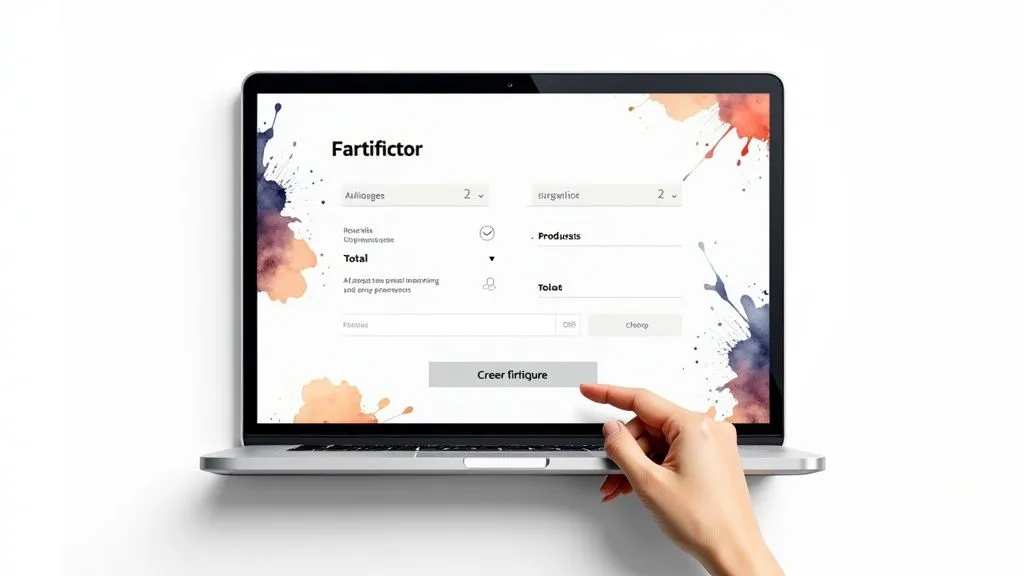
As you can see, it’s simple: you select a client, add the product or service lines, and the totals calculate themselves.
The finishing touch: generating and sending the invoice
And now, the magic happens. Once your client is selected and your services added, the software assembles all the pieces of the puzzle. It generates an impeccable PDF document containing absolutely everything:
- Your information and your client’s information.
- A unique invoice number that follows a chronological sequence.
- The issue date.
- The details of what you’re invoicing.
- The VAT calculations, and the totals excluding and including VAT.
- Your payment terms and late-payment penalties.
All you have to do is preview the document to check that everything is in order, then you can send it directly by email to your client from the platform. Most tools even let you personalize the note that accompanies the invoice.
The real win is peace of mind. By following these steps, you can be certain that your invoice is not only professional, but also 100% compliant with French law. You’ve just turned an administrative chore into a simple formality that takes just a few clicks.
Tracking and archiving: the key steps after creating the invoice
Creating an invoice is good. Making sure it gets paid and properly archived is even better. In reality, most of the work begins once the document is ready. That’s where sending, payment tracking and secure archiving come into play and make all the difference for sound management.
As soon as your invoice is finalized, it needs to reach its destination safely. Sending the invoice directly from online software gives you a huge advantage: traceability. You know exactly when it was sent and, very often, whether your client has opened it. That’s a crucial first step for effective tracking.
How do you set up payment tracking that actually works?
Payment tracking is where it all comes together. Without a minimum of organization, you can quickly feel overwhelmed and lose track of due dates. A good invoicing tool gives you a clear view of your cash flow through very simple statuses: “sent”, “viewed”, “overdue”, “paid”.
If a client is slow to pay, you need to react quickly, but always professionally. The ideal approach is to prepare reminder templates that are both polite and firm. I’ve found that a three-step approach is often the most effective:
- The friendly reminder. A simple email right after the due date, to check whether the invoice slipped through the cracks.
- The formal follow-up. A week later, if nothing has moved, a more direct message restating the agreed payment terms.
- The final notice. As a last resort, a communication clearly mentioning the applicable late-payment penalties.
Having a structured method like this lets you stay in control of the situation while protecting your financial interests.
Automated payment tracking doesn’t just save you time; it takes a huge weight off your shoulders. Knowing that a reliable system is watching your due dates lets you focus on what you do best: your work.
Legal archiving: an obligation never to take lightly
On this point, French law leaves no room for doubt. You’re required to keep all your invoices for at least 10 years after the close of the accounting period.
But that’s not all. This obligation comes with a requirement of tamper-proofing. In practice, once an invoice has been issued, it must never be modified again. Tools for creating an invoice online are designed for exactly this: they store your documents in a secure space where they’re locked in place. To dig deeper into the topic, you can read our article that explains in detail how to properly retain your accounting documents.
In the event of a tax audit, you must be able to provide these documents without delay. Well-organized digital archiving guarantees complete peace of mind and is the best way to avoid penalties that can end up being very costly.
Preparing for the e-invoicing reform
Mandatory e-invoicing is no longer a distant prospect, but a reality that is concretely taking shape for all French businesses. It’s crucial to fully understand what’s at stake in this transition in order not to be caught off guard, but rather to turn it into a performance lever.
This isn’t a change for tomorrow, but you need to start preparing today. The timeline is clear: the obligation to receive electronic invoices will apply to all businesses starting September 1, 2026. For issuing invoices, the rollout will be gradual.
Who is affected, and when?
This major reform will impact nearly 7 million businesses subject to VAT in France. The obligation to issue invoices in electronic format will happen in two stages:
- First, on September 1, 2026 for large companies and mid-sized enterprises (ETI).
- Then, on September 1, 2027 for SMEs and micro-businesses.
The goal behind this measure is twofold: simplify VAT reporting and combat tax fraud estimated at 13 billion euros per year. To find out more, you can read this article on the major transformation this represents for the accounting profession.
In practice, how will this work? Invoices will no longer be sent directly by email. They’ll have to go through certified platforms: either the Portail Public de Facturation (PPF), the French public invoicing portal, or Plateformes de Dématérialisation Partenaires (PDP), certified partner platforms.
Choosing a tool for creating your invoices online that’s already compatible with this reform isn’t just about complying with a future law. It’s a strategic investment to get ahead of the curve, secure your processes, and simplify your administrative management well before the deadline.
Getting ahead of it means ensuring a smooth transition. You get used to the tools that will become the standard, you avoid the stress of last-minute change, and you position your business for the future.
Get ahead of this shift now with Bizyness. Our solution was designed to support you through this transition and let you manage your invoices with complete peace of mind, already compliant with tomorrow’s requirements. Discover how Bizyness simplifies your invoicing.
